We are at Dreamforce 2026, Industry Pavilion at San Francisco


August 19, 2026
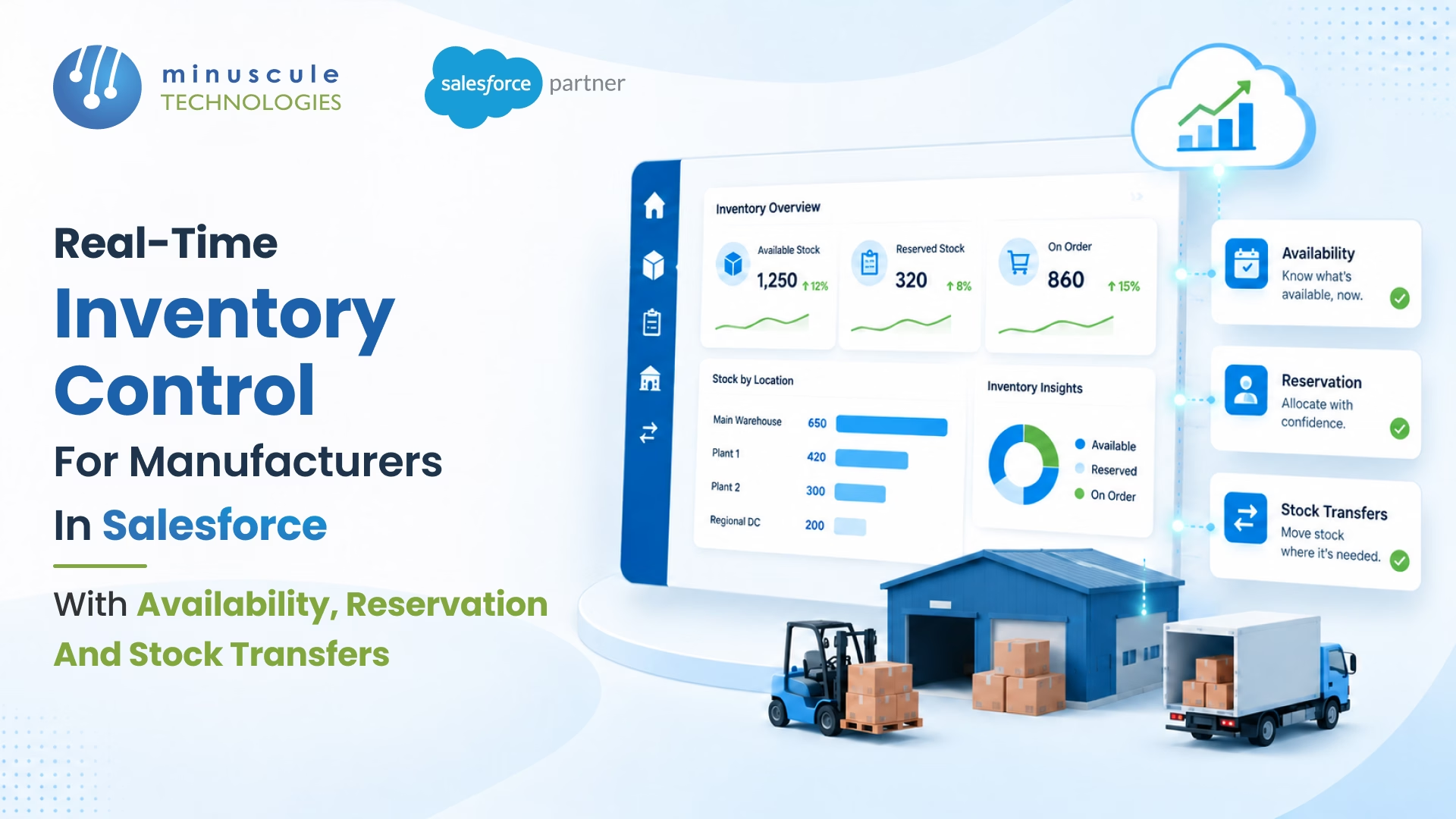
Most manufacturer Salesforce orgs run on an inventory record that doesn't reflect what's in the warehouse. The dashboard says 250 units Available. Reality says 30. The gap shows up at the end of the month when Sales has promised the same stock to three different customers and only one will get the shipment on time.
This isn't a warehouse problem. It's an architecture problem. Inventory in a serious manufacturing setup isn't one number called "stock on hand" - it's three connected states: Available (what's free), Reserved (what's promised to an Activated Order), and In-Hand Inventory (the total quantity currently in stock and under your control). Conflate them, and your Salesforce inventory becomes a confident liar that quietly costs you customers, margin, and the trust of every warehouse manager who must clean up the mess.
The fix is a real-time inventory architecture that distinguishes those three states at the warehouse level, reserves stock the moment an Order activates, and triggers Stock Transfer between Source and Target Warehouses before someone must make the apology call.
Here's how to build inventory control in Salesforce that tells the truth - at month-end, at quarter-close, on any Monday morning.
Five forces corrupt inventory truth in legacy setups:
Each force creates one bad promise a week. Combined, they explain why Sales and Warehouse argue every Monday morning.
The source inventory model splits stock into three connected states. Every Salesforce inventory architecture for manufacturing needs all three.
Physical units present at the warehouse, not yet promised any Order. This is the only number Sales should see when configuring a quote.
Units logically committed to an Activated Order but not yet picked or shipped. Reserved stock is invisible to new orders - the system already counted against it.
Units currently under your control, including inventory stored in the warehouse and inventory being processed for shipment. Tracked separately to support inventory accuracy, fulfillment planning, and shipment confirmation.
The source pattern triggers Inventory. Check the moment an Order activates. Two automated outcomes follow.
The system flips matching units from Available to Reserved, updates the Order Products to reflect the warehouse and quantity reserved, and signals the next stage (Logistics) that physical stock is locked.
The Order is marked with Stock Shortage status. Two paths open immediately: Stock Transfer from another warehouse, or escalation to Production Order. Sales see the flag in real time - no waiting until shipment day.
The Sales Rep checks nearby warehouses through the Salesforce inventory view, requesting a transfer through a structured object. On Warehouse Manager approval, the Source Warehouse deducts stock, and the Target Warehouse adds it - the inventory record updates in real time on both sides.
The source inventory model carries more than counts - it carries the production parameters that make forecasting possible. Six fields for every inventory record needs.
The maximum production volume in the warehouse or plant can be absorbed in each window. Forecasting against capacity prevents over-promising.
The optimal production quantity for a single manufacturing run. By incorporating Batch Size into reorder planning, manufacturers can reduce setup effort, improve production efficiency, and make better use of capacity.
Cycle time
The hours or days required to produce one batch. Cycle time anchors customer delivery promises.
The end-to-end time from Production Order triggers to finished stock available. Lead time + cycle time = a realistic promise date.
The buffer below automated reorder fires. Safety stock prevents the stock-out that becomes a customer crisis.
The threshold that triggers automatic Production Order creation. When Available falls below the Reorder Point, manufacturing wakes up before Sales must ask.
Five validation rules keep inventory honest under load.
Block Reservation against Draft Orders. Stops phantom reservations from quotes that never close.
Block any transaction that would push Available below zero. The system either reserves what's there or marks Stock Shortage - never silently overcommits.
Source and Target Warehouse updates happen in the same transaction. Mid-transfer state mismatch is impossible.
When Available drops below Reorder Point, automation creates a Production Order tied to the warehouse and product. No human signal is required.
Every Available → Reserved → In-hand transition writes a record with timestamp, user (or System), Order ID, and quantity. The audit is how you answered "where did the 200 units go" three weeks later.
Available is unallocated stock ready for new orders. Reserved is stock committed to an Activated Order but not yet picked. In-hand stock is being processed for shipment - picked, packed, or transit between bays. All three are tracked at the warehouse level, and only Available counts when a Sales Rep configures a new quote.
When an Order moves from Draft to Activated, Salesforce's Inventory Check fires against the assigned Storage Warehouse, matches Order Products against Available stock, flips matching units from Available to Reserved, and updates Order Products with warehouse and quantity references. The transaction is atomic - either the reservation completes, or the Order is marked with Stock Shortage.
The Order is flagged with Stock Shortage status. The Sales Rep can initiate a Stock Transfer request from a nearby warehouse - if approved by the Warehouse Manager, Source Warehouse deducts and Target Warehouse adds in real time. If no transfer is feasible, the system creates a Production Order tied to the product and warehouse, triggering the manufacturing stage.
Yes. When Available falls below the configured Reorder Point, automation creates a Production Order at the appropriate warehouse. The Production Order inherits production configuration - Capacity, Batch size, Cycle time, Lead time - from the inventory setup, so manufacturing planning has the parameters it needs without manual input.
The forty-seven deals on the CFO's dashboard aren't an outlier. Across manufacturing, the gap between Closed Won and Activated Order is the most expensive blind spot - stuck inventory, delayed revenue, and quarter-end write-offs nobody planned for. The architecture close to it isn't complicated. It just must exist.
The Salesforce Manufacturing Cloud Starter is the product Minuscule built for manufacturers who don't want this gap on their next earnings review. It covers Primary Quote handling, Document Verification through the Credit Admin Team queue, Order Activation from Draft to Activated, and the Inventory and Manufacturing triggers that fire downstream - engineered into one production-ready Salesforce platform. Manufacturers run close quarters cleaner and stop discovering activation gaps at the wrong moment.
Connect with our enterprise architecture team and we'll walk through the Manufacturing Cloud Starter and the activation architecture for your operations.
You've seen what's possible. Now, let's make it happen for your business. Whether you need an end-to-end Salesforce solution, a complex integration, or ongoing managed services, our team is ready to deliver.

Schedule a Free Strategic Call


