160+
Certified Salesforce Engineers
75+
Projects Delivered Globally
12+
Platforms We Integrate
24/7
Integration Support
We don't just connect systems at the surface level. Every integration we build is designed for reliability, security, and long-term maintainability — using the right architecture for your specific use case.
We use Salesforce REST, SOAP, Bulk, and Streaming APIs to connect your CRM to external systems at the right level for each use case. A real-time customer update needs a different API pattern than a nightly bulk sync of 100,000 records — and we pick the right one every time. Every API integration we build includes proper authentication, rate limit management, error handling, and retry logic. So when something unexpected happens at 3am, the system recovers on its own instead of silently losing data.
When you have more than two or three systems to connect, point-to-point integrations quickly become unmaintainable. We design middleware-based integration architectures using MuleSoft, Azure Integration Services, and other iPaaS platforms — giving you a governed integration layer where every connection is documented, monitored, and manageable from a single place. This is how enterprise-scale businesses handle integration without creating a web of spaghetti connections that nobody understands in six months.
Some business processes can't wait for a nightly sync. When a loan applicant submits documents, your team needs to see them immediately. When a field technician closes a work order, the payment system needs to trigger right away. We build event-driven integrations using Salesforce Platform Events, Change Data Capture, and webhook architectures that push data between systems the moment something happens — not hours later. This is what gives your teams real-time visibility across systems they used to check manually.
As AI agents become part of your business operations, they need to communicate with each other — not just with humans. A2A integration connects multiple AI agents across your Salesforce ecosystem so they can pass tasks, share context, and coordinate actions without human hand-holding. For example, a service agent who identifies a billing issue can hand the case to a finance agent, who can automatically initiate the refund process in Salesforce. We design and implement A2A integration architectures that make multi-agent AI workflows reliable, auditable, and connected to your real business data.
If your current Salesforce integrations are unreliable, slow, poorly documented, or held together by workarounds, you need an audit before you build anything new. We review your entire integration landscape: every connection, every data flow, every point of failure. We identify what's working, what's fragile, and what's actively causing problems. Then we give you a clear remediation plan with prioritized recommendations — so you fix the right things first, in the right order, without disrupting the integrations your business depends on today.
Model Context Protocol is the emerging standard for connecting AI agents to live business data and external tools. We integrate Salesforce with MCP-compatible AI systems so your AI agents can access CRM records, update opportunities, trigger workflows, and retrieve context from Salesforce in real time. This enables your AI agents to automate business processes, make data-driven decisions, and work efficiently without requiring you to build custom APIs for every scenario. Deploying AI agents with MCP integration transforms their impact—turning routine tasks and decision-making into streamlined, real-time processes that add measurable value to your business. We are among the few Salesforce partners delivering this capability today.
Bidirectional, real-time sync for contacts, leads, and deals. Unites your sales and marketing teams around a single customer record.
Send and receive messages directly within Salesforce. Automatically log replies and trigger follow-up tasks to maximize engagement.
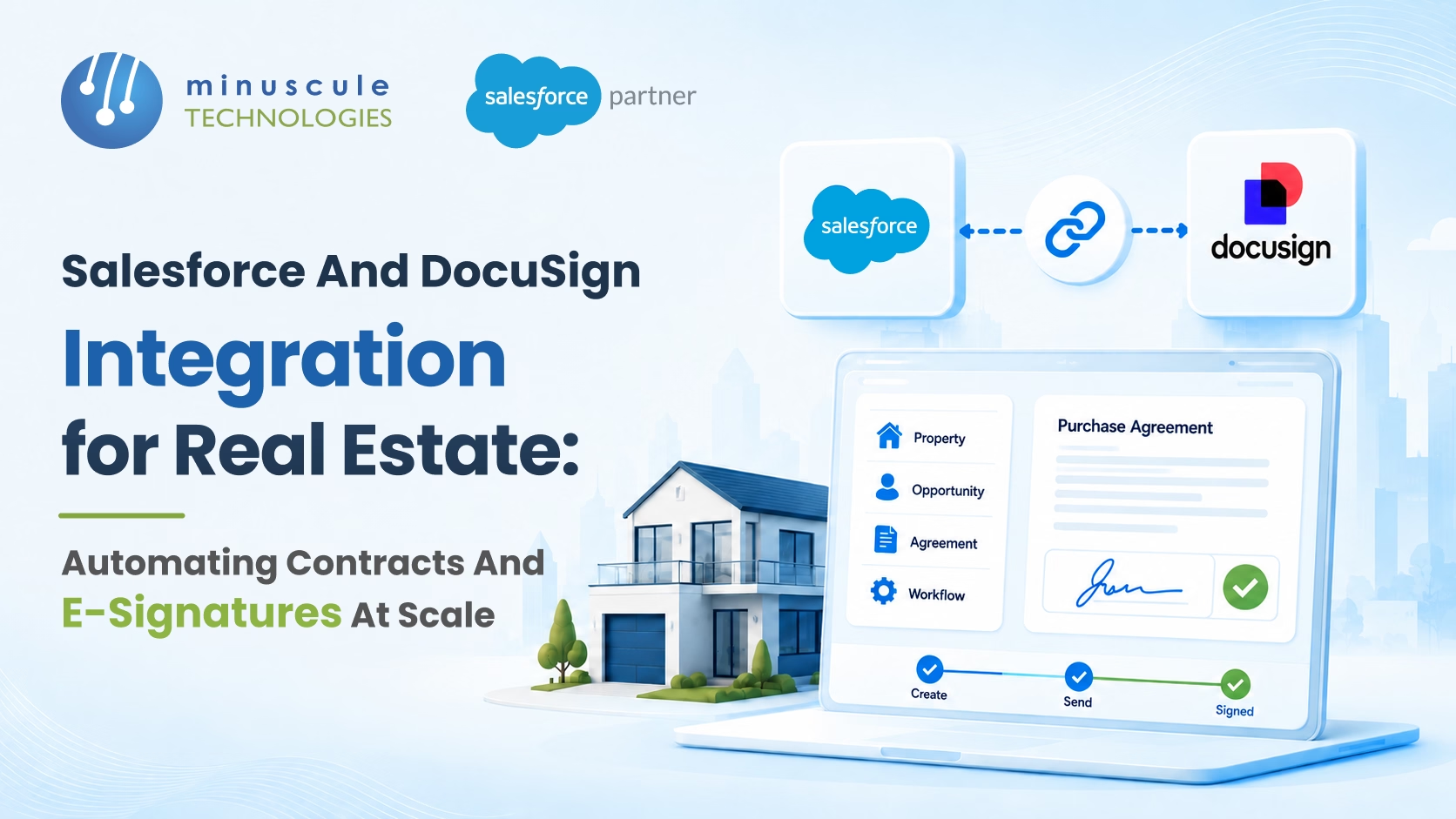
Generate and sign multi-language contracts and agreements directly in your CRM, backed by secure, centralized storage.
Automatically store and version all Salesforce-generated documents in SharePoint. Eliminate duplicate files and manual uploads.
Feed live Salesforce data directly into Tableau for real-time visibility into your pipeline, support volume, and financial KPIs.
Build governed, enterprise-scale integration flows that seamlessly connect Salesforce to ERPs, legacy systems, and third-party APIs.
Sync real estate lease data, property availability, and live pricing in real time to drastically accelerate deal turnaround.
Keep HR and finance data updated in Salesforce by seamlessly syncing employee records, cost centers, and approval hierarchies.
Automatically log every email and calendar event to the right CRM record. Stop tool-toggling and capture every customer interaction.
Surface real-time deal alerts, SLA warnings, and support ticket escalations directly within the Slack channels your team already monitors.
Align your front-office CRM and back-office ERP. Automatically sync orders, inventory, and financials without manual reconciliation.
Automatically sync meeting recordings, participant info, and attendance data to Salesforce records for seamless event and compliance tracking.
Your systems should work together. Let's make that happen.
We work across every major Salesforce Cloud — not just one or two. Here's where our certified engineers have real, hands-on experience.

How We Work
Every integration we build follows the same structured process — so nothing gets missed, nothing breaks on go-live, and you always know what's happening and why.
We start by mapping the full picture — which systems you use, what data needs to move between them, how often, in which direction, and what happens when something goes wrong. We talk to the people who work with these systems every day, not just the IT team. The result is a detailed integration requirements document that covers every edge case your business actually encounters — not just the happy path. This is the step most integration projects skip, which is exactly why they fail.
With your requirements mapped, we design the integration architecture — including which approach to use (direct API, middleware, event-driven, or hybrid), the data models on each side, authentication and security, error handling, and the monitoring strategy. You review and approve this plan before a single line of code gets written. No surprises, no assumptions. If your requirements change mid-project, we revisit the plan first — not after the integration is half-built.
We test every integration in a dedicated sandbox environment that mirrors your production setup. Our QA team runs functional tests, load tests, failure-scenario tests, and data validation checks — covering both normal flows and edge cases. We check what happens when the external system is unavailable. We check what happens when a record arrives with missing fields. We check what happens when the same record comes through twice. You don't go live until every scenario passes. Our 30+ dedicated automation testing engineers make this thorough, not theoretical.
We deploy integrations using a structured release process — with staging validation, change management documentation, and a rollback plan ready before we touch production. We run the initial data sync with full monitoring in place, so we catch any issues the moment they surface rather than after your team has been working on bad data for three days. Go-live happens in a planned window, with our engineers on standby throughout. Not "we deployed it, good luck."
Integrations aren't a "set it and forget it" deliverable. APIs change. Systems get updated. Business processes evolve. We provide SLA-backed integration monitoring and support, so when something changes on either side of your integration, we catch it and fix it before it causes a data problem. We also handle Salesforce's three annual releases — reviewing any changes that could affect your integrations and applying updates proactively. Your integrations keep working as your business keeps changing.

Many partners can connect two systems. Here's what makes Minuscule different — and why our integrations keep running long after other partners' connections have failed.
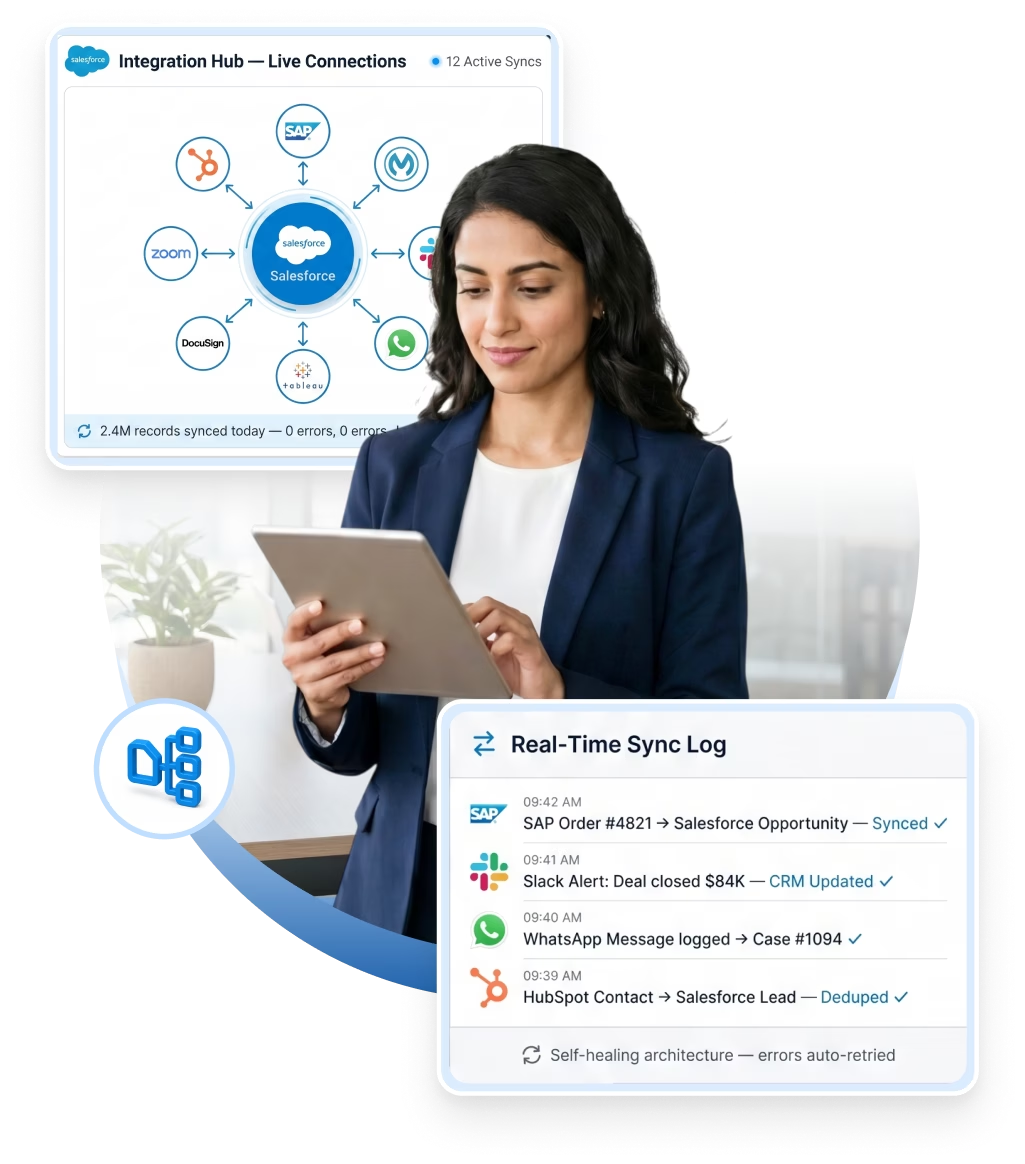
Self-Healing Architecture: Built-in error handling, retry logic, and alerting come standard. If an external system temporarily goes down, your data queues and automatically catches up—no lost records.
Next-Gen AI Capabilities: We offer Model Context Protocol (MCP) and Agent-to-Agent (A2A) integrations. Partner with us for a significant head start on AI adoption within Salesforce.
Zero-Handoff Delivery: The exact engineers who design your integration also build, test, and support it post-launch. When you need help, you speak directly to the experts who know your setup best.
Complete Transparency: We deliver comprehensive technical documentation—including data flow diagrams, API mappings, and runbooks. You own the knowledge, entirely eliminating vendor lock-in.
Enterprise-Proven Expertise: Backed by 160+ certified Salesforce engineers across 3 global offices, we act as a true engineering partner. Having delivered complex integrations across 9 industries, we proactively design against common system failure points from day one.
One promise: Salesforce that fits your business.
08
Industries
200+
Implementations
It depends on the number of systems, the complexity of the data model, and whether you need real-time or batch integration. A focused single-system integration — like connecting Salesforce to Outlook or Slack — can take 2 to 4 weeks. A mid-complexity integration involving custom data mapping, error handling, and testing typically runs 4 to 8 weeks. Multi-system enterprise integration programs with middleware architecture can take 2 to 4 months. During your first call with us, we'll scope it properly and provide a realistic timeline based on your actual setup.
The right tool depends on your data volume, number of systems, and team capabilities.
MuleSoft Anypoint Platform — best for enterprise environments. It handles complex transformations, high transaction volumes, and centralized API management across multiple systems. Salesforce owns MuleSoft, so native compatibility is strong.
MuleSoft Composer — best for business teams. It lets non-technical users build simple integrations between Salesforce and apps like Slack, Google Sheets, or NetSuite through a no-code interface.
Heroku Connect — best for database sync. It provides automatic bidirectional sync between Salesforce and Postgres databases. Ideal when external apps need to read and write Salesforce data.
Salesforce Native APIs (REST, SOAP, Bulk API) — best for lightweight, point-to-point integrations. Low overhead, but requires developer resources for maintenance.
Dell Boomi and Informatica — strong middleware alternatives for organizations already invested in those platforms. Both handle multi-system orchestration, transformation, and error handling.
Zapier and Workato — best for small-to-mid-size businesses connecting Salesforce to SaaS tools like Mailchimp, QuickBooks, or HubSpot without heavy engineering.
For multi-system environments, Minuscule Technologies evaluates your stack and designs governed integration architectures using the right combination of these tools.
Salesforce runs your front-office (sales, marketing, service). SAP runs your back-office (finance, inventory, procurement). Without integration, your teams work with outdated data, re-enter information manually, and make decisions on incomplete numbers.
Here is what Salesforce-SAP integration fixes:
Real-time order visibility: Sales reps see live inventory, pricing, and order status from SAP inside Salesforce. No more calling operations for updates.
Automated order-to-cash: A closed deal in Salesforce pushes directly into SAP for fulfillment, invoicing, and payment. No manual re-entry. No data mismatch.
Accurate quoting: Salesforce CPQ pulls live pricing and product availability from SAP. Your team quotes from current data — not a three-day-old spreadsheet.
Unified customer view: Service agents see payment history, open invoices, and delivery status from SAP alongside support tickets in Salesforce. Faster resolution, full context.
Cleaner forecasting: Finance data from SAP and pipeline data from Salesforce combine into a single, accurate forecast — no manual reconciliation.
Minuscule Technologies builds Salesforce-SAP integrations using MuleSoft, REST APIs, and custom middleware with bidirectional sync and real-time data flow.
Three tools lead the market. Each fits a different scenario.
MuleSoft Anypoint Platform — the most widely used option. It offers pre-built SAP connectors (SAP ECC, S/4HANA, SAP Business One), handles complex data transformations, and provides centralized API management. Best for enterprise environments with high volumes and multiple integration points.
SAP Integration Suite (formerly SAP Cloud Platform Integration) — best for SAP-first organizations. It connects SAP systems to Salesforce through pre-built flows and supports OData, BAPI, and IDoc interfaces natively. Choose this if your IT team already manages SAP middleware.
Dell Boomi — a strong mid-market alternative. It provides pre-built Salesforce and SAP connectors, drag-and-drop field mapping, and cloud-native deployment. Reliable SAP-Salesforce sync without the full MuleSoft investment.
For single-object, lightweight sync, Salesforce REST API with SAP Gateway OData services handles direct point-to-point connections. But this approach creates tight coupling and gets hard to maintain as integration points grow.
The right choice depends on your SAP version, data volume, and real-time vs. batch requirements. Minuscule Technologies evaluates your stack and builds the integration end-to-end.
Three options, depending on your complexity and technical resources.
Option 1: Wrike's native Salesforce connector. Wrike provides a built-in integration that syncs Opportunities, Accounts, and Cases with Wrike projects and tasks. A closed deal in Salesforce automatically creates a Wrike project with pre-defined task templates. Your delivery team starts immediately — no manual handoff. Set this up from Wrike's integration settings.
Option 2: Middleware (Zapier, Workato, MuleSoft). Use middleware when you need custom field mapping, conditional logic, or bidirectional sync beyond what Wrike's native connector supports. Example: trigger different Wrike workflows based on Salesforce opportunity stage, deal size, or product type.
Option 3: Custom API integration. Both Salesforce and Wrike expose REST APIs. Your developers can build Apex callouts that push Salesforce data into Wrike or pull Wrike task status back into Salesforce. Full control, but requires ongoing maintenance.
What this solves: Sales-to-delivery handoff delays, lost project context, manual project creation, and the gap between CRM data and project timelines. Sales sees project status in Salesforce. Delivery sees deal context in Wrike.
Need help designing the right setup? Talk to Minuscule Technologies.
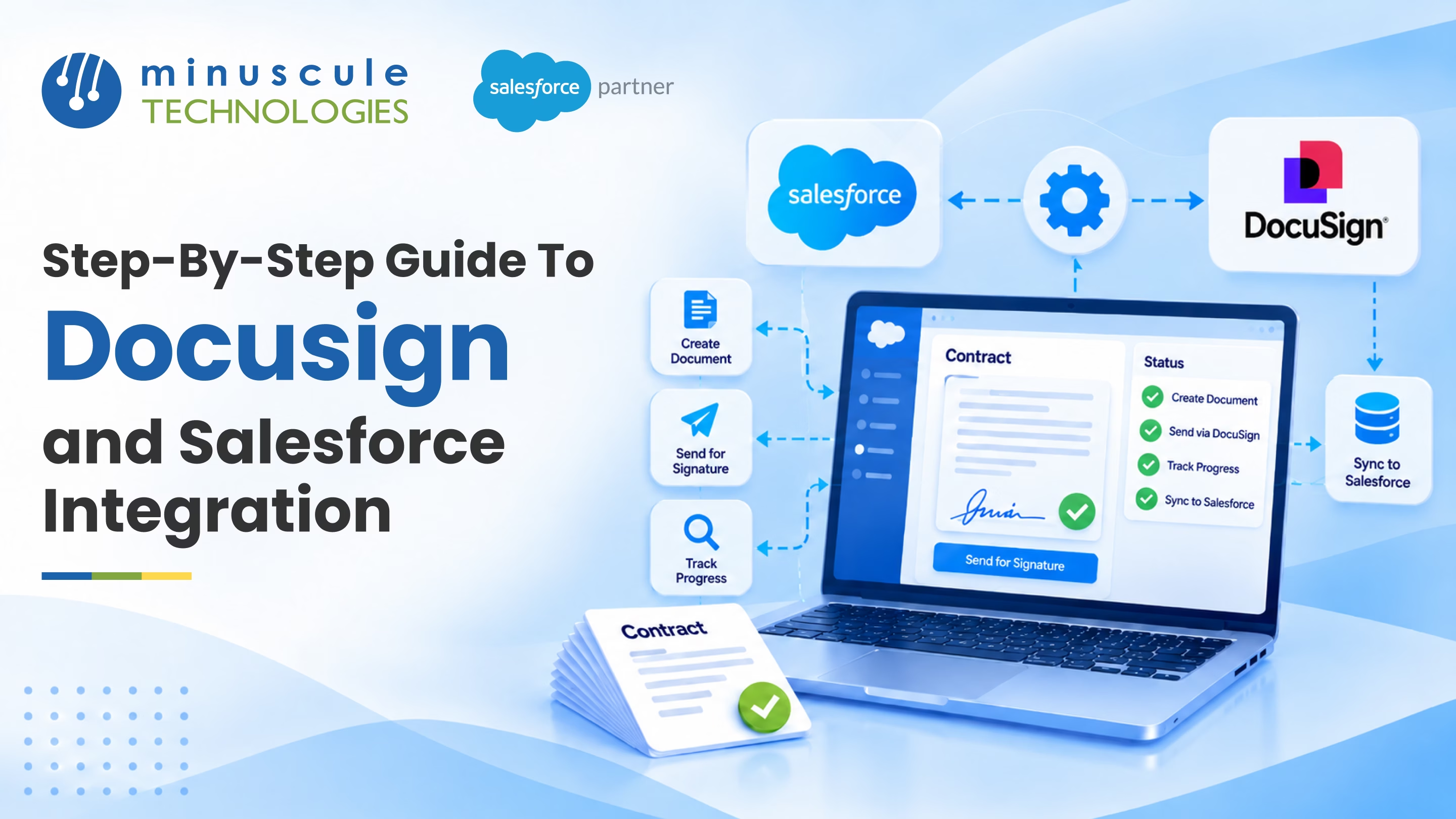
Envelope status not syncing back to Salesforce:
The DocuSign Connect listener fails or the Connected App permissions are wrong
Fix: verify DocuSign Connect points to the correct Salesforce endpoint. Confirm the Connected App has the right OAuth scopes and the DocuSign admin account has API access enabled.
Merge fields pulling blank values:
DocuSign tags mapped to Salesforce fields show empty in the document.
Fix: match the merge field API names in DocuSign to the exact Salesforce field API names (not labels). Also verify the sending user has field-level security access to those fields.
"Insufficient access" or permission errors:
Users get blocked when sending envelopes.
Fix: assign the "DocuSign Sender" permission set to the user profile. Verify the user's DocuSign account uses the same email address as their Salesforce login.
Duplicate envelopes from automation triggers:
Flows or Process Builder fire twice, sending double envelopes.
Fix: add a guard condition using a custom checkbox field (e.g., "Envelope_Sent__c") that checks whether an envelope already exists for that record before triggering a send.
Governor limit errors on bulk operations:
Batch processes or triggers hit Salesforce callout or DML limits.
Fix: use asynchronous Apex (@future or Queueable) to process DocuSign API callouts outside the synchronous transaction. Avoid envelope sends inside bulk-update contexts.
Broken integration after platform updates:
Seasonal releases from Salesforce or DocuSign break existing configurations.
Fix: test the integration in a Salesforce sandbox after every major release. Subscribe to both platforms' release notes to catch breaking changes early.
Minuscule Technologies builds and maintains DocuSign-Salesforce integrations with proper error handling, monitoring, and release management.
Integration Procedures in OmniStudio use Set Values, DataRaptor, and HTTP Action elements to transform and move data. Expression errors are the most frequent issues. Here are the common ones.
Null reference errors:
Your expression references a node that doesn't exist in the JSON response.
Fix: use null-safe checks. Wrap expressions in IF conditions: IF(ISBLANK(%nodeAlias:fieldName%), "default", %nodeAlias:fieldName%).
Incorrect JSON path references:
Set Values expressions use dot notation (%stepName:nodeName:fieldName%). A typo, missing array index, or wrong step alias returns blank or throws an error.
Fix: use the Preview JSON button in the Integration Procedure designer to inspect the actual data structure at each step. Match paths exactly.
Data type mismatches:
Arithmetic on a string value, or concatenating a number without conversion.
Fix: use VALUE() to convert string to number, TEXT() for number to string, and DATEVALUE() or DATETIMEVALUE() before date arithmetic.
Incorrect list/array handling:
An HTTP Action returns a list but your expression treats it as a single object.
Fix: use the List Action element or a loop to iterate arrays. Reference specific items with index notation: %stepName:responseList[0]:fieldName%.
Merge field syntax errors:
Missing percent signs, unclosed brackets, or extra spaces break expressions silently — returning blank instead of an error.
Fix: follow exact syntax %alias:node:field% with no spaces inside percent signs. Use the formula editor's validation before saving.
Step-order and scope issues:
Your expression references a step that hasn't executed yet or a conditional branch that was skipped.
Fix: verify execution order in the procedure canvas. Add fallback default values for conditional branches.
For complex OmniStudio configurations, Minuscule Technologies provides dedicated development, debugging, and ongoing integration support.
This is one of the most important questions to ask — and one that most integration vendors don't address clearly. Every integration we build includes structured error handling with retry logic, dead-letter queuing, and alerting. If an external system becomes temporarily unavailable, data queues and retries are automatically resumed once the system recovers — instead of silently disappearing. Our monitoring setup catches failures in real time and notifies our support team. For clients on our managed support plan, we respond to integration failures within the SLA and fix them before they cause downstream data problems.
No, and using MuleSoft for everything is actually a common mistake. MuleSoft is the right choice for enterprise-scale middleware architectures where you're managing many systems, complex data transformations, and strict governance requirements. For simpler integrations, direct Salesforce API connections or native connectors are faster, cheaper, and easier to maintain. We recommend the right tool for your specific situation — not the most expensive one. In your discovery call, we'll assess your integration landscape and recommend the approach that fits your needs and budget.
Model Context Protocol (MCP) is an emerging open standard — developed by Anthropic — that defines how AI agents connect to live data sources and tools. In a Salesforce context, MCP integration means your AI agents can read CRM records, trigger Salesforce workflows, update opportunity stages, and pull contextual data from your org in real time — without custom API code for every interaction. As AI agents become part of how businesses operate in Salesforce, MCP serves as the architectural standard to ensure they are reliable and maintainable. We're already building MCP-connected Salesforce environments for forward-thinking clients. If AI adoption is in your roadmap, this is the right time to get the architecture right.
Yes. Legacy on-premises systems are often the most complex integration challenge — they may lack modern REST APIs, require VPN or secure gateway connections, and have underdocumented data models. We've handled this before. We assess which connectivity your legacy system supports (SOAP, file-based, database-level, or custom protocols), design the integration pattern that works within those constraints, and build it with appropriate error handling to keep it reliable. We've done this for manufacturing ERP systems, banking core platforms, and HR systems that haven't changed in 15 years.
Real-time integration moves data the moment something happens — a new lead arrives, a payment gets made, a case gets updated. It's essential when your teams need to act immediately on changes. Batch integration processes data in scheduled groups — hourly, nightly, or weekly — and works well for large-volume data transfers where immediate sync isn't required. The right choice depends on your business process. We recommend real-time for customer-facing workflows and high-volume transactional data; batch for reporting feeds, bulk data updates, and legacy system connections that can't handle continuous requests. We'll guide you to the right approach for each use case.
It can — if the integration wasn't built with release resilience in mind, or if no one is monitoring it. Salesforce releases major updates three times a year (Spring, Summer, Winter), and some updates deprecate API versions, change object behavior, or alter the way specific features work. Our managed support clients get proactive release review — before each Salesforce release, we check your integrations against the release notes, identify anything that could be affected, and apply updates in a test environment before the release goes live. You're never caught off-guard by a Salesforce release breaking something your business depends on.
Common signs include: your team complains about data that "doesn't match" between systems, records that appear in one tool but not another, manual reconciliation to fix sync issues, or your Salesforce logs showing frequent API errors that nobody is investigating. If any of these sound familiar, you likely have integration problems that are costing your team time and eroding trust in your CRM data. Our Integration Audit & Strategy Advisory service is designed exactly for this situation — we review your full integration landscape, identify every point of failure, and give you a clear picture of what's working, what's fragile, and what to fix first.
Stories of Growth, Innovation & Trust
Dealer Performance Tracking with Automated KPI Monitoring
A global automotive manufacturer with an extensive network of dealerships responsible for sales, service, and product support....

Streamlining Lead Management for an Online Medication Management and Pharmacy Solution
Discover how Minuscule Technologies enhanced lead management for an online pharmacy, boosting efficiency and customer engagement.

Seamless Migration from MS Dynamics to Salesforce CRM
Seamless migration from MS Dynamics to Salesforce CRM by Minuscule Technologies, ensuring data integrity, smooth transition, and enhanced efficiency.
The Salesforce Pulse: Insights and Innovation
Powering Growth with
Award-Winning Salesforce Solutions
Trusted by enterprises for innovation, performance, and proven results.


You've seen what's possible. Now, let's make it happen for your business. Whether you need an end-to-end Salesforce solution, a complex integration, or ongoing managed services, our team is ready to deliver.
Schedule a Free Strategic Call