Your Data Moves Once. It Has to Land Right.
Your data carries years of customer history, deal context, and team knowledge. We move it to Salesforce with zero loss, zero downtime, and zero surprises.
Backed by Salesforce-certified engineers. Trusted by Manufacturing, BFSI, Real Estate, Automotive, and Healthcare leaders.


Your CRM should help you sell, serve, and grow. If yours slows you down, holds old data, or splits your team into silos, a move to Salesforce gives you one clean home for your customer data.
You need this service if you fall into any of these three groups.

Migrate from Another CRM
Maybe your team uses HubSpot, Zendesk, Microsoft Dynamics, Zoho, or Pipedrive. Reports feel limited, custom changes break, and growth feels capped. You need a CRM that grows with your business — without losing a single contact, lead, or deal.
Upgrade from Classic to Lightning
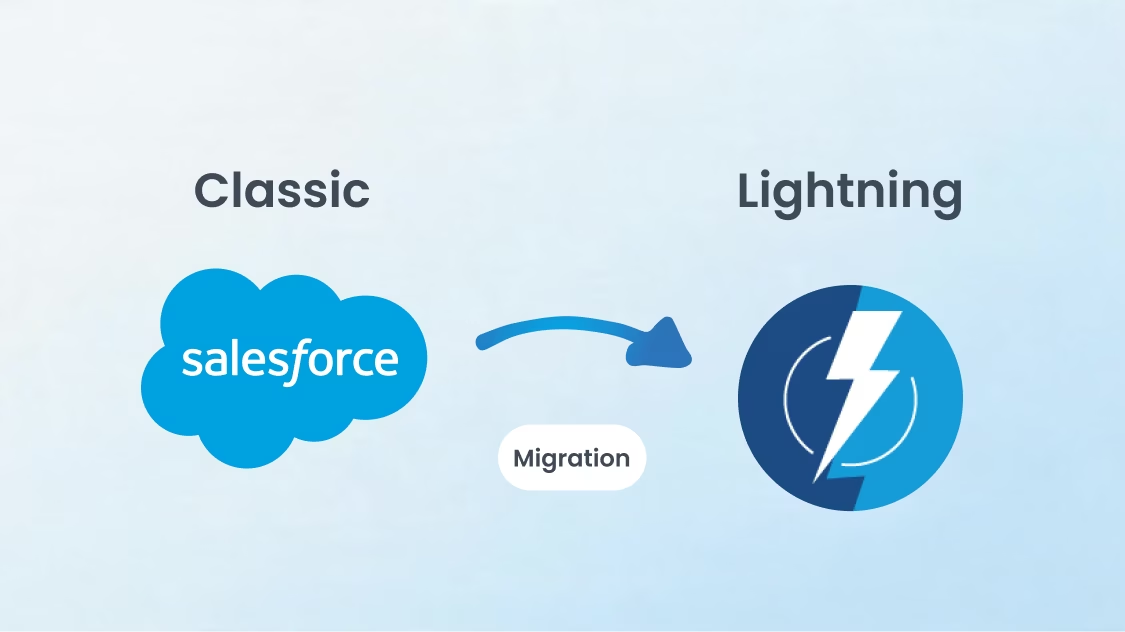
Salesforce Classic still works, but Lightning gives you better dashboards, faster pages, and a modern interface your team will actually use. We migrate every list view, report, workflow, and piece of custom code to Lightning without disrupting your daily operations.
Require Data Migration
Maybe two business units are merging. Maybe an old Salesforce org is full of dead data and broken automations. Maybe you bought a company and need to fold its CRM into yours. You need clean, mapped, deduplicated data within a single trusted org.
Pick the migration that fits your move. Each service includes full data mapping, history retention, automated transfer, and post-go-live support.

We move your Classic org to Lightning Experience without losing custom code, page layouts, or user habits. You get faster pages, modern reports, and the new Lightning App Builder.Your Visualforce pages, S-controls, and JavaScript buttons get rebuilt as Lightning components or LWC code.

Two orgs slow your team down. You get duplicate accounts, mixed reports, and confused users. e merge orgs into one — accounts, contacts, opportunities, custom objects, files, and Chatter history — with no data loss and a clean role hierarchy.
Dynamics 365 holds your data in a different schema, with different field types and process flows. We map every entity, build matching custom objects in Salesforce, and move all attachments, notes, and workflow rules. Power BI dashboards get rebuilt in Tableau or Einstein Analytics.
HubSpot is a marketing-first CRM. Sales and service teams hit a wall as they grow. We move every contact, company, deal, ticket, email log, form submission, and workflow into Salesforce — with full marketing history kept intact for Marketing Cloud or Pardot.

Zendesk handles tickets well but stops short of full case management, omnichannel routing, and AI-driven service. We move every ticket, customer, agent macro, knowledge article, and SLA policy into Service Cloud — with case history, internal notes, and triggers fully preserved.

Whether you run Zoho, Pipedrive, Freshsales, SugarCRM, Insightly, or a homegrown system, we handle the move. Our migration engineers map your fields, build the data model in Salesforce, and run a full test cycle before go-live.
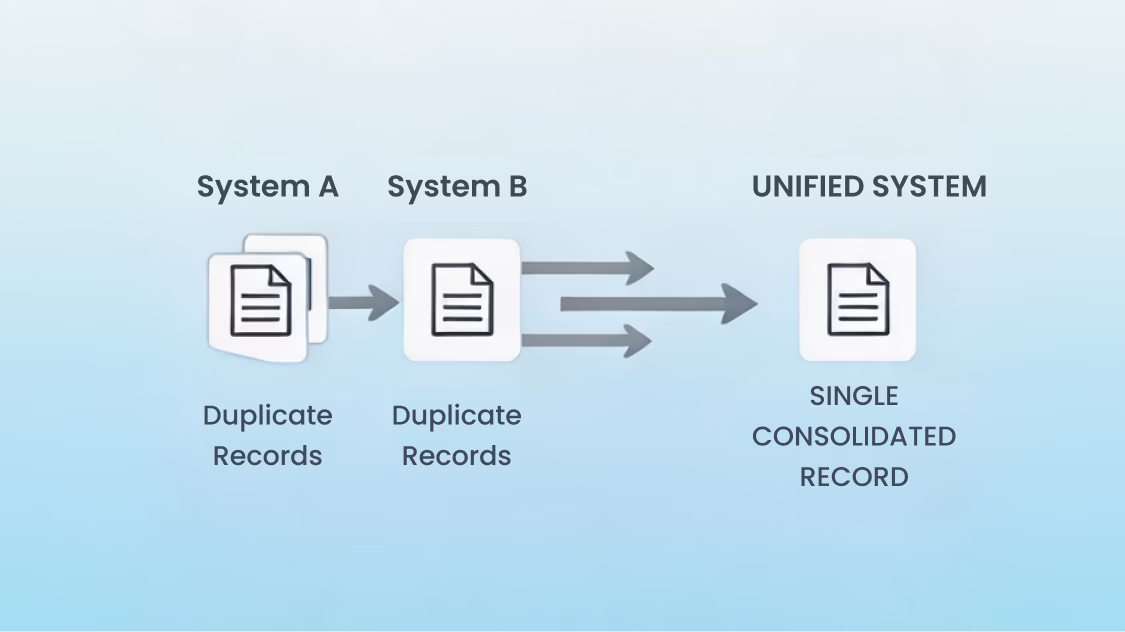
After a merger or acquisition, two Salesforce orgs create double the work. We consolidate them into one — handling duplicate detection, profile merging, role hierarchy redesign, and automation conflict resolution. Your business runs on one source of truth from day one.
We work across every major Salesforce Cloud — not just one or two. Here's where our certified engineers have real, hands-on experience.

How We Work
A migration without a process is a recipe for lost data and missed deadlines. Our process keeps every record traceable, every change documented, and every stakeholder informed.
We start by reading your current CRM end-to-end. Our team audits every object, field, automation, integration, user role, and report. You get a full inventory of what you have, what is dead weight, and what must move.
A bad data model breaks reports for years. We design the Salesforce data model around your real business — not just a like-for-like copy. Custom objects, relationships, record types, and validation rules get built to match how your team actually works.
Workflows, process builders, triggers, validation rules, and approval flows from your old system get rebuilt in Salesforce Flow and Apex. We test each automation in a sandbox before pushing it live, so your business logic stays exactly as it was.
Field-by-field mapping is the heart of any migration. Our team maps every source field to a Salesforce field — flagging mismatches, picking the right data type, and writing transformation rules for picklists, dates, currencies, and lookup values.
We run the migration in waves: metadata first, then master data (accounts, contacts), then transactions (opportunities, cases), then attachments and history. You sign off at every wave.
Tools like Salesforce Data Loader, MuleSoft, Jitterbit, Talend, and Informatica handle the heavy lifting based on your data size.
After go-live, we stay with you for 30 to 90 days. Our team monitors data integrity, fixes issues, runs user training, and shares post-migration health dashboards. Your team gets a smooth handover, not a dropped baton.
A successful migration is more than moving data. It changes how your sales, service, and marketing teams work every single day.
Your sales, service, and marketing teams all see the same customer record. No more switching tabs or asking "which system is right?"
Migration is the perfect moment to clean dead records, merge duplicates, and standardize fields. You start your new Salesforce org with data your team can actually trust.
Old CRMs come with old maintenance bills, custom servers, and integration hacks. After migration, you run on Salesforce's cloud — with one license fee, automatic upgrades, and no on-prem upkeep.
Lightning Experience, mobile-first design, and AI-assisted features make Salesforce easier to use than most legacy CRMs. Teams stop avoiding the system and start working in it.
With clean pipeline data and Lightning dashboards, your reps spend less time on data entry and more time closing deals. Most teams see a 20–30% drop in admin work after migration.
Salesforce Einstein, Agentforce, and Data Cloud only work when your data is clean and well-structured. A proper migration sets your records up for AI scoring, forecasting, and copilot features from day one.
Native Salesforce reports, Tableau, and Einstein Analytics provide real-time views of the pipeline, service SLAs, and customer health. Decisions move from gut to data.
Role-based access, field-level security, audit trails, and Salesforce Shield provide compliance with HIPAA, GDPR, SOC 2, and PCI without additional tools.

You can find plenty of vendors who move data. Few of them handle business logic, team changes, and post-go-live cleanup effectively.
Engineering Partners, Not Just Consultants: You get certified Salesforce engineers — not slide-makers. Our team writes the code, runs the migrations, and owns the result.
Industry-Ready Migration Playbooks: We have moved data for clients in Manufacturing, Automotive, BFSI, Healthcare, Real Estate, Aviation, Energy & Utilities, and Education. Each industry comes with its own data model, compliance needs, and user habits — and we know the differences.
AI-First Approach: Our migration sets your data up for Einstein, Agentforce, and Data Cloud from day one. You will not need a second cleanup project six months later.
Zero Data Loss Promise: Every migration runs through three-stage validation: source count check, field-level mapping check, and post-load reconciliation. If a record does not match, it does not get signed off.
Smart Cost Optimization: We audit your Salesforce licenses, storage, and unused features during every migration. Most clients save 15–25% on their license bill within 90 days of go-live.
One promise: Salesforce that fits your business.
08
Industries
200+
Implementations
A standard migration takes 6 to 12 weeks. Complex migrations — multi-org merges, large data volumes, or heavy custom code — can take 4 to 6 months. Your timeline depends on data size, the source system, and the amount of custom logic included with the data.
No. We run the bulk of the migration in a sandbox and only switch over during a planned cutover window — usually a weekend. Your team logs in to Salesforce on Monday morning with all the data ready.
Cost depends on data volume, source system, custom logic, and the number of users. A small migration starts around $15,000 to $25,000. Mid-size migrations run from $40,000 to $150,000. Book a free assessment for an exact quote.
Not with our process. Every record gets counted at the source, mapped, loaded, and reconciled. You sign off on each wave before we move to the next.
A good Salesforce data migration service covers the full cycle — not just moving records from point A to point B. Look for a provider that handles these five things: source data audit and cleanup, field-level mapping between your legacy system and Salesforce data model, test migrations in sandbox environments, production cutover with validation gates, and post-migration monitoring.
The type of migration determines the service you need. Moving from another CRM (HubSpot, MS Dynamics, Zoho) to Salesforce requires object mapping, relationship preservation, and activity history transfer. Migrating between Salesforce orgs (Classic to Lightning, or org consolidation) requires metadata migration alongside data. Moving from spreadsheets or flat files requires data normalization and deduplication before loading.
Key service categories to evaluate: data assessment and mapping, ETL (Extract, Transform, Load) execution, deduplication and cleansing, referential integrity validation, and post-migration support.
Minuscule Technologies provides end-to-end Salesforce data migration services — from structural org assessment and data mapping to sandbox validation, cutover execution, and post-migration oversight. With 200+ implementations across 8 industries, the team handles migrations from legacy CRMs, ERPs, flat files, and multi-org Salesforce consolidations.
HubSpot and Salesforce structure data very differently. Most migration failures trace back to these mismatches.
Object model mismatch: HubSpot uses Contacts, Companies, and Deals. Salesforce uses Leads, Accounts, Contacts, and Opportunities — with separate objects for each. You need to decide upfront: do HubSpot Contacts become Salesforce Leads or Contacts? Do Deals map to Opportunities? Skipping this mapping step creates duplicate records and broken relationships.
Fix: build a detailed object-to-object mapping document before you export a single record.
Lost activity history: HubSpot stores emails, calls, notes, and meeting logs on contact timelines. Salesforce stores activities as Tasks and Events linked to records. Many migration tools skip activity history or import it without proper record associations.
Fix: export HubSpot activities separately, map them to the correct Salesforce parent records (Contact, Account, or Opportunity), and load them with relationship IDs intact.
Custom property misalignment: HubSpot custom properties don't automatically match Salesforce custom fields. Data types differ (HubSpot dropdowns vs. Salesforce picklists, HubSpot multi-select vs. Salesforce multi-select picklist).
Fix: audit every custom property in HubSpot, create corresponding custom fields in Salesforce with matching data types, and run a field-by-field mapping before migration.
Duplicate records: HubSpot allows duplicate Contacts at the same Company. Salesforce deduplication rules may reject or merge these during import.
Fix: run deduplication in HubSpot before export. Use Salesforce duplicate rules and matching rules to catch any remaining duplicates during loading.
Lifecycle stage and pipeline mapping: HubSpot lifecycle stages (Subscriber, Lead, MQL, SQL, Customer) don't have direct Salesforce equivalents. Deal stages in HubSpot pipelines need to map to Opportunity stages in Salesforce.
Fix: define your Salesforce Lead Status values and Opportunity Stage picklist before migration. Map each HubSpot stage to a Salesforce value explicitly.
Missing email opt-out and consent data: HubSpot tracks email subscription status differently than Salesforce. Migrating without preserving opt-out preferences violates GDPR and CAN-SPAM.
Fix: export HubSpot subscription data, map it to the Salesforce "Email Opt Out" field and any custom consent fields, and validate after loading.
Minuscule Technologies has handled multiple HubSpot-to-Salesforce migrations with full activity history preservation, object mapping, and compliance validation.
Follow these seven steps in order.
Step 1 — Audit your source data. Export your current data and assess its quality. Count total records by object. Identify duplicates, incomplete records, outdated entries, and formatting inconsistencies. You cannot migrate what you don't understand.
Step 2 — Define your Salesforce data model. Design the target objects, fields, relationships, and record types in Salesforce before migration. Your source system's structure will not match Salesforce one-to-one. Map every source field to a specific Salesforce field, note data type differences, and document transformation rules.
Step 3 — Clean your data before loading. Remove duplicates, standardize formats (phone numbers, addresses, dates), fill critical blank fields, and archive records you no longer need. Loading dirty data into Salesforce creates problems that multiply fast.
Step 4 — Establish migration order. Salesforce enforces referential integrity — you must load parent records before child records. Typical order: Accounts first, then Contacts, then Opportunities, then Activities, then custom objects. Map record relationships using External ID fields to preserve associations.
Step 5 — Run test migrations in sandbox. Never load data directly into production. Run at least two full test cycles in a Salesforce sandbox. Validate record counts, field values, relationships, and automation triggers after each test. Fix mapping errors between cycles.
Step 6 — Execute production cutover. Schedule the production migration during low-usage hours. Disable automation rules (Flows, triggers, validation rules) during loading to avoid errors and governor limits. Re-enable and test after loading completes. Validate record counts and spot-check critical records.
Step 7 — Monitor post-migration. Check reports, dashboards, and automations for the first two weeks after go-live. Verify that integrated systems still sync correctly. Address data quality issues immediately — they get harder to fix over time.
Minuscule Technologies follows a structured five-phase migration process — discovery, architecture, sandbox validation, cutover execution, and post-migration optimization — across every engagement.
The right tool depends on your data volume, complexity, and technical resources.
Salesforce Data Loader — free native tool from Salesforce. Handles import, export, update, upsert, and delete operations via CSV files. Supports up to 5 million records per batch. Best for straightforward migrations where your team can handle field mapping manually.
Dataloader.io — web-based alternative with a friendlier interface. Offers scheduled jobs, SmartLookup for automatic relationship mapping, and built-in field mapping. Best for teams that need recurring data loads without command-line tools.
MuleSoft Anypoint Platform — enterprise-grade ETL and integration platform. Handles complex transformations, multi-source data extraction, and real-time sync. Best for large migrations involving multiple source systems (ERP + CRM + flat files) that need orchestrated loading.
Informatica Cloud Data Integration — powerful ETL tool with native Salesforce connectors, data quality checks, and multi-source blending. Best for enterprises with complex transformation rules and strict data governance requirements.
Talend — open-source and commercial ETL with drag-and-drop job design and native Salesforce connectors. Best for teams that want high customization in their data pipelines without full middleware investment.
Jitterbit — middleware platform with pre-built Salesforce migration templates. Handles data mapping, transformation, and error logging through a visual interface. Best for mid-market companies that need more than Data Loader but less than MuleSoft.
Import Wizard (Salesforce native) — built into Salesforce Setup. Handles up to 50,000 records for standard objects like Leads, Contacts, Accounts, and Solutions. Best for small, one-time imports by admin users.
For complex, multi-source migrations, Minuscule Technologies selects and configures the right combination of tools based on your data volume, source systems, and transformation requirements.
Clean before you migrate: Remove duplicates, fix formatting, standardize picklist values, and archive dead records in your source system. Every bad record you load into Salesforce creates downstream problems in reports, automations, and user trust.
Map fields explicitly: Document every source field, its target Salesforce field, the data type, and any transformation rules (e.g., "concatenate First Name + Last Name into Full Name"). Never assume fields will map automatically.
Use External ID fields for relationships: Assign unique External IDs to parent records (Accounts, Contacts) so child records (Opportunities, Activities, Cases) can reference them during loading. This preserves record relationships without relying on Salesforce auto-generated IDs.
Follow the correct load order: Salesforce enforces referential integrity. Load parent objects first: Accounts, then Contacts, then Opportunities, then Activities, then custom child objects. Loading out of order causes relationship failures.
Disable automations during loading: Turn off Flows, Process Builder automations, validation rules, and triggers before bulk loading. These fire on every record insert, causing governor limit errors and unintended side effects. Re-enable and test after migration completes.
Run multiple sandbox test cycles: Never go straight to production. Run at least two full test migrations in sandbox. Validate record counts, field accuracy, relationships, and automation behavior after each cycle. Fix errors between rounds.
Validate with reconciliation reports: After production loading, compare source record counts against Salesforce record counts for every object. Spot-check 5–10% of records manually for field accuracy. Run key business reports and confirm they produce expected results.
Plan for rollback: Before cutover, take a full data export from Salesforce as a backup. If the migration introduces critical errors, you can restore from the backup instead of manually fixing thousands of records.
Minuscule Technologies builds every one of these practices into its migration process — with validation gates, automated reconciliation, and rollback frameworks built in from day one. Schedule a free strategic call to discuss your migration.
Yes. We move all activity history, files, attachments, notes, Chatter posts, and email logs into Salesforce. Your reps will not lose a single past conversation.
Yes. We rebuild Visualforce pages, S-controls, JavaScript buttons, and old workflow rules into Lightning components, Flow, and Apex — so the new org runs on the latest Salesforce stack.
We rebuild every integration on the Salesforce side, using MuleSoft, REST APIs, or middleware of your choice. Your ERP, finance system, marketing tools, and custom apps keep working — often better than before.
Yes. Every migration comes with 30 to 90 days of hypercare support. After that, we offer Managed Services with SLA-backed L2/L3 support, release governance, and adoption help.
Yes. We have migrated data from custom-built CRMs, legacy SQL databases, mainframes, Excel-based systems, and old ERP modules into Salesforce.
We run live training sessions for admins, managers, and end users. You also get role-based training videos, in-app guidance through Salesforce Flow Orchestrator, and a 30-day Q&A support window.
Stories of Growth, Innovation & Trust
Dealer Performance Tracking with Automated KPI Monitoring
A global automotive manufacturer with an extensive network of dealerships responsible for sales, service, and product support....

Streamlining Lead Management for an Online Medication Management and Pharmacy Solution
Discover how Minuscule Technologies enhanced lead management for an online pharmacy, boosting efficiency and customer engagement.

Seamless Migration from MS Dynamics to Salesforce CRM
Seamless migration from MS Dynamics to Salesforce CRM by Minuscule Technologies, ensuring data integrity, smooth transition, and enhanced efficiency.
The Salesforce Pulse: Insights and Innovation
Powering Growth with
Award-Winning Salesforce Solutions
Trusted by enterprises for innovation, performance, and proven results.


You've seen what's possible. Now, let's make it happen for your business. Whether you need an end-to-end Salesforce solution, a complex integration, or ongoing managed services, our team is ready to deliver.
Schedule a Free Strategic Call