
September 17, 2026
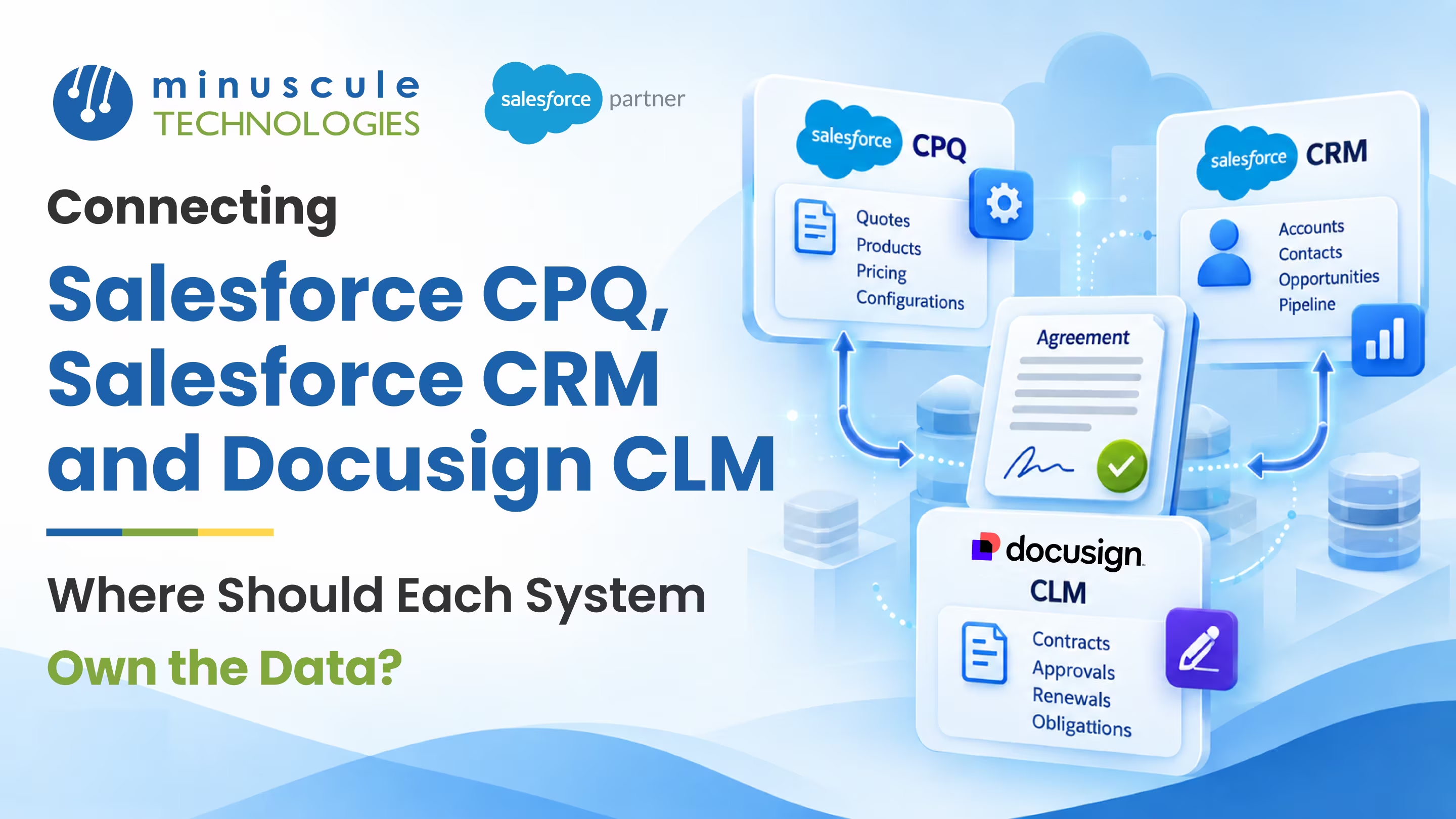
A system of record is the one place that holds the trusted version of a given piece of data, the source everything else copies from. When you connect Salesforce CPQ, Salesforce CRM, and DocuSign CLM, the hardest question isn't how to move data between them. It's deciding which system owns which data, so three tools never argue over the same field. Get that clear, and every deal has one trusted answer for price, terms, and status. Leave it fuzzy, and you get three versions of the truth and no clean way to know which is right.
Deciding your system of record up front gives you:
Picture a quote built in CPQ, an opportunity tracked in CRM, and a signed agreement stored in DocuSign CLM. The price gets edited in the quote, then someone changes it on the opportunity, and the contract already went out with the old number. Now finance, sales, and legal each trust a different figure. That confusion almost always traces back to unclear ownership. This guide lays out what a system of record is, what each of these systems does best, where ownership gets contested, and a simple way to decide who owns what.
A system of record is the single source you trust for a specific kind of data. Other systems can show that data and even let people read it, but only the owner can change it, and everyone else copies from the owner. Across Salesforce CPQ, Salesforce CRM, and DocuSign CLM, the goal is to name one owner for every important field, so the same fact never has two masters.
This matters because these three systems overlap on purpose. CPQ knows about products and pricing, CRM knows about the account and the deal, and DocuSign CLM knows about the signed document. But they all touch shared ideas like "the contract value" or "the customer's name." Without a clear owner, each system quietly edits its own copy, and the copies drift apart. With a clear owner, one system holds the truth, and the others follow. Salesforce's own developer material on data modeling and integration is a useful grounding in how to set these boundaries.
The payoff is one trusted view of every deal. When a rep, a lawyer, and a finance analyst all see the same numbers, decisions get faster and arguments get rarer. That clarity matters most for teams juggling complex agreements, from a real estate group tracking lease terms to a lender managing loan documents.
The cleanest way to assign ownership is to lean on what each system is naturally built for. Each of these three is strong at a different slice of the deal, and ownership should usually follow that strength.
Notice that CRM shows up twice. That's fine. A system can own several kinds of data, as long as each individual field has exactly one owner. The rule isn't one system per deal; it's one owner per field. Get the natural fit right and most ownership questions answer themselves.
The easy fields sort themselves out. The trouble is the shared ones, where two or three systems all have a reasonable claim. These are the fields worth deciding on purpose, before the integration is built.
The usual contested areas:
The pattern across all of these is a handoff. One system owns a field during a stage, then ownership passes cleanly to another at a defined moment, like signing. Naming that handoff point is what keeps the field from having two owners at once.
When a field owner isn't obvious, a few simple rules settle it. Apply them field by field and your system of record map almost writes itself.
The system where a value first comes to life is usually its best owner. A discount born in a quote belongs to CPQ. An account created by sales belongs to CRM. Starting from creation avoids most debates before they start.
Some fields change owners as a deal moves. Pricing belongs to CPQ while you're quoting, but once the contract is signed, the executed terms belong to the document in DocuSign CLM. Assign ownership by stage and name the exact moment it passes. The revenue architecture write-ups on Salesforce Ben are a helpful reference for where these lines usually fall.
For each field, one system writes, and the rest display a copy. If a follower needs a change, the request goes back to the owner, not into a local edit. This single habit prevents the quiet drift that causes most data disputes. Integration patterns for this are covered well on Salesforce Codex.
Keep a simple table of every shared field, its owner, and which systems read it. That map becomes the reference for your whole integration, so the next admin builds the same plan instead of guessing. The data model basics on Salesforce Tutorial are a good primer if your team is newer to this.
A clear plan only helps if the integration enforces it. The build should make the owner the only writer and everyone else a reader, so the design holds up under daily use.
Hold your setup against this checklist:
Most teams don't need every field locked down on day one. Start with the contested fields, contract value, customer details, and status, because those cause the loudest disputes when they drift. Once those have clear owners, the rest tend to fall into place.
It's the single system that holds the trusted version of a piece of data; the one place allowed to change it. Every other system copies from it and displays it as read-only. Naming a record system for each field keeps the same fact from having two conflicting versions.
Usually, CPQ owns it while you're quoting, since that's where pricing is calculated. Once the contract is signed, the executed value in DocuSign CLM becomes the trusted figure, and CRM reads it. The key is naming the moment ownership passes, which is signing.
No, and that's the whole point. Two owners for one field is exactly what causes drift and disputes. A field can change owner at a defined stage, like signing, but at any given moment only one system should be allowed to write it.
In Salesforce CRM, as the single owner. CPQ and DocuSign CLM should copy the account name and address from CRM rather than keep their own editable versions. That way a correction is made once and flows everywhere, instead of being fixed in three places.
Give each field one owner, sync one way from owner to follower, and match records on a shared key. Then run a periodic check that compares owned fields against their copies and flags any that disagree. That reconciliation catches drift before anyone downstream notices.
Connecting CPQ, CRM, and DocuSign CLM isn't really a plumbing problem. It's an ownership problem. Once every shared field has a single system of record, with copies flowing one way and handoffs happening at clear moments, the three tools stop competing and start reinforcing each other. One quote, one deal, one signed contract, and one trusted number that everyone reads the same way.
We've drawn exactly this kind of data-ownership map for one of the world's largest US commercial real estate firms, where deal data, lease terms, and signed documents each needed a clear owner across their systems, and naming one source of truth per field ended the version-of-the-truth debates. If your contracts run through lending or origination, our B2B Marketplace accelerator is a ready-to-deploy starter pack that brings clean, product-aware data flows to banking and financial services teams. As a Trusted Salesforce Engineering Partner, we tune each starter pack to your systems, so you go live faster with ownership already settled.
Want a clear map of who should own what? Book a Salesforce data-architecture review with our team, and we'll turn your CPQ, CRM, and DocuSign CLM setup into a single source of truth with a plan to build it.
You've seen what's possible. Now, let's make it happen for your business. Whether you need an end-to-end Salesforce solution, a complex integration, or ongoing managed services, our team is ready to deliver.

Schedule a Free Strategic Call


Plot No. 4, Sridevi Amman Street, Perumal Nagar Extension, Old Pallavaram, Chennai, Tamil Nadu 600117, India.
