
September 7, 2026
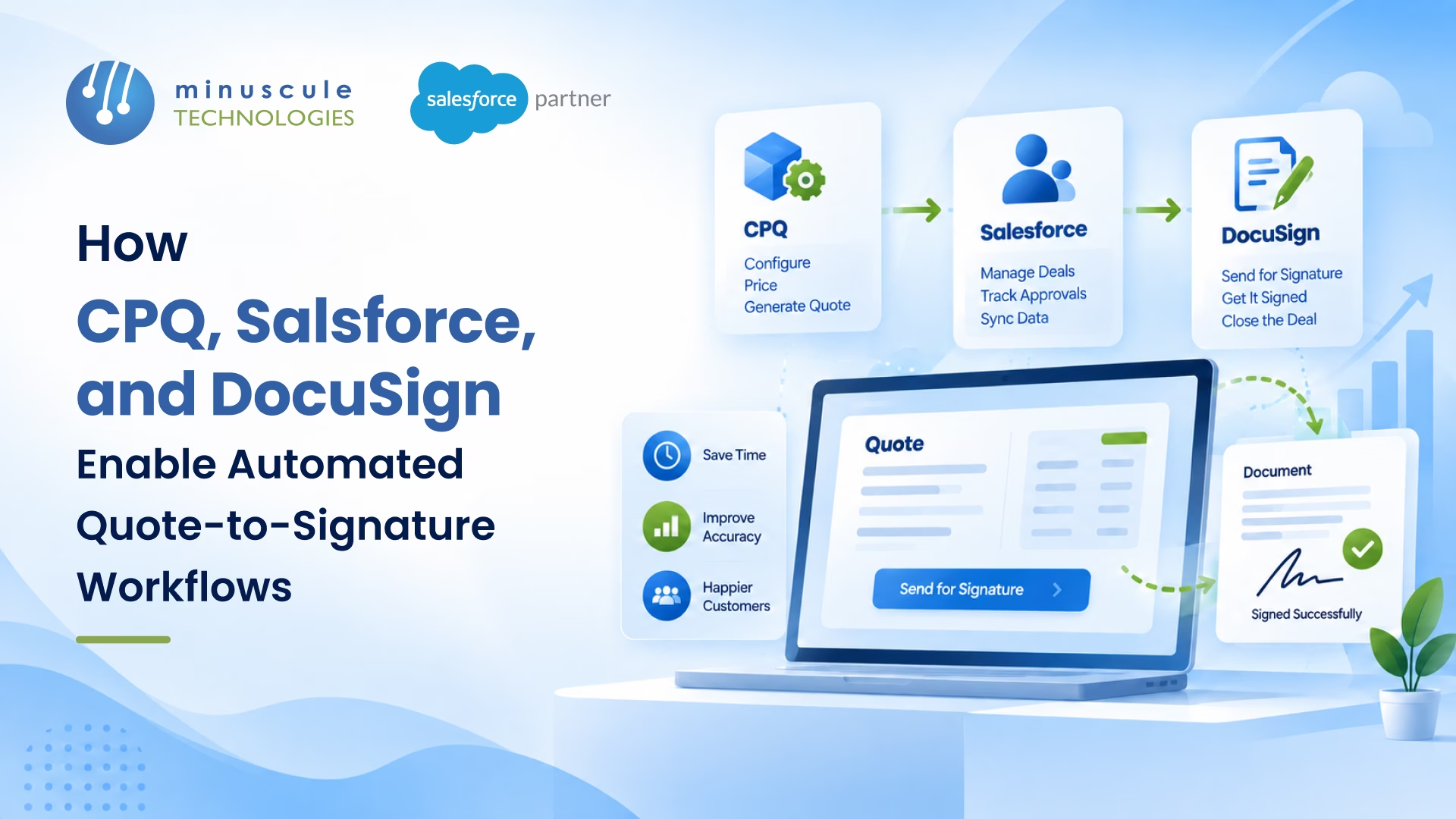
A quote-to-signature workflow is the automated path that turns a priced quote into a signed agreement, with no manual handoffs in between. Salesforce CPQ builds and prices the quote. Salesforce holds the deal data and drives the steps. DocuSign creates the document and captures the signature. Then the signed file flows back to the CRM on its own. The result is a faster, cleaner deal cycle.
Here's who does what in the workflow:
Picture a rep who just won a deal. They rebuild the quote in a spreadsheet, export a PDF, and email it. The customer prints it, signs it, scans it, and sends it back. Someone rekeys the details into the CRM. Days slip by, and one wrong number can restart the whole thing. A quote-to-signature workflow removes those gaps. This guide shows how CPQ, Salesforce, and DocuSign fit together, how the flow runs step by step, and what to get right, so deals close faster.
A quote-to-signature workflow covers the middle of the sales cycle. It starts when a rep needs a quote and ends when the customer signs. It sits inside the wider quote-to-cash process, which runs from the first quote all the way to payment.
The workflow ties three jobs together. First, build a correct quote. Second, turn that quote into a clean, branded document. Third, get it signed and logged. When these three run by hand, each step adds delay and risk. When they run as one automated flow, the deal moves in hours instead of days.
Each tool has one clear job. Together they cover the full path from configuration to signature.
| System | Its job | What it produces |
|---|---|---|
| Salesforce CPQ | Configure, price, and quote | An accurate, rule-based quote with the right products and pricing |
| Salesforce | System of record and workflow engine | Deal data, approvals, and status tracking in one place |
| DocuSign | Document generation and e-signature | A branded quote document and a legally binding signature |
CPQ stands for Configure, Price, Quote. It helps reps pick the right products, apply the right pricing, and avoid mistakes. Rules handle discounts, bundles, and approvals, so the quote is correct before it ever leaves Salesforce. If you're new to CPQ, Salesforce Ben has a clear primer on how its pricing rules work. For a deeper look at the quoting engine, see our Salesforce Revenue Cloud services, where CPQ now lives.
Salesforce holds the opportunity, the account, and every quote tied to the deal. It runs the approval steps and tracks where the deal stands. Because the data lives in one place, the quote document and the signed agreement both pull from the same source. No rekeying, no version confusion.
DocuSign does two things here. Document generation turns quote data into a finished, branded document. E-signature then sends that document to the customer and captures a signature that holds up in court. Setup guides on Forcetalks walk through connecting DocuSign eSignature to Salesforce. When the customer signs, DocuSign writes the status and the signed file back into Salesforce. A clean Salesforce DocuSign integration is what makes that round trip works every time.
Here's the full path, from a live opportunity to a signed, logged agreement.
Every step feeds the next. The rep starts the flow, and the systems handle the handoffs. For example, a manufacturer can configure a complex machine quote in CPQ, route it for margin approval, and have the customer sign that same afternoon — with the signed order syncing straight to the fulfillment queue. For teams with complex products, our Salesforce integration services wire these steps together, so nothing drops between tools.
The value shows at the handoffs — the points where a manual process usually stalls. This table shows the difference.
| Stage | The manual way | The automated way |
|---|---|---|
| Build the quote | Rekey products and prices in a spreadsheet | CPQ builds a rule-checked quote in Salesforce |
| Create the document | Copy data into a Word or PDF template | DocuSign merges the data into a branded document |
| Get approval | Chase managers over email | Salesforce routes approvals by rule |
| Collect the signature | Print, sign, scan, and email back | Customer signs online in minutes |
| Log the result | Rekey status into the CRM | DocuSign syncs the signed file to Salesforce |
The quote document is where CPQ data becomes something a customer can read and sign. DocuSign Gen handles that step. You build a Gen template once, and it fills in every deal.
Here's what makes a Gen template work:
One change is worth a note. In the older DocuSign for CPQ package, Salesforce built the product table for you. In DocuSign Gen, you build that table in the template yourself. It's a small setup step, but getting it right is what gives customers a clean, professional quote.
For a standard quote, DocuSign Gen plus e-signature is enough. The rep generates the document and sends it to sign. A negotiated contract may need more. DocuSign CLM adds redlining, version control, and legal review on top of the signature. A legal team can markup terms, run an approval, and even score risk across the document before anyone signs. If your deals involve back-and-forth terms, plan CLM as part of the workflow. If a workflow does not start as planned, see our guide to fixing DocuSign CLM workflow activation.
Two things are worth knowing before you build this workflow, because the tools have shifted.
First, the older DocuSign for CPQ package has been retired. Teams now connect the two through DocuSign eSignature for Salesforce plus DocuSign document generation. In practice, a rep generates the document from a CPQ quote and clicks "Send with DocuSign." The path is different from the legacy package, but the outcome is the same: a signed quote, logged in Salesforce.
Second, Salesforce CPQ now sits under Revenue Cloud. New projects use Revenue Cloud Advanced, and many teams are moving older CPQ orgs over. If you're weighing that move, SaaSGuru has helpful Revenue Cloud explainers. If you're planning a quote-to-signature workflow, build it on the current stack, so it keeps working as Salesforce shifts. This is a common reason teams bring in a partner to map the path before they start.
When the three systems work as one, the payoff is quick to see:
These gains matter most for teams with high deal volume or complex products, like manufacturing. See how we support quoting and contract flows for manufacturing teams.
Not sure if a workflow like this is worth it? These signs usually mean the manual process is costing you deals:
If two or more of this sounds familiar, an automated quote-to-signature workflow will pay itself fast.
A quote-to-signature workflow is only as strong as its setup. A few things make the difference between a smooth flow and a stalled one:
Get this right, and the workflow runs quietly in the background. Get them wrong, and reps fall back to spreadsheets. A short design review up front saves months of rework. The Trailblazer Community is a good place to compare notes with other admins before you build.
A quote-to-signature workflow is the automated path from a priced quote to a signed agreement. Salesforce CPQ builds the quote, Salesforce runs the deal and approvals, and DocuSign creates the document and captures the signature. The signed file then syncs back to Salesforce with no manual steps.
Quote-to-cash is the full process from the first quote to collected payment. A quote-to-signature workflow is the part in the middle - building the quote and getting it signed. Signature is the moment a deal becomes real, so it's the hinge of the whole quote-to-cash process.
Yes. The older DocuSign for CPQ package was retired, but the two still connect through DocuSign eSignature for Salesforce and DocuSign document generation. You generate the document from a CPQ quote and send it for signature. The signed document and status flow back into Salesforce.
CPQ stands for Configure, Price, Quote. It helps sales reps configure the right products, apply correct pricing, and produce accurate quotes fast. In Salesforce, CPQ now sits within Revenue Cloud, which is the current platform for quoting and revenue management.
DocuSign document generation merges data from the CPQ quote into a template. It can add or hide sections based on the deal, so each document fits the customer. The finished file is a branded quote or contract, ready to send for e-signature.
Salesforce CPQ is now part of Revenue Cloud, and new work is built on Revenue Cloud Advanced. Existing CPQ orgs still run, but many teams are planning a move to the current platform. Building new workflows on the current stack keeps them supported over time.
A quote-to-signature workflow takes up the slowest part of the sales cycle and makes it quick. CPQ builds the quote; Salesforce runs the deal, and DocuSign gets it signed and logged. Reps stop chasing paper and deals close in hours.
The hard part is wiring out the three systems, so they act as one - clean templates, working approvals, and a sync you can trust. Minuscule Technologies is a Trusted Salesforce Engineering Partner with deep experience across quoting and e-signature. Our Salesforce DocuSign integration services and Revenue Cloud services connect CPQ, Salesforce, and DocuSign into one reliable flow. If your quotes still move by hand, book a free strategic Salesforce call and we'll map a quote-to-signature workflow that fits your stack.
You've seen what's possible. Now, let's make it happen for your business. Whether you need an end-to-end Salesforce solution, a complex integration, or ongoing managed services, our team is ready to deliver.

Schedule a Free Strategic Call


Plot No. 4, Sridevi Amman Street, Perumal Nagar Extension, Old Pallavaram, Chennai, Tamil Nadu 600117, India.
