125+
Certified Salesforce Engineers
75+
Projects Delivered Globally
17+
Years in Business
24/7
Support Available
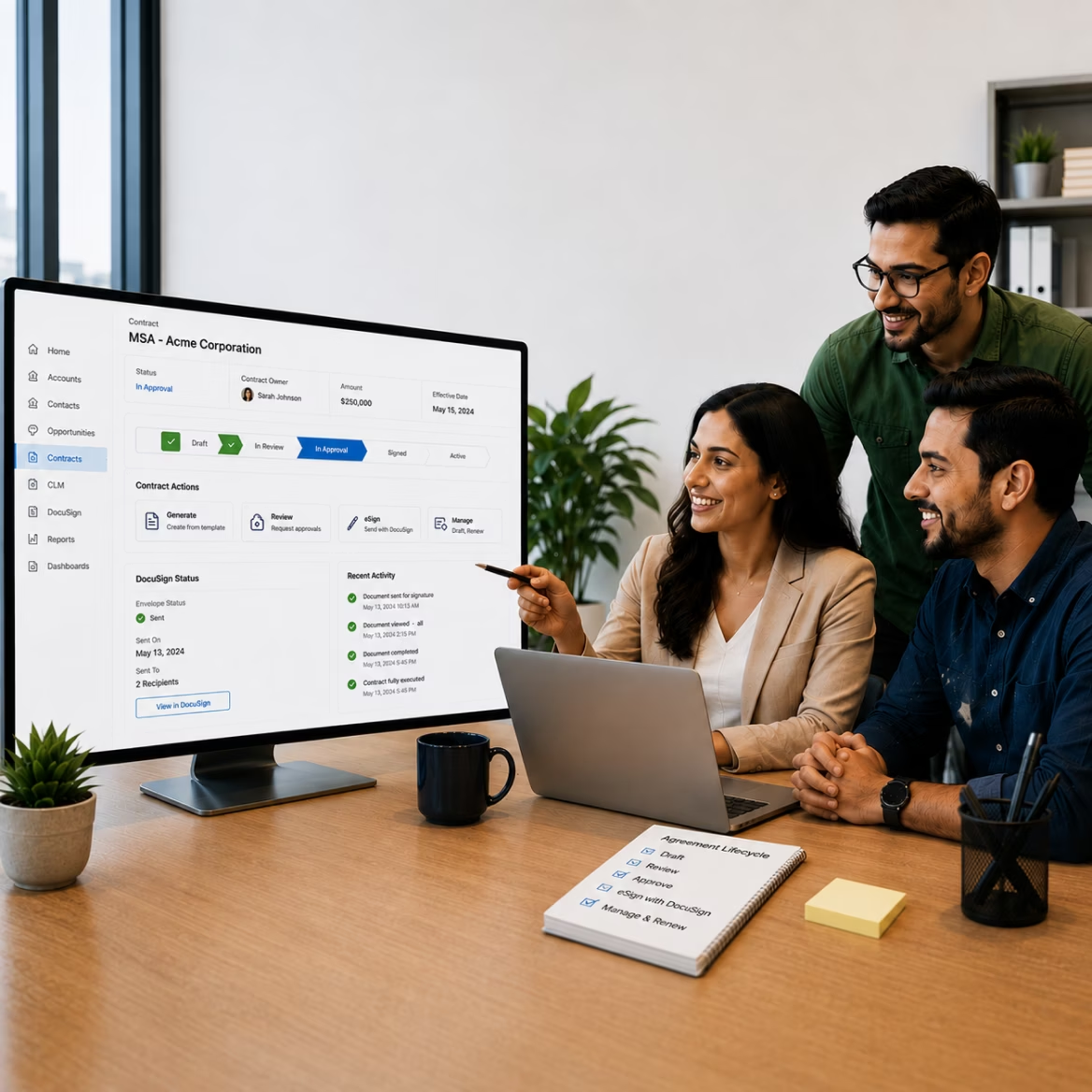
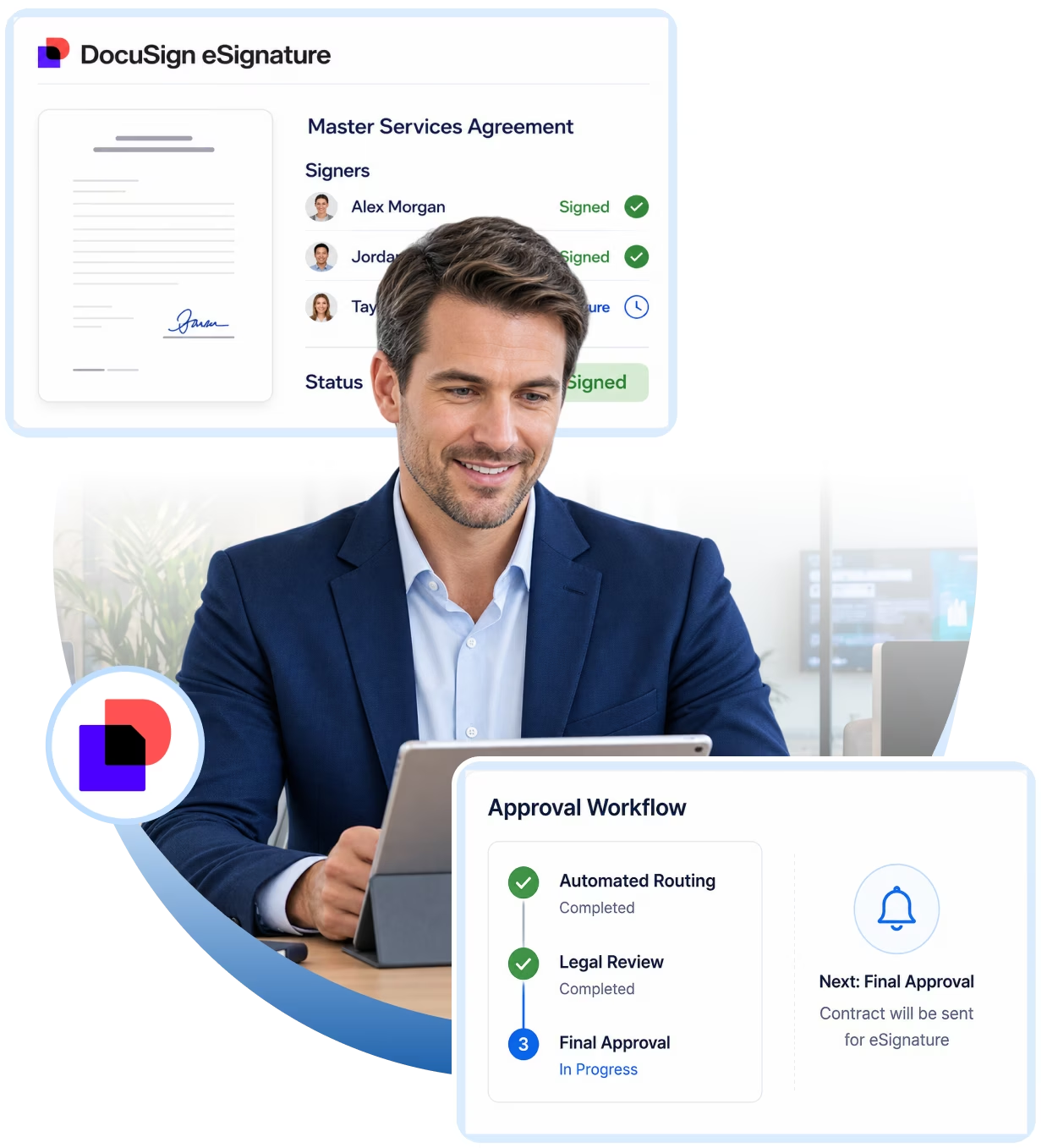
Every deal starts with a contract. Docusign CLM and eSignature give your teams one clear process to create, approve, sign, and store agreements. Customers can sign from any device, so deals close sooner.
Contract Request → Template-Based Drafting → Review → Approval → eSignature → Execution → Contract Repository → Renewal
Your teams can see where each contract stands at any time. Approved templates keep terms accurate, and contracts go to the right reviewers in the right order.
Each signed contract comes with a full signing history, ready for any audit. Renewal alerts help your teams plan ahead, so your business stays organized and moves faster.
Minuscule provides engineering and integration capabilities across the DocuSign and Salesforce ecosystem.
Minuscule provides engineering and integration capabilities across the DocuSign and Salesforce ecosystem.
Contract request and initiation
Document generation
Template-driven contract creation
Contract review
Approval workflows
Negotiation and redlining
Version management
Signature orchestration
Contract storage and retrieval
Amendments and renewals
Contract metadata management
Post-execution processes
Integrate digital signature capabilities directly into enterprise business processes, including:
Salesforce-triggered envelope creation
Template-based envelope generation
Dynamic signer and recipient configuration
Sequential and parallel signing
Embedded signing experiences
Multi-party signature workflows
Envelope status synchronization
Completed-document retrieval
Event-driven processing
Authentication and authorization
Error handling and exception management
Connect Salesforce customer and commercial data directly with the contract lifecycle.
Account → Opportunity → Quote → Contract → Approval → Signature → Activation → Renewal
This allows sales, legal, finance, procurement, and operations teams to work from a connected process rather than moving information manually between CRM, documents, email, and signature platforms.
Salesforce often contains the information required to create a contract:
Account, contacts, addresses, legal entities and customer classifications.
Opportunity, products, quantities, pricing, discounts and commercial terms.
Contract type, effective dates, renewal terms, payment conditions and service commitments.
Deal size, discount thresholds, business unit, geography and risk conditions.
Minuscule can use this information to drive DocuSign CLM and eSignature processes automatically.
A typical integrated lifecycle can look like:
The objective is to reduce duplicate data entry while keeping Salesforce and DocuSign synchronized throughout the agreement lifecycle.
Salesforce Opportunity

Contract Request
Dynamic Document Generation
Business & Legal Review
Approval Workflow
Customer Negotiation
DocuSign eSignature
Signed Agreement
Salesforce Status Update
Contract Repository
Renewal / Amendment

Enterprise contracting rarely follows a single linear workflow.
Different agreements can require different documents, reviewers, approvers, clauses and signatories depending on factors such as:
Contract value
Customer type
Geography
Legal entity
Product or service
Discount level
Contract risk
Non-standard terms
Business unit
Regulatory requirements
Minuscule helps translate these business rules into configurable contract workflows. For example:
Generate → Manager Approval → Customer Signature
Generate → Sales Approval → Finance Approval → Legal Review → Customer Signature
Generate → Legal Review → Negotiation → Executive Approval → Signature
The result is a contract process that reflects the organization’s actual governance requirements.
Implementing CLM is not simply a matter of installing a product. Enterprise environments introduce complex integration, document, workflow, security, data and operational requirements. Our engineering approach focuses on resolving these challenges.
Challenge
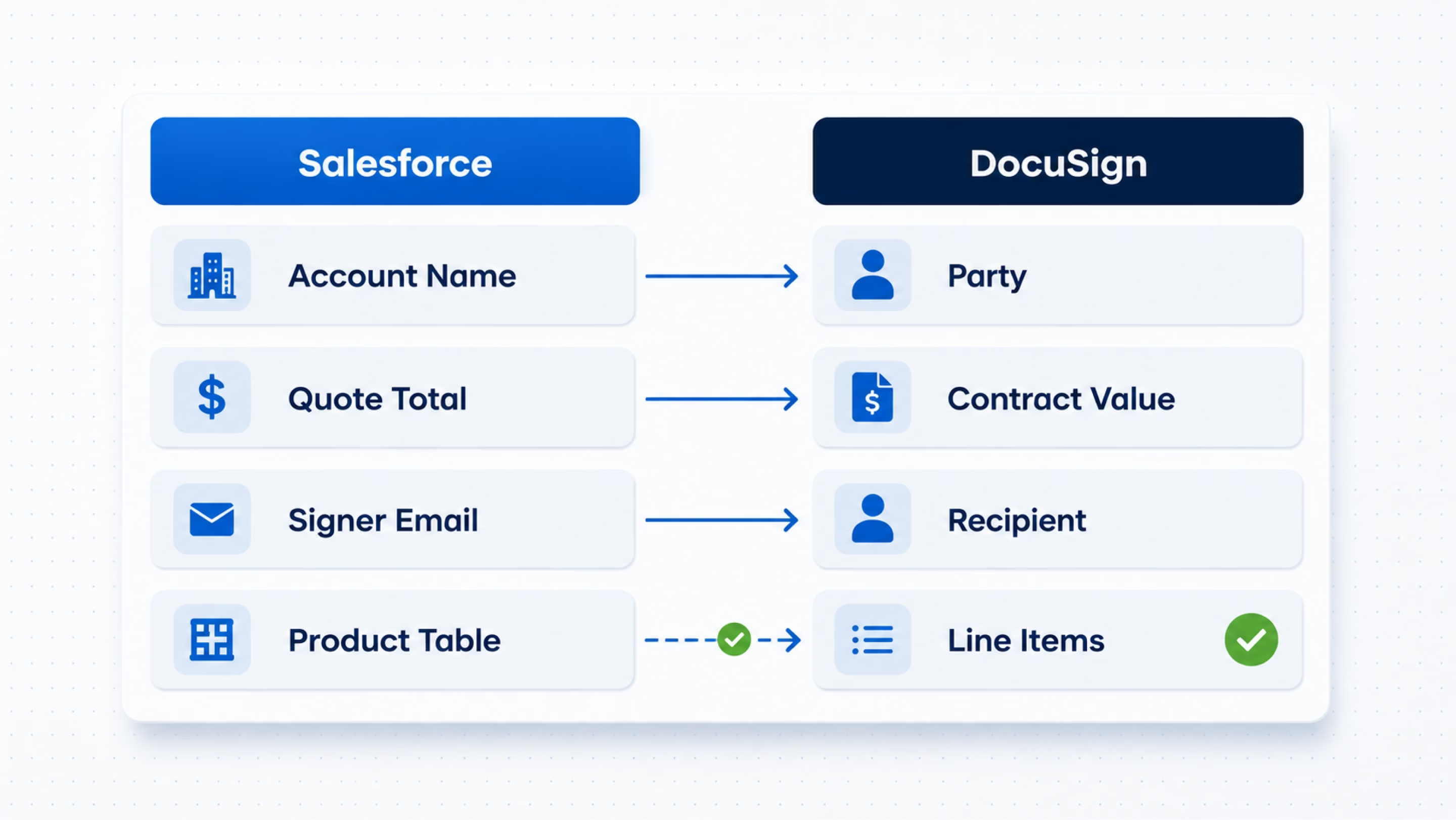
Contract information can originate from multiple Salesforce objects rather than a single Opportunity.
Account + Opportunity + Quote + Quote Lines + Products + Contacts + Custom Objects
may all contribute information to one agreement. Relationships may also be nested or dynamically determined.
Our Approach
We design structured data-mapping strategies that transform Salesforce information into the data model required for contract generation and signature workflows. This can include:
Parent-child object relationships
Custom Salesforce objects
Related-list information
Dynamic recipient identification
Product and pricing tables
Conditional data mapping
Null and missing-data handling
Transformation of Salesforce data before document generation
Challenge
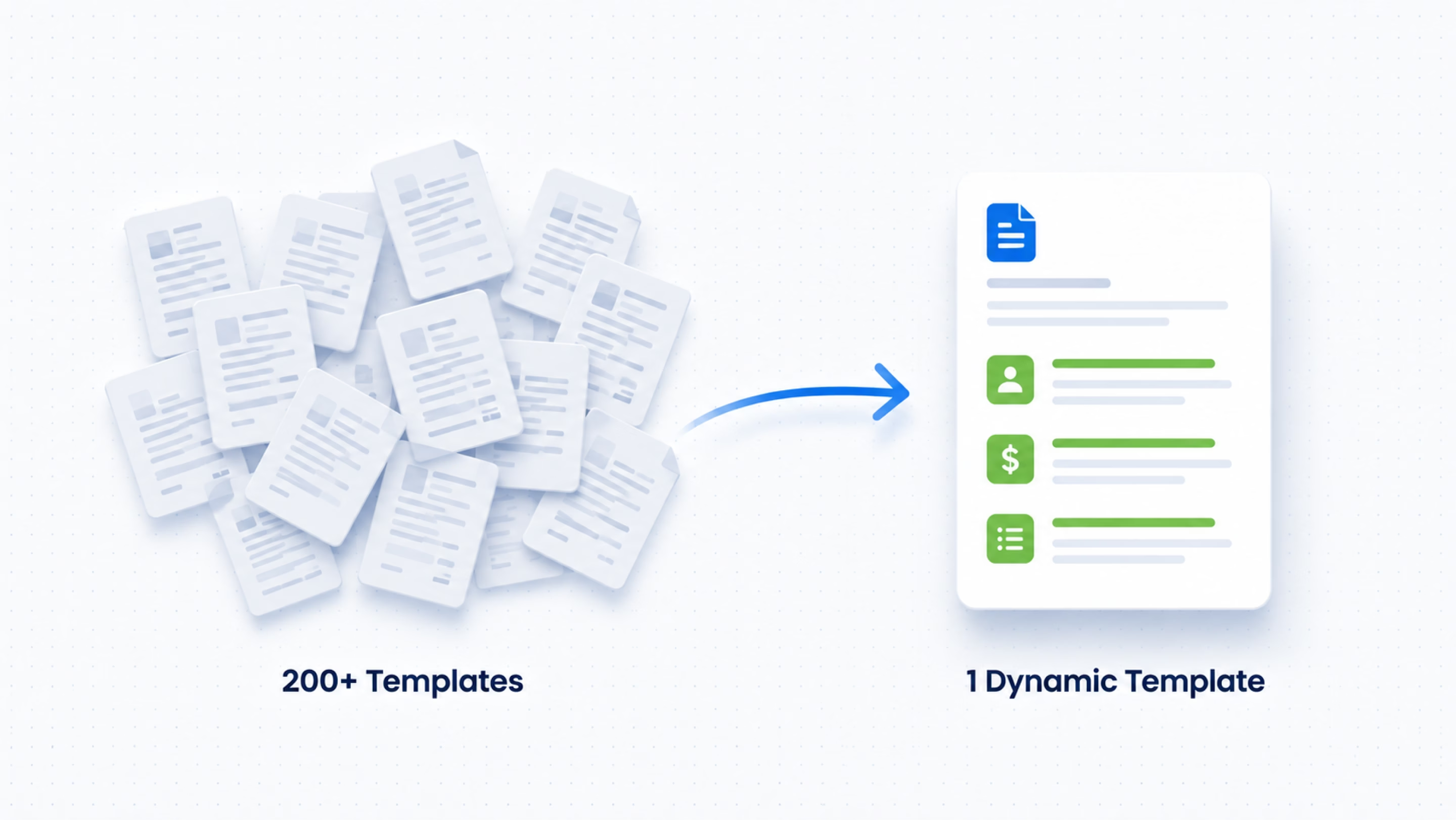
Enterprise contracts are rarely static Word documents.
A single agreement may contain different sections, tables, clauses, products, pricing schedules and terms depending on Salesforce data. Maintaining hundreds of slightly different templates quickly becomes difficult.
Our Approach
We help organizations develop reusable template architectures using:
Dynamic Salesforce fields
Conditional sections
Repeating data
Product tables
Pricing information
Optional schedules
Dynamic clauses
Region-specific content
Contract-type-specific content
The objective is to minimize template proliferation while maintaining business and legal flexibility.
Challenge
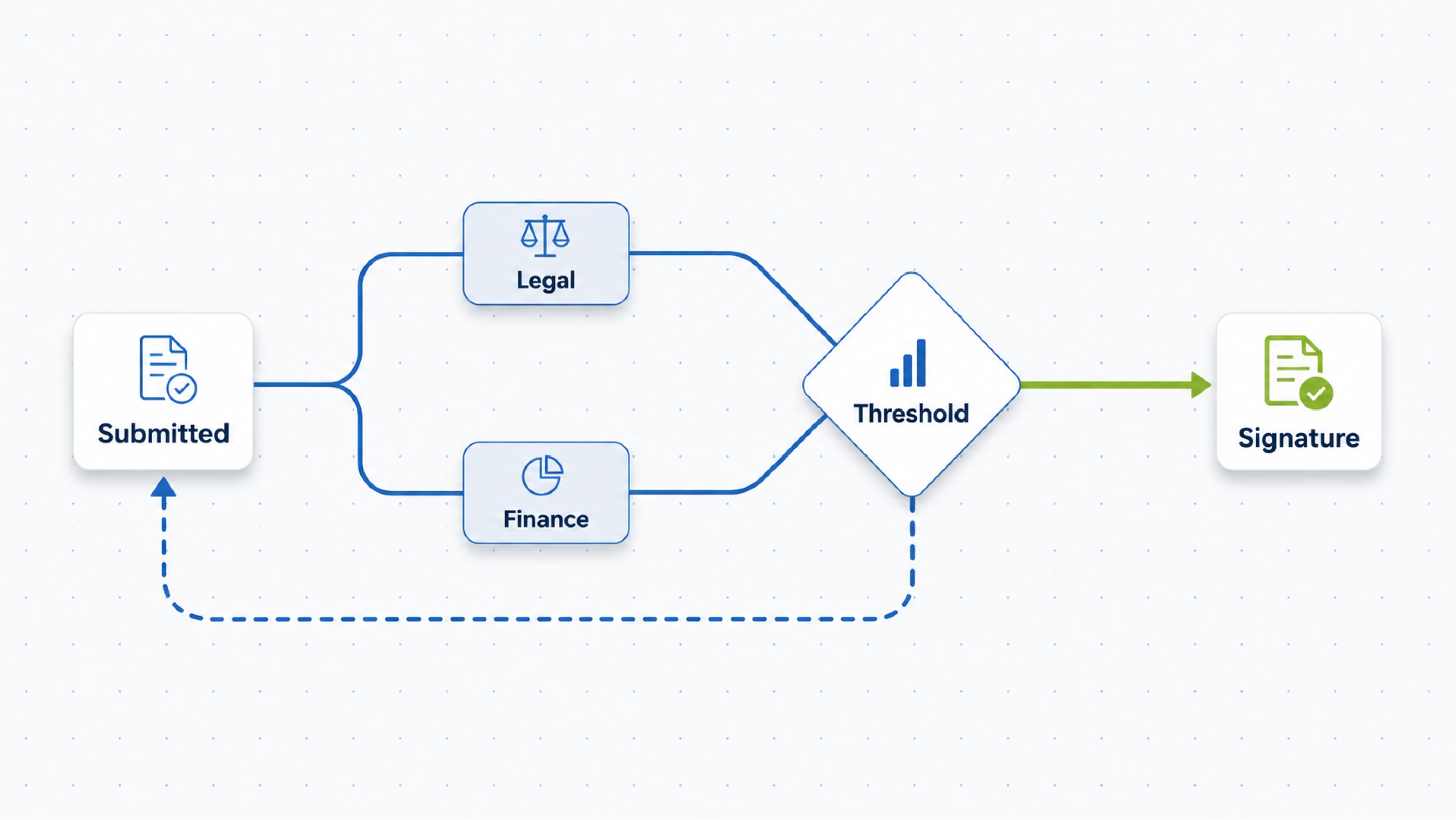
Contract approvals can become significantly more complicated than:
Sales Manager → Legal → Signature
Real-world processes can include:
Multiple approval paths
Conditional reviewers
Parallel approvals
Approval thresholds
Rejected-contract rework
Resubmission
Legal exceptions
Finance approval
Regional approval
Executive approval
Workflow configuration errors can also cause workflows to fail to activate or execute as expected.
Our Approach
We design workflows with clearly defined:
Entry Conditions → Business Rules → Participants → Actions → Exceptions → Escalations → Completion
We also help troubleshoot existing CLM workflows where execution, publishing, participant assignment or conditional routing is not behaving as expected.
Challenge
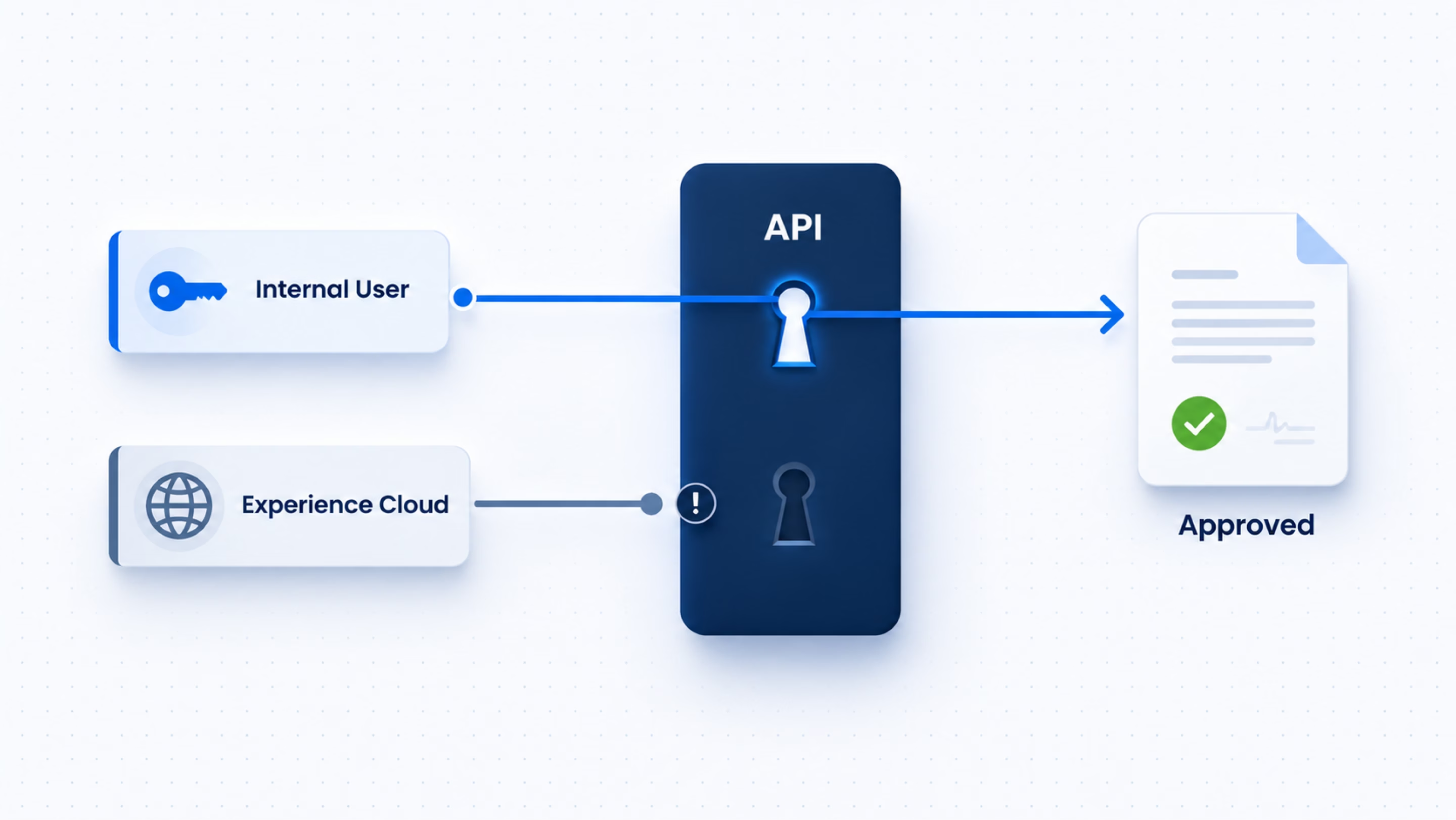
Salesforce and DocuSign integrations can behave differently depending on the user context. This becomes particularly important when DocuSign functionality is exposed through:
Salesforce Experience Cloud
Customer portals
Lightning Web Components
Apex services
Background processes
Integration users
Embedded signing
For example, an operation working successfully for an internal Salesforce user may fail when executed by an Experience Cloud user because the API authentication and session context are different.
Our Approach
We design integrations around clearly defined security contexts using appropriate authentication, integration-user, API and asynchronous-processing patterns rather than relying on the interactive Salesforce user’s session.
Challenge
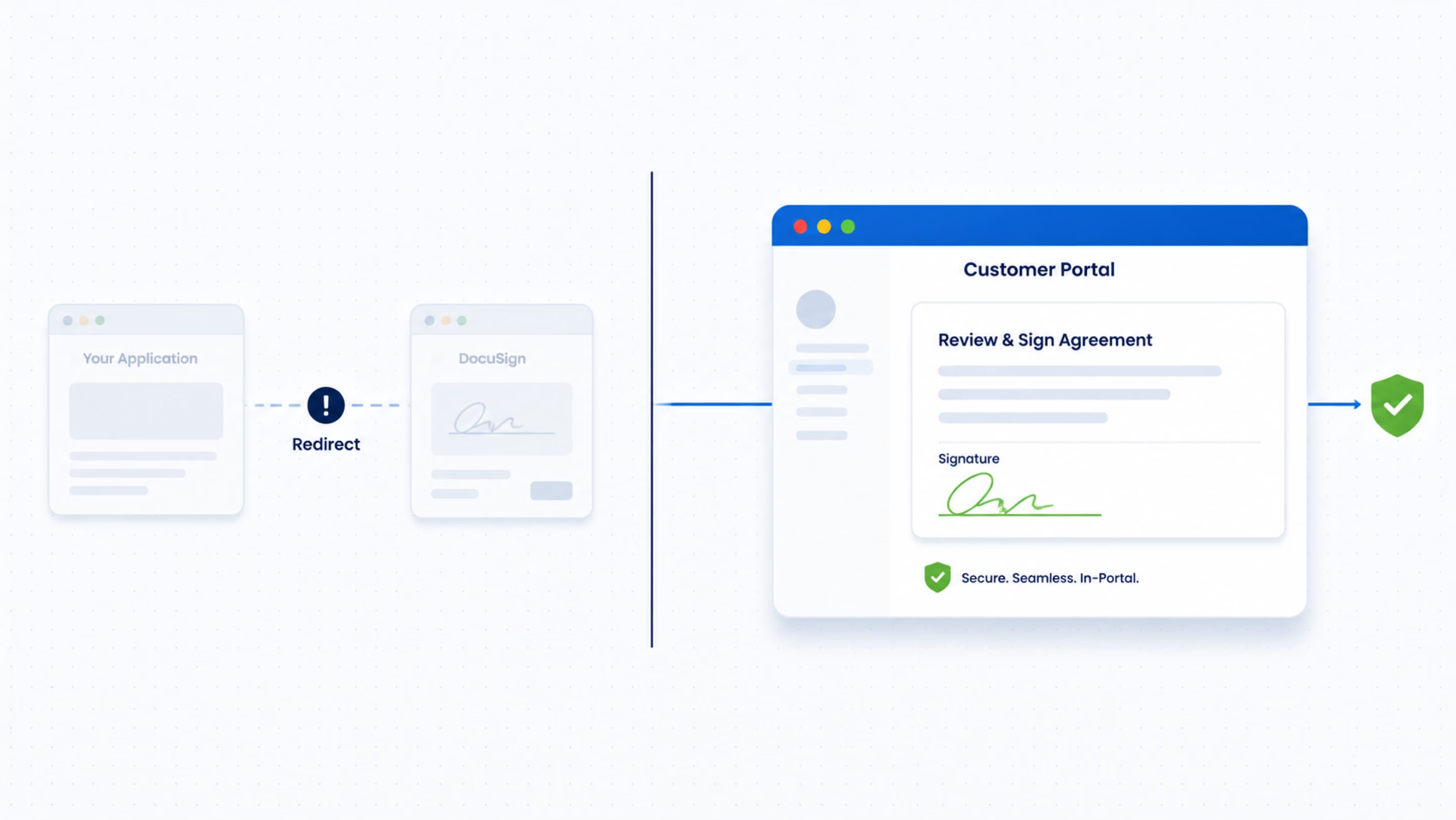
Some applications require customers to sign without leaving the business application. For example:
Customer Portal → Review Agreement → Sign Now → DocuSign Signing Experience → Return to Portal
Embedded signing introduces additional considerations around:
Recipient authentication
Signing URLs
Session management
Return URLs
Envelope creation
Customer identity
Salesforce user context
Error handling
Our Approach
We design embedded signing as part of the complete customer journey rather than as an isolated signature API call.
Challenge
The signer is not always known when the template is created. The correct signer might depend on:
Customer account
Contract value
Legal entity
Geography
Opportunity owner
Partner organization
Contract type
Some contracts also require several internal and external parties to sign in a specific sequence.
Our Approach
We dynamically determine recipients and signing order from Salesforce and business rules. For example:
Salesforce Opportunity
Sales Director
Customer Authorized Signatory
Partner
Final Executed Agreement
Challenge
Many organizations already have DocuSign CLM but encounter challenges as their implementation grows. Typical symptoms include:
Workflows unexpectedly failing
Workflow configuration becoming difficult to maintain
Templates becoming overly complex
Incorrect Salesforce data appearing in contracts
Documents failing to generate
Signers receiving incorrect documents
Authentication failures
Integration failures after user or configuration changes
Difficult-to-maintain custom logic
Limited operational visibility
Manual workarounds introduced over time
Our Approach
Minuscule can perform an architecture and implementation review across:
Salesforce Configuration
Integration
CLM Workflow
Templates
eSignature
API / Authentication
Error Handling
Operational Monitoring
The objective is not simply to resolve an individual incident, but to identify its underlying architectural or configuration cause.
Minuscule can help organizations create an integrated agreement lifecycle where business users remain within their familiar Salesforce processes.

Create opportunities and initiate agreements directly from Salesforce.

Control templates, clauses, exceptions and contract reviews.

Participate automatically when commercial thresholds require approval.

Approve contracts based on predefined business policies.

Review and electronically sign agreements through DocuSign.

Receive structured information once the agreement has been executed.
Our DocuSign solutions are supported by broader enterprise engineering capabilities.
DocuSign CLM
DocuSign eSignature
Document Generation
Templates
Contract Workflows
Envelope Management
Embedded Signing
DocuSign APIs
Event-driven Integration
Contract Repository Integration
REST APIs
Webhooks
Middleware Integration
Authentication & Authorization
Event-driven Architecture
Error Handling
Logging & Monitoring
Data Transformation
Enterprise Application Integration
Sales Cloud
Service Cloud
Experience Cloud
Apex
Lightning Web Components
Salesforce Flow
Salesforce Files / ContentVersion
Custom Objects
REST APIs
Platform Events
Integration Patterns
Contracts frequently sit at the intersection of several enterprise platforms. Minuscule can help design integration architectures connecting:
This enables the contract lifecycle to become part of the broader enterprise business process rather than an isolated document-management activity.
CRM
Salesforce
Contract Lifecycle
DocuSign CLM
Agreement Execution
DocuSign eSignature
Enterprise Applications
ERP | CPQ | Procurement | Billing | Document Management | Customer Portals | Enterprise APIs
The same integration architecture can support a wide variety of agreement processes.
Master Service Agreements
Statements of Work
Order Forms
Subscription Agreements
Service Agreements
Renewals
Vendor Agreements
Supplier Contracts
Purchase Agreements
Professional Service Agreements
Partner Agreements
Reseller Agreements
Distribution Agreements
Channel Agreements
Non-Disclosure Agreements
Data Processing Agreements
Amendments
Contract Renewals
Contract Terminations
Salesforce + DocuSign Engineering: We approach DocuSign as part of the broader Salesforce and enterprise architecture rather than as an isolated signature tool.
Integration-Led Expertise: Our engineering capabilities span Salesforce, APIs, workflow automation, authentication, enterprise integration and application development.
Complex Problem Solving: We can support implementations where standard configuration alone does not satisfy complex business, workflow or integration requirements.
Implementation and Remediation: Our engagement does not need to start with a greenfield implementation. We can help analyze, stabilize and enhance existing DocuSign environments.
End-to-End Perspective: We consider the complete lifecycle—from Salesforce opportunity and contract generation through approval, signature, synchronization and downstream processing.
Organizations are at different stages of their DocuSign journey. Minuscule can support:
Design and implement Salesforce-integrated DocuSign CLM and eSignature solutions.
Connect an existing DocuSign environment with Salesforce or other enterprise applications.
Extend an existing implementation with additional workflows, templates, automation and integrations.
Investigate complex workflow, document-generation, Salesforce, API, authentication and eSignature problems.
Modernize legacy or heavily customized agreement processes.
Provide ongoing engineering support for enhancements, incidents and operational improvements.
One promise: Salesforce that fits your business.
09
Industries
75+
Implementations
Whether you're new to Docusign CLM or improving your current setup, our team can help you build a contract process that fits your business.
Talk to Our Docusign CLM Team