
September 15, 2026
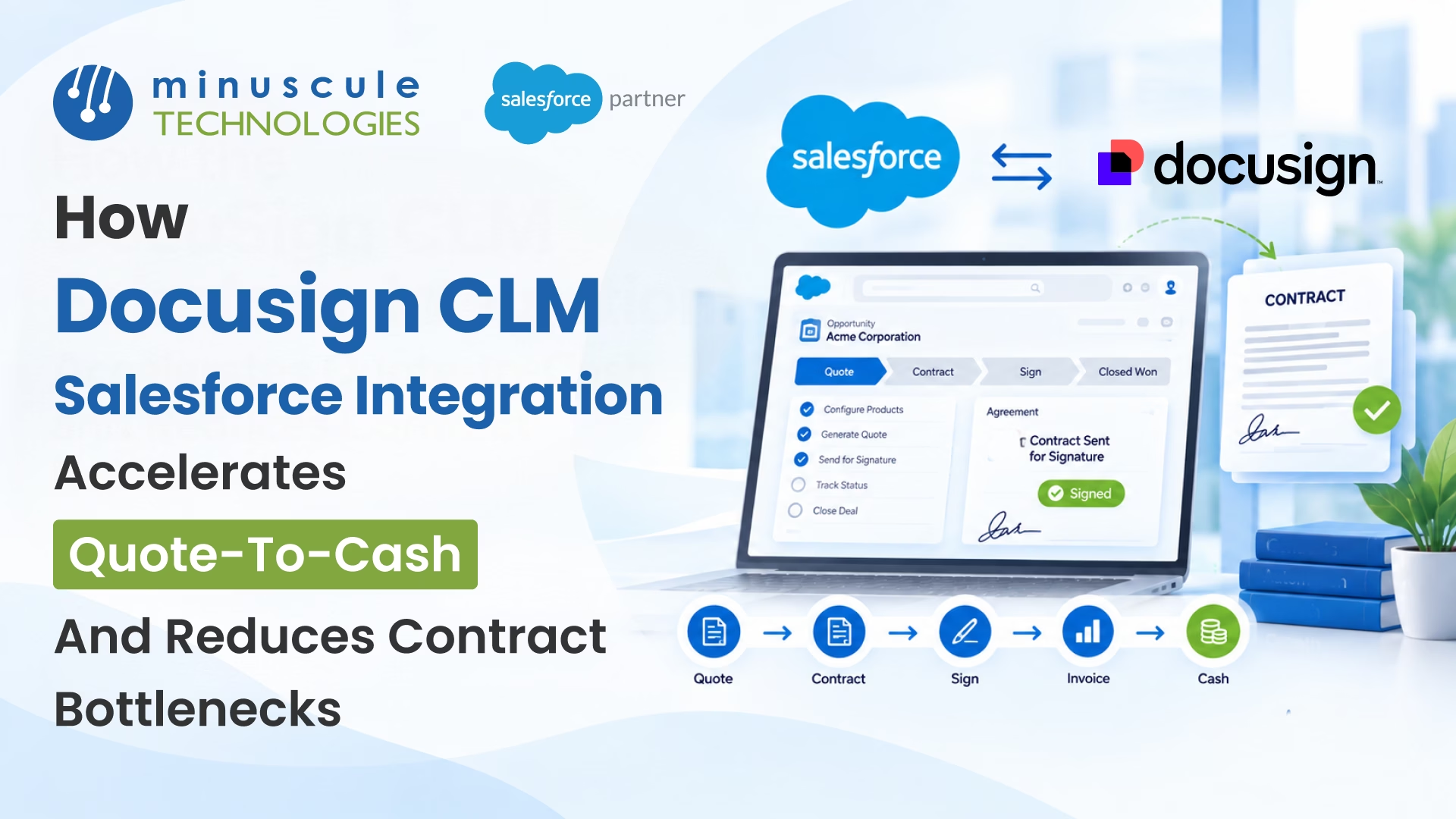
The DocuSign CLM Salesforce integration connects your contract lifecycle management to your CRM, so a deal moves from quote to signed contract without leaving Salesforce. That link is what speeds up quote-to-cash and clears the contract bottlenecks that stall deals. Instead of rekeying data and chasing approvals across tools, your team runs the whole flow in one place.
The integration clears the usual quote-to-cash bottlenecks:
Picture a B2B deal that used to take weeks. The rep builds the quote. The contract is generated from it. Legal reviews inside the same system. The customer signs, and the order moves to billing. Days, not weeks. That is what a connected quote-to-cash flow looks like.
This guide shows what the DocuSign CLM Salesforce integration does, how it speeds each stage of quote-to-cash, and which bottlenecks it removes. It also covers how it works with Salesforce CPQ and Revenue Cloud.
The DocuSign CLM Salesforce integration links DocuSign's contract lifecycle management to Salesforce. CLM handles the contract side: create, negotiate, approve, sign, store, and renew. Salesforce holds the deal, the account, and the quote. The integration ties them together, so contract data and CRM data stay in sync. Procurement teams gain from CLM too, as these benefits of contract lifecycle management show.
In practice, a rep generates a contract right from a Salesforce opportunity. The line items from the sales quote flow into the agreement. From there, CLM processes it through the workflow, review, approval, and signature, without leaving Salesforce. The signed result lands back on the record, so nobody copies figures between systems.
This is the engine behind a faster quote-to-cash cycle. Quote-to-cash is the full path from pricing a deal to collecting payment. Contracts sit right in the middle, and that is exactly where deals tend to slow down.
Quote-to-cash runs in stages: configure and price, quote, contract, sign, order, and bill. The contract stage is often the slowest. The DocuSign CLM Salesforce integration speeds it up in a few clear ways.
First, remove the handoff. The agreement builds from the quote, so no one rekeys products or prices. Second, it runs approvals on rules, not reminders, so a quote does not sit in an inbox. Third, it keeps negotiation and signature in the same flow, so the deal never leaves the system. It also lets reps self-serve from approved templates, so legal spends its time on the deals that truly need to review.
The result is a shorter path from yes to sign. Deals close sooner; revenue lands sooner, and the forecast reflects real signed contracts. The same pricing data carries from quote to contract to billing, so revenue recognition stays clean, and finance sees fewer billing disputes. For teams that run Salesforce Revenue Cloud or CPQ, that pricing data feeds the contract directly, which tightens the whole cycle. Apex Hours' free CPQ training shows how CPQ builds the quote that starts the flow.
Not sure if the integration is worth it? A few signs point to a contract bottleneck in your quote-to-cash flow.
If two or more of this sounds familiar, the handoff between quoting and contracting is likely costing you deals. That is the gap the integration is built to close.
Most quote-to-cash delays trace back to the same few bottlenecks. Here is how the integration clears each one.
Without a link, someone retypes the quote into a contract. That is slow and error prone. With the integration, the contract generates the quote, with line items and terms already in place. That saves hours per deal and keeps the numbers exact.
Approvals stall when they live in email. CLM routes each contract to the right approver on set rules, built with Salesforce Flow. A discount over a threshold goes to the manager on its own, and the deal keeps moving. The Salesforce Flow considerations reference is worth a read before you set those rules.
Redlining drags when versions fly around as attachments. CLM keeps negotiation and version control in one place. Everyone works on the current draft, and each change is tracked. Legal sees the full history, so reviews finish faster.
Chasing a signature over email wastes days. DocuSign sends the agreement for e-signature from inside Salesforce. The customer signs on any device, and the status writes back to the record. No one wonders whether the file went out or came back.
Value leaks at the end of the cycle. A missed renewal locks in a price rise, and a manual order handoff invites errors. CLM tracks renewal dates and alerts the owner, and the signed record flows into the order and billing steps. It can even push updates to your billing or ERP system, so finance is not rekeying either.
Here is the same quote-to-cash work, with and without integration.
| Stage | Without the integration | With DocuSign CLM and Salesforce |
|---|---|---|
| Quote to contract | Rekey the quote into a new contract | Contract generates from the quote |
| Approvals | Emails and reminders | Rule-based routing |
| Negotiation | Versions traded as attachments | One tracked draft in CLM |
| Signature | Chased over email | Sent and tracked in Salesforce |
| Order and renewal | Manual handoff, missed dates | Signed record flows on, alerts fire |
Yes, and this is worth planning for. DocuSign CLM connects to both Salesforce CPQ and Salesforce Revenue Cloud. The quote data feeds the contract either way.
There is one change to note. Salesforce moved Salesforce CPQ to end of sale on March 27, 2025. Existing CPQ customers can keep running it and renewing licenses. New customers are pointed to Revenue Cloud Advanced instead. Salesforce Ben's guide on what the CPQ end of sale means lays out the options.
For integration, the path forward is simple. If you run CPQ today, the DocuSign CLM Salesforce integration still works, and your quote-to-cash flow keeps serving deals. If you are starting fresh, build it on Revenue Cloud Advanced. Either way, the contract logic in this guide holds. Salesforce Ben also covers the native Salesforce and DocuSign setup if you want the eSignature side first.
It is the link between DocuSign's contract lifecycle management and Salesforce. It lets a team generate, negotiate, sign, and track contracts from inside Salesforce, using CRM and quote data. The goal is a faster quote-to-cash cycle with fewer manual steps.
Yes. DocuSign CLM installs from the Salesforce AppExchange and connects to your org. It works with Sales Cloud, Salesforce CPQ, and Revenue Cloud. An admin maps the fields and builds the templates and workflows.
Quote-to-cash is the full process from pricing a deal to collecting payment. It covers configure, price, quote, contract, sign, order, and bill. Contracts sit in the middle, which is why CLM plays a big part in speeding it up.
It removes the manual handoff from quote to contract, routes approvals on rules, keeps negotiation and signature in one flow, and tracks renewals. Each of those fixes a common delay. Together they cut the time from a signed yes to a live order.
Yes. DocuSign CLM connects to Revenue Cloud as well as CPQ. Since Salesforce CPQ is now end of sale, new builds usually run on Revenue Cloud Advanced, and the integration supports that path.
The DocuSign CLM Salesforce integration turns a slow, stop-start quote-to-cash cycle into one clean flow. Contracts build from quotes; approvals move rules, signatures happen in place, and renewals never slip. The bottlenecks that used to cost days simply stop forming. A good rollout starts with your pricing engine, adds CLM on top, and fixes your worst bottleneck first.
Minuscule Technologies builds these workflows as ready-to-deploy starter packs, tuned to your industry, so you go live in weeks. Our starter packs for manufacturing and banking and insurance cover the quoting, contracting, and signature steps that B2B teams rely on. Our Salesforce consulting team starts with your process, not the software, and our Salesforce integration team wires CLM and your CRM into one flow.
Want to see where your quote-to-cash cycle is losing days? Book a free strategic Salesforce call with our team. We will map your DocuSign CLM Salesforce integration and the fastest way to build it.
You've seen what's possible. Now, let's make it happen for your business. Whether you need an end-to-end Salesforce solution, a complex integration, or ongoing managed services, our team is ready to deliver.

Schedule a Free Strategic Call


Plot No. 4, Sridevi Amman Street, Perumal Nagar Extension, Old Pallavaram, Chennai, Tamil Nadu 600117, India.
