We are at Dreamforce 2026, Industry Pavilion at San Francisco


June 16, 2026
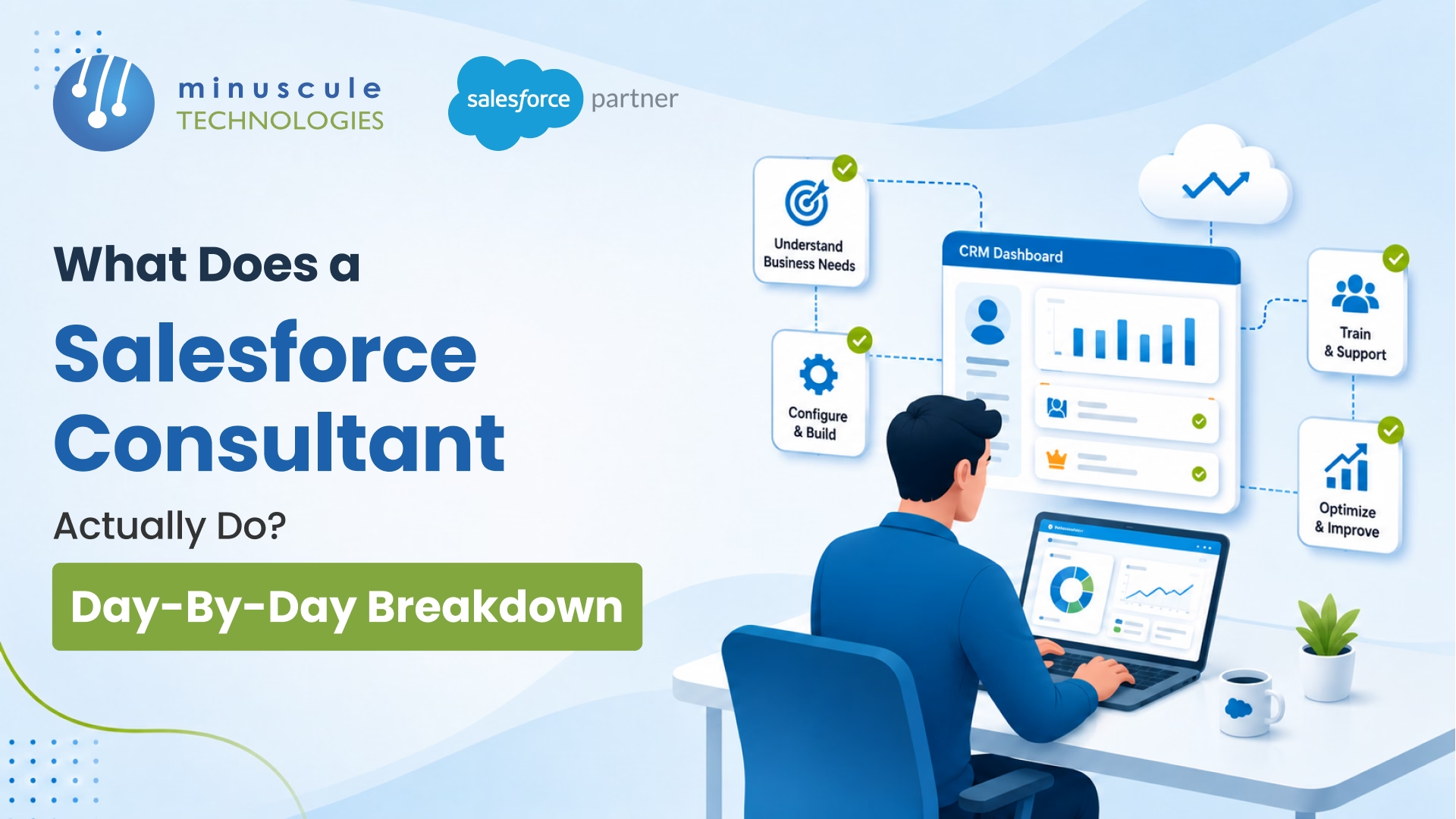
A Salesforce consultant translates your business - your sales process, service workflows, reporting needs, and integrations - into a working Salesforce configuration your team can actually use. They run discovery, design the solution, build and test it, and support it through go-live. In short: you bring the business knowledge, they bring the platform expertise, and Salesforce consulting is the structured process that combines the two.
That's the clean answer. The messier truth is that most business leaders expect a consultant to take the whole project off their plate - and then get surprised by how involved they need to be. This guide fixes that. You'll learn what a certified Salesforce consultant does at each stage, how the role differs from an admin or developer, what it costs, and what a good engagement actually looks like from the inside.
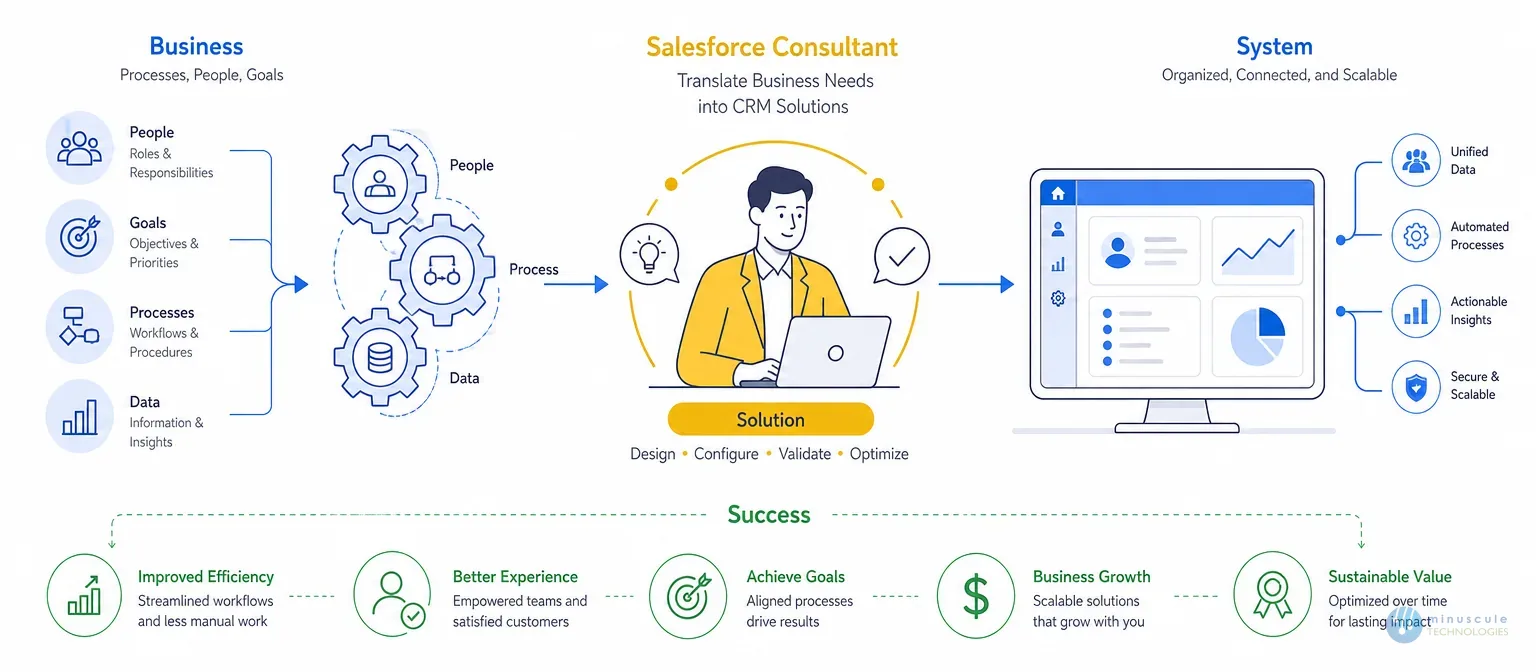
A Salesforce consultant is the person who turns business requirements into a Salesforce solution that works for real people and real operations. They are not a developer who builds in isolation and hands over a finished system. They are not a project manager coordinating a team you never meet.
Instead, a Salesforce CRM consultant does three things at once: they listen (to understand how your business runs), they design (mapping that process to Salesforce), and they own the outcome (accountability for the platform working after launch). As Salesforce Ben's guide to the consultant role notes, the job spans hands-on configuration and the kind of questioning that surfaces requirements a client didn't even know to articulate.
That's the difference between a true Salesforce consulting partner and simple staff augmentation: accountability for results, not just hours logged. Minuscule's Salesforce Consulting practice is built on that partner model - the consultant is responsible for the platform working at go-live and beyond, not just for closing tickets in a project plan.
These four roles get used interchangeably, and it costs companies real money when they hire the wrong one. Here's the plain-English breakdown:
| Role | What They Do | When You Need Them |
|---|---|---|
| Salesforce Consultant | Designs the solution, gathers business requirements, configures Salesforce using Flows, page layouts, reports, dashboards, and declarative automation, while leading project delivery. | Best for new Salesforce implementations, CRM redesigns, or major business process transformations. |
| Salesforce Admin | Handles day-to-day platform administration, including user management, permissions, reports, dashboards, data maintenance, and minor enhancements. | Ideal when you already have a live Salesforce org that requires ongoing maintenance and operational support. |
| Salesforce Developer | Builds custom functionality using Apex, Lightning Web Components (LWC), Visualforce, APIs, and integrations beyond declarative capabilities. | Required when business requirements exceed point-and-click configuration or involve complex integrations and custom applications. |
| Salesforce Consulting Partner / Firm | Provides a complete delivery team—including consultants, architects, admins, developers, QA engineers, and project managers—for end-to-end Salesforce engagements. | Recommended for enterprise implementations, multi-cloud deployments, large integrations, managed services, or digital transformation programs. |
| Typical Project Approach | A Salesforce Solutions Consultant designs the business solution, while Salesforce Developers build custom functionality where coding is required. | Using the right role for the right task improves project scope, controls billing costs, and prevents paying developer rates for administrative work. |
Not every Salesforce specialist does the same work. Most fall into one of three buckets, and complex projects use all three.
A functional Salesforce implementation consultant focuses on process and configuration - how leads convert, how cases route, how forecasts roll up. They live in declarative tools and business logic, and they're who you talk to most during discovery and design.
A Salesforce technology consultant handles the harder architecture: data models at scale, Apex, integrations, and performance. When your project touches ERP sync, large data volumes, or custom APIs, this is the person keeping the build sound.
An industry Salesforce advisor brings domain patterns - BFSI loan origination, manufacturing dealer networks, field service dispatch - so you're not paying to reinvent workflows your sector already solved. This is where a specialized Salesforce consulting company earns its rate.
Titles are cheap; certifications and demonstrated process are not. A credible Salesforce expert typically holds a stack like this:
You can verify any consultant's real credentials through Trailhead and the Salesforce certification catalog. Beyond the badge, the skills that separate a strong team from a weak one are the un-certifiable ones: structured discovery, honest scoping, and clear communication about trade-offs. Community resources like Apex Hours are a good signal of how seriously a consultant invests in staying current with three annual platform releases.
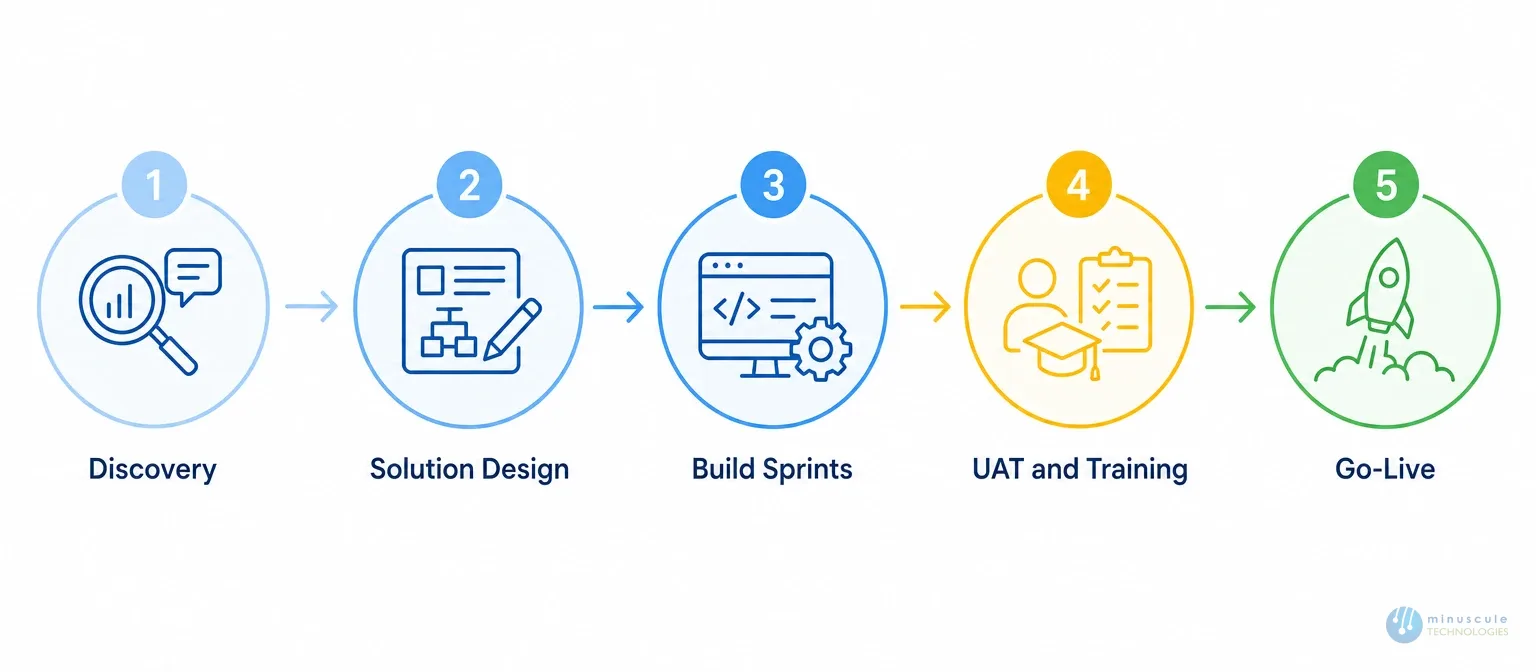
Here's the part most guides skip - what Salesforce consulting services actually look like week by week, and exactly what you have to contribute at each step.
What the consultant does: The first two weeks are almost entirely listening and questioning. They run two to four structured discovery workshops covering your sales process, service workflows, reporting needs, current data state, and integrations. They map how leads enter today, how deals are tracked, where data lives - and they flag where native config won't be enough and custom development or integration is needed. Behind the scenes, they audit any existing org and start drafting the solution design document.
What you provide: Access to the people who run the workflows daily - sales leads, service managers, ops owners - not just IT. They know the exceptions and workarounds any design must handle.
What the consultant does: Discovery findings become a solution design document - the blueprint for every object, field, automation, and data relationship. For ERP-connected environments (SAP, PeopleSoft), it also defines the integration architecture: which system is authoritative for which data, how sync works, and what transformation rules apply. They walk you through each decision in a design review and collect feedback.
Changes here cost almost nothing. Changes during build cost far more - in rework and delays. That's why Minuscule's Salesforce Implementation process treats design sign-off as a hard gate: build doesn't start without it.
What you provide: A real review from the people who'll use the system. If the Lead-to-Opportunity flow doesn't match how your team qualifies leads, this is the moment to say so. After sign-off, changes become formal change requests.
What the consultant does: Most technical work happens here, in one-to-two-week sprints: custom objects, fields, page layouts, validation rules, Flows, approval processes, reports, dashboards, and profiles built against the signed-off design. Apex and Lightning Web Components are built in parallel where needed; integrations are developed and tested in a sandbox. Each sprint ends with a demo of completed functionality - catching misalignments early, before they compound. A consultant who builds for eight weeks in silence and demos everything at the end is a warning sign.
What you provide: Attendance at sprint demos and fast feedback. The most common cause of delay is a finished sprint waiting three weeks for review because stakeholders are unavailable. Stay engaged - even two hours per sprint keeps the timeline honest.
What the consultant does: User Acceptance Testing is where your team tests the system against real business scenarios before go-live. The consultant writes UAT test scripts, supports the sessions, logs every defect, triages by severity, and fixes critical issues before launch. Training runs alongside - specific to your configuration and data, not a generic Salesforce walkthrough. Minuscule's Salesforce Administration team makes sure handover docs reflect the actual org, not a default instance.
What you provide: User time for real testing. The bugs found in proper UAT are the ones that never surface in production in front of customers.
What the consultant does: Go-live is a coordinated event, not a switch flip — migrating config from sandbox to production, running the final data migration, enabling access, and monitoring the first days live. Hypercare is the two-week window after launch where the team is on elevated support, catching edge cases UAT missed and tuning configs that behave differently at full volume.
What you provide: A clear internal communication plan so users know the system is live, what changed, and who to contact. The biggest go-live friction comes from users who discover changes by accident.
Here's the whole lifecycle at a glance:
PhaseConsultant deliversYou provideTypical durationDiscoveryRequirements, current-state map, draft designProcess owners' time~2 weeksSolution DesignSolution design doc, integration architectureDesign review & sign-off1–2 weeksBuild SprintsConfigured org, code, integrations, sprint demosDemo attendance, feedback4–12 weeksUAT & TrainingTest scripts, defect fixes, tailored trainingUser testing time2–3 weeksGo-Live & HypercareDeployment, data migration, elevated supportInternal comms plan2+ weeks
You need one when the gap between what Salesforce can do and what your team knows how to make it do is costing you money. Clear signals:
If the work is routine upkeep, an admin is enough. If it's design, re-engineering, or integration, that's consultant territory.
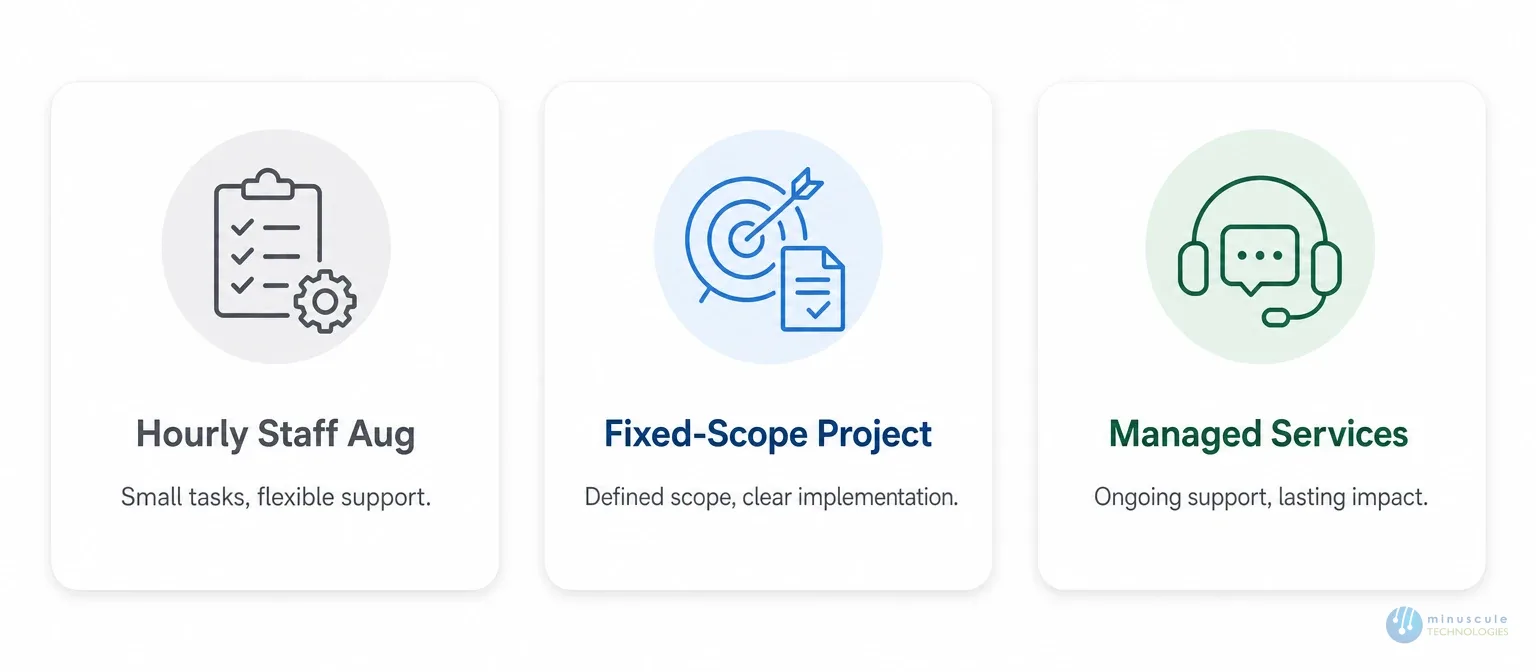
The cost of Salesforce consulting depends on engagement model and scope, not a single sticker price. The three common models:
| Pricing Model | How It's Priced | Best For |
|---|---|---|
| Hourly / Staff Augmentation | Charged using a blended hourly rate based on the skills and experience of the assigned Salesforce professionals. | Ideal for small, well-defined tasks, short-term resource needs, or extending your in-house Salesforce team. |
| Fixed-Scope Project | A single agreed price covering a clearly defined project scope, deliverables, timeline, and milestones. | Best suited for Salesforce implementations, migrations, or enhancements with finalized requirements and solution design. |
| Managed Services / Retainer | Monthly recurring engagement covering continuous optimization, administration, enhancements, monitoring, and support. | Recommended for organizations seeking long-term Salesforce maintenance, continuous improvements, and platform governance. |
| Cost Considerations | Onshore senior consultants typically command higher rates than offshore or blended delivery teams. Many Salesforce consulting firms use a blended model to optimize cost while maintaining expertise. | The biggest cost driver is project scope—not hourly rates. A well-defined discovery and design phase leads to accurate estimates, while vague requirements often result in budget overruns. |
Many businesses find the most valuable part of the relationship starts after go-live, when consulting turns into ongoing Salesforce professional services. Post-launch, the consultant's role shifts toward optimization - fixing what the first weeks of live use reveal, building features that were descoped to hit the date, absorbing Salesforce's three annual releases, and expanding the platform as you grow.
This is what Minuscule's Managed Services and Integration teams deliver: the same certified team that built the platform stays connected to it, so institutional knowledge doesn't walk out the door at launch.
Watch for these red flags with any Salesforce consulting firm:
Good Salesforce consulting services are transparent at every stage: what's being built, why, what the risks are, and what you need to do to keep it on track.
Before signing with any Salesforce consulting company, ask the Salesforce consulting partner you're evaluating:
A firm that answers these clearly has a repeatable process. One that fumbles them likely hasn't done the work often enough to have one.
It depends on scope. A focused Sales Cloud implementation for one business unit usually runs eight to twelve weeks from discovery to go-live. A multi-cloud project with Sales Cloud, Service Cloud, and ERP integration typically runs four to six months. Legacy data migration, heavy custom development, or multiple integrated platforms push it longer. A well-scoped plan built during design gives you an accurate timeline before build starts.
More involved than most expect. You provide access to the stakeholders who know the processes, review and sign off the solution design before build, attend sprint demos with prompt feedback, participate in UAT, and communicate go-live to end users. A team that doesn't ask for this involvement is building something that may not fit your business.
A consultant designs solutions and configures the platform with declarative tools - layouts, Flows, automations, reports, dashboards. A developer builds custom functionality with Apex, Lightning Web Components, and APIs when requirements exceed configuration. Most engagements use both. The distinction matters because rates and scoping responsibilities differ. You can review the official developer toolset in the Salesforce Developers documentation.
For anything beyond minor tweaks, yes. Certification confirms baseline platform fluency and product-specific knowledge, and it's easy to verify. Just pair the credential check with evidence of real process - sample design docs, references, and a clear change-request approach.
That's handled through a change request. The consultant documents the new requirement, assesses its impact on timeline and scope, and gets your approval before any work begins. Change requests are normal - requirements evolve. The professional move is to surface the impact honestly, not absorb undocumented scope and deliver late without explanation.
A Salesforce consultant doesn't take the work off your plate - they take the platform expertise off your plate and replace it with a structured process that turns your business knowledge into a working Salesforce environment. The clients who get the most from an engagement show up to discovery with honest information, review the design before sign-off, attend demos with real feedback, and treat UAT as a genuine test.
With 160+ certified Salesforce experts and 75+ enterprise projects delivered, Minuscule Technologies runs the full lifecycle - discovery, design, build, UAT, go-live, and ongoing optimization - for manufacturing, automotive, BFSI, and field service clients. For environments that need SAP, PeopleSoft, and Denodo integration alongside Salesforce configuration, we manage both sides as a single engagement. Planning a Salesforce project and want to know exactly what to expect? Talk to us before you sign anything.
You've seen what's possible. Now, let's make it happen for your business. Whether you need an end-to-end Salesforce solution, a complex integration, or ongoing managed services, our team is ready to deliver.

Schedule a Free Strategic Call


