

April 6, 2026
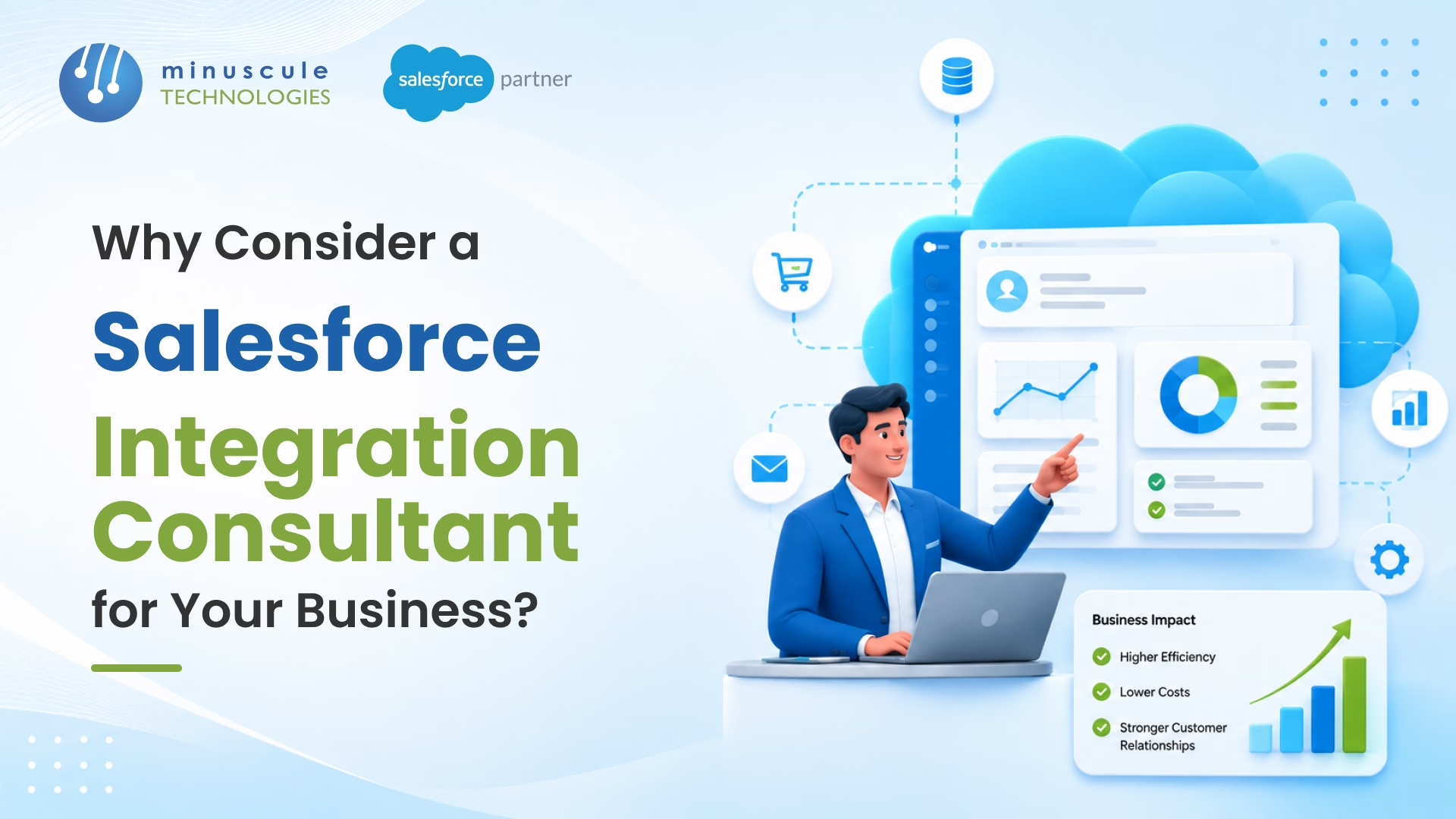
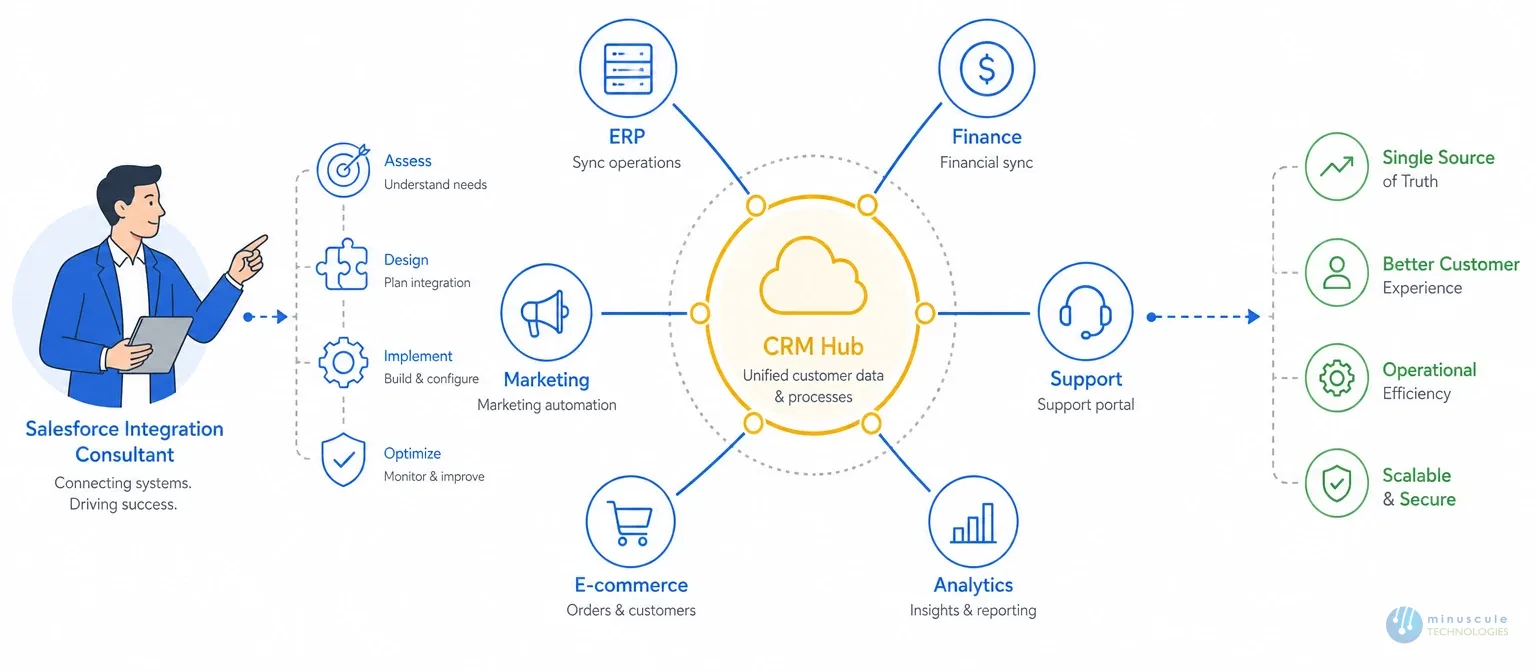
Salesforce integration consultant connects your Salesforce CRM to the other systems your business runs on - ERPs, support platforms, finance tools, marketing automation, customer portals -so your data actually moves the way your operations require. Not through manual exports. Not through someone's Friday afternoon copy-paste routine. Through actual, architected data flows that work when you need them to.
The longer version is more sobering. Over 70% of enterprise software integration projects run into significant delays or outright failures. The culprits are almost always the same: poor upfront planning, wrong technical approach, or no one on the team who's actually done this kind of integration before at that scale. For a business running Salesforce alongside five or more platforms, those odds get worse, not better.
This guide walks through what a Salesforce integration consultant actually does (it's not what most people assume), five signs you probably need one already, how to compare different integration approaches, what it costs, and what to look for before you hire
Most hiring managers treat "Salesforce consultant" as a single job category. It's not. Integration consulting is its own specialty - and hiring a generalist to do integration work is one of the most reliable ways to end up with a broken pipeline six months later.
An integration consultant's job is to design, build, and maintain the plumbing between Salesforce and everything else. Day to day, that means
| Task | Details |
|---|---|
| Mapping Data Movement | Define how data should move between Salesforce and other platforms like SAP, NetSuite, Microsoft Dynamics, PeopleSoft, Yardi, etc. |
| Choosing the Right Architecture | Point-to-point for simple cases Middleware for complex cases API-led for scalability, handling load, and API version changes |
| Building Monitoring and Error Handling | Implement monitoring and error handling to catch issues before they escalate into data disasters. |
| Writing Usable Documentation | Create clear documentation for internal teams to use when updates are needed after the consultant's engagement ends. |
When integration is done properly, Salesforce stops being "the CRM" and starts being the operational hub your whole team runs off. Sales, finance, support, field ops — one version of the truth instead of four.
A general Salesforce consultant handles what happens inside the platform - page layouts, flows, custom objects, reports, org configuration. An integration consultant handles what happens between Salesforce and your other systems. These are genuinely different skill sets, and a lot of orgs get into trouble by assuming their admin or general consultant can cover both. Here are the tools every Salesforce integration consultant should have.
If your core problem is that systems aren't talking to each other, you need someone whose primary specialty is integration architecture. Salesforce Ben's breakdown of Salesforce consultant roles is worth reading if you want a clearer picture of where these specialties diverge.
These aren't hypothetical warning signs. In our experience working with orgs across manufacturing, real estate, banking, and healthcare, these are the five patterns that show up just before something breaks badly enough for leadership to finally make the call.
Sales works in Salesforce. Finance lives in the ERP. Support runs out of a ticketing system. None of them talk to each other - so when a deal closes, a human being bridges that gap manually. Every time. CSV exports, reformatting, re-uploading. It's slow, it's error-prone, and it doesn't hold up once deal volume picks up.
Manual transfers are the most visible symptom of a missing integration layer. But the downstream damage is worse than the wasted hours. Duplicate records. Contact data that's current in one system and three months stale in another.
Dashboards that look fine until someone checks the source data and finds the numbers don't agree. When leadership asks for a revenue report and gets three different answers from three different systems, that's not a reporting problem. It's an integration problem.
A lot of Salesforce orgs start small - an admin, some basic flows, a connector or two stitched together over time. That works fine until it doesn't. Once the org reaches a certain complexity, the same person who set it up is now spending most of their time keeping it running.
If your team is firefighting broken syncs instead of building new capabilities, you've probably outgrown DIY integration management. Our Salesforce consulting team regularly takes over orgs at exactly this inflection point - and the work to untangle what's there is always more involved than building it right would have been.
Fragile integrations have a tell: they break on routine changes. One API version update from a vendor, one field rename during a Salesforce release, one schema tweak in the ERP — and suddenly a pipeline that's been "working" for 18 months stops. This is the signature of point-to-point integrations built without proper error handling or monitoring. A consultant designs resilience in from the start, not as an afterthought.
Adding CPQ, a new ERP, Field Service, or Agentforce? These aren't small projects. A bad architecture decision made at the start of one of these rollouts can take years to fully undo. Getting a consultant involved in the design phase - before any build work starts - is almost always cheaper than calling one in after the wheels have come off. The Salesforce Developer Blog has solid write-ups on integration patterns worth reading before any major platform expansion.
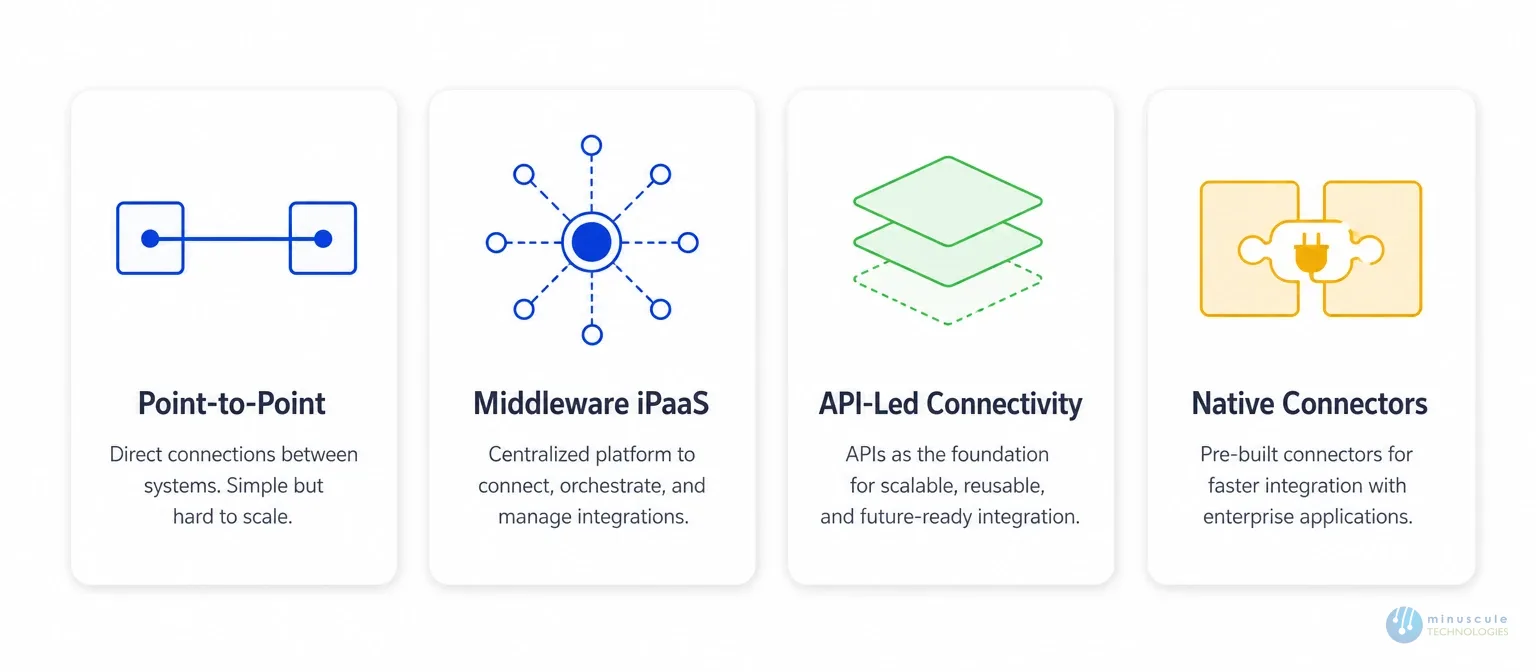
Not every integration problem calls for the same solution. The right approach depends on your data volume, how many systems are involved, what latency you can tolerate, and how much your stack is likely to change over the next few years.
Direct connections between Salesforce and one other system. Fast to build. Fine for simple, stable, low-volume use cases. The problem shows up when you try to scale — each new system you add needs its own direct connection, and once you're managing a dozen of them, the maintenance burden becomes a real problem. One change anywhere can break multiple pipelines simultaneously.
These platforms sit in the middle of your integration architecture. They handle routing, data transformation, error management, and monitoring in one place. The right choice when you're connecting five or more systems, or when you need real-time data flows with proper audit trails. MuleSoft - which Salesforce owns outright - is the leading option in this category, but it requires specific expertise to configure and tune correctly. The licensing cost is significant; getting it wrong on top of that makes it much worse.
The architectural pattern that MuleSoft and platforms like it are designed around. It splits your integrations into three distinct layers - system APIs at the bottom, process APIs in the middle, experience APIs at the top -so each piece can be updated or reused independently. It's the most durable approach for complex enterprise environments. It's also the one that falls apart fastest when it's implemented by someone who's read the documentation but hasn't built it at scale before.
Pre-built connectors for hundreds of tools, available right on the AppExchange. Fastest path to a working integration for standard use cases. The trade-offs are real though — limited customization, limited error handling, and when something breaks, you're dependent on the connector vendor's update cycle.
A good consultant tells you honestly when a native connector is the right call, and when building something custom is worth the extra investment. The Salesforce Admin hub is a reliable reference for evaluating what AppExchange connectors actually cover.
If you want to see how these approaches play out across real industries, take a look at our client success work - the specifics vary quite a bit between a real estate lease management integration and a manufacturing ERP connection.
| Factor | DIY / Internal Team | Salesforce Integration Consultant |
|---|---|---|
| Upfront Cost | Lower | Higher |
| Time to Go Live | Slower — learning curve adds weeks | Faster — known patterns, no ramp-up |
| Integration Quality | Variable, often brittle | Consistent, built to last |
| Error Handling | Usually missing or bolted on after the fact | Designed in from day one |
| Long-term Maintainability | Rarely documented, hard to hand off | Documented and built for your team to own |
| When It Breaks | Internal team scrambles, often without the right context | SLA-backed response, root cause fixed properly |
| Best Fit | Simple, low-stakes, single-system connections | Multi-system, mission-critical, high-volume flows |
Here's the honest take: DIY is a perfectly reasonable choice for basic integrations where a failure doesn't stop the business. The calculation flips the moment a broken sync means orders aren't processing, customer records are corrupted, or your finance team is working off bad data. A rebuild after a failed integration -with emergency support, data recovery work, and the delay costs - typically runs two to three times what a well-planned build would have cost. That math adds up fast.
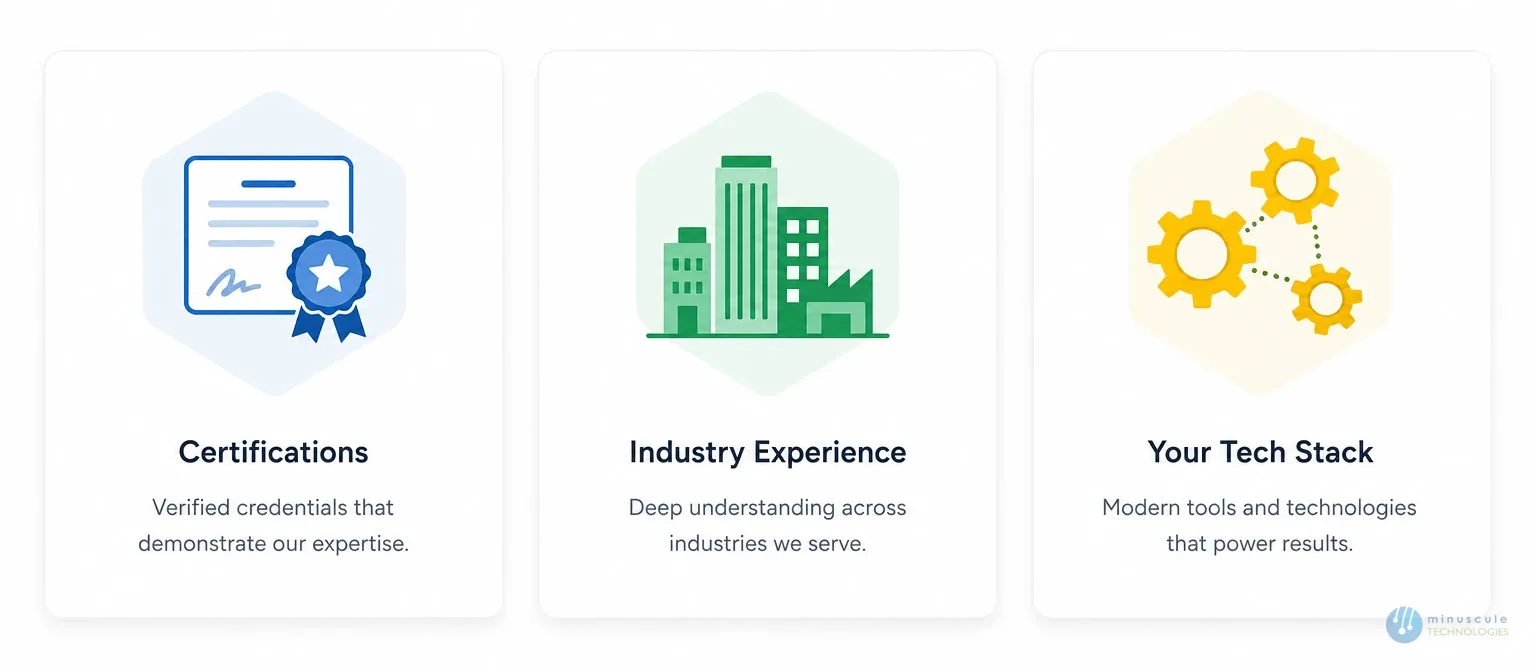
Not all Salesforce certifications are relevant here. The ones that matter specifically for integration work:
| Certification | Description |
|---|---|
| Salesforce Certified Integration Architect | Signals genuine expertise in integration design decisions, not just platform administration |
| MuleSoft Certified Developer or MuleSoft Certified Integration Architect | Non-negotiable if MuleSoft is any part of your current or planned stack |
| Salesforce Platform Developer I and II | Relevant for custom API work and Apex-based integrations where a native connector isn't the right fit |
Someone without integration-specific credentials might be a perfectly capable Salesforce admin. But integration architecture probably isn't their primary discipline, and that distinction matters when you're building something that has to run reliably for years.
Integration logic varies significantly by industry. Healthcare data flows carry compliance requirements that don't exist in manufacturing. Financial services integrations have audit trail obligations that a retail implementation doesn't. Ask for examples from your specific vertical before you commit to anything. "We've done similar work" without specifics is not the same as "here's what we built for a comparable company in your space."
If you're running SAP, you need someone who has integrated Salesforce with SAP - not someone who has worked with "large ERP systems." Your marketing automation tool, your finance platform, your warehouse management system - get specific. The Apex Hours community is worth browsing if you want a sense of what hands-on integration expertise looks like among practitioners who are actually building this stuff.
The range is wide, and the right number depends heavily on what you actually need. Here's what typical engagements look like:
| Service Type | Cost Range | Description |
|---|---|---|
| Freelance Consultants | $75–$200/hour | Suitable for well-defined, lower-complexity projects where you have internal oversight capacity |
| Boutique Consulting Partners | $150–$300/hour, or fixed-price | Fixed-price project engagements for clearly scoped work |
| Large SI Partners | $200–$400+/hour | Usually with minimum engagement commitments and more overhead baked in |
| Managed Integration Services | $3,000–$10,000+/month | Monthly retainers depending on integration count, complexity, and SLA requirements |
A straightforward point-to-point integration with proper documentation and testing might take 40–80 hours of consultant time. A full MuleSoft implementation connecting five or more systems -done correctly, with monitoring, error handling, and handoff documentation - can run several hundred hours, plus an ongoing support arrangement.
The number to really focus on isn't the consultant's rate. It's the cost of a failed build. Emergency recovery work, data cleanup, project delay, and the business impact of bad data or integration downtime routinely push the total cost of a failed integration to two or three times what a clean build would have been. The upfront cost of getting it right is almost always the cheaper option when you run the full numbers. The Salesforce blog has good framing on how enterprises typically approach integration investment decisions.
Minuscule Technologies has been building Salesforce integrations since 2014. Our team of 160+ Salesforce experts has delivered integrations with SAP, PeopleSoft, Microsoft Dynamics, Yardi, DocuSign, MuleSoft, WhatsApp, Qualtrics, Zoom, and a number of custom-built legacy systems that don't have a standard connector available.
What we've learned over that time: integration projects that go sideways almost always have the same failure point. The integration was treated as a standalone technical task — handed to a developer, built in isolation, and shipped without being properly fitted into the client's existing Salesforce org structure, data model, or DevOps practices. Then something routine changes, and the whole thing breaks.
Our approach to Salesforce integration services starts with the full picture -org health, existing automation layers, release processes, the teams who'll maintain it after we're gone. The integrations we build are designed to fit that context, not just technically function in isolation. That's the difference between something that works on launch day and something that still works eighteen months later.
If you're evaluating whether to rebuild an existing integration or planning a new one, reach out to our team — we're happy to give you a straight read on your situation before any engagement begins.
The Salesforce Certified Integration Architect is the most directly relevant credential. For projects involving MuleSoft, a MuleSoft Certified Developer or MuleSoft Certified Integration Architect certification is important - not just nice to have. Salesforce Platform Developer I and II are valuable for custom API work. If a candidate can't point to integration-specific credentials, integration architecture probably isn't their primary specialty, which matters when you're building something that needs to hold up long-term.
A well-defined point-to-point integration can go live in two to four weeks with the right resources in place. Projects involving multiple systems, data transformation logic, and proper testing tend to run six to twelve weeks. Full MuleSoft implementations connecting five or more systems — done with the monitoring, error handling, and documentation they need to actually be maintainable - often take three to six months. Stakeholder availability for requirements validation is usually the biggest variable outside of technical complexity.
Usually yes, though the approach depends entirely on what the legacy system exposes. If it has a REST or SOAP API, integration is fairly direct. Many older on-premise ERPs and custom-built applications don't in those cases, middleware platforms like MuleSoft can bridge the gap through database-level connections or file-based transfer patterns. The important thing is that a good consultant assesses what's technically viable before committing to an architecture, not after the build has started and the constraints become visible.
MuleSoft is a managed platform — it handles routing, transformation, monitoring, and error recovery as built-in capabilities. A custom API integration is built from scratch, typically using Apex callouts or a third-party library. You own all of that infrastructure, which means you also own all of the maintenance.
MuleSoft makes more sense when you're connecting multiple systems and need a single place to monitor all of them. Custom builds make sense for simpler, one-off connections where the overhead of a full iPaaS platform doesn't justify the cost. The Salesforce blog covers the trade-offs in more detail if you're trying to think through which approach fits your situation.
When the connection is simple, the stakes are low, and you have an internal admin with solid API knowledge - a well-maintained AppExchange connector is usually the right call, and a consultant adds cost without adding proportional value. One-time data migrations using Dataloader or a contained Apex script also don't require specialist help.
The threshold for bringing in a consultant is roughly this: when the failure cost is high, when the integration needs to run reliably for years without someone babysitting it, or when the data in question touches compliance or audit requirements.
You've seen what's possible. Now, let's make it happen for your business. Whether you need an end-to-end Salesforce solution, a complex integration, or ongoing managed services, our team is ready to deliver.

Schedule a Free Strategic Call


Plot No. 4, Sridevi Amman Street, Perumal Nagar Extension, Old Pallavaram, Chennai, Tamil Nadu 600117, India.

