

May 27, 2026
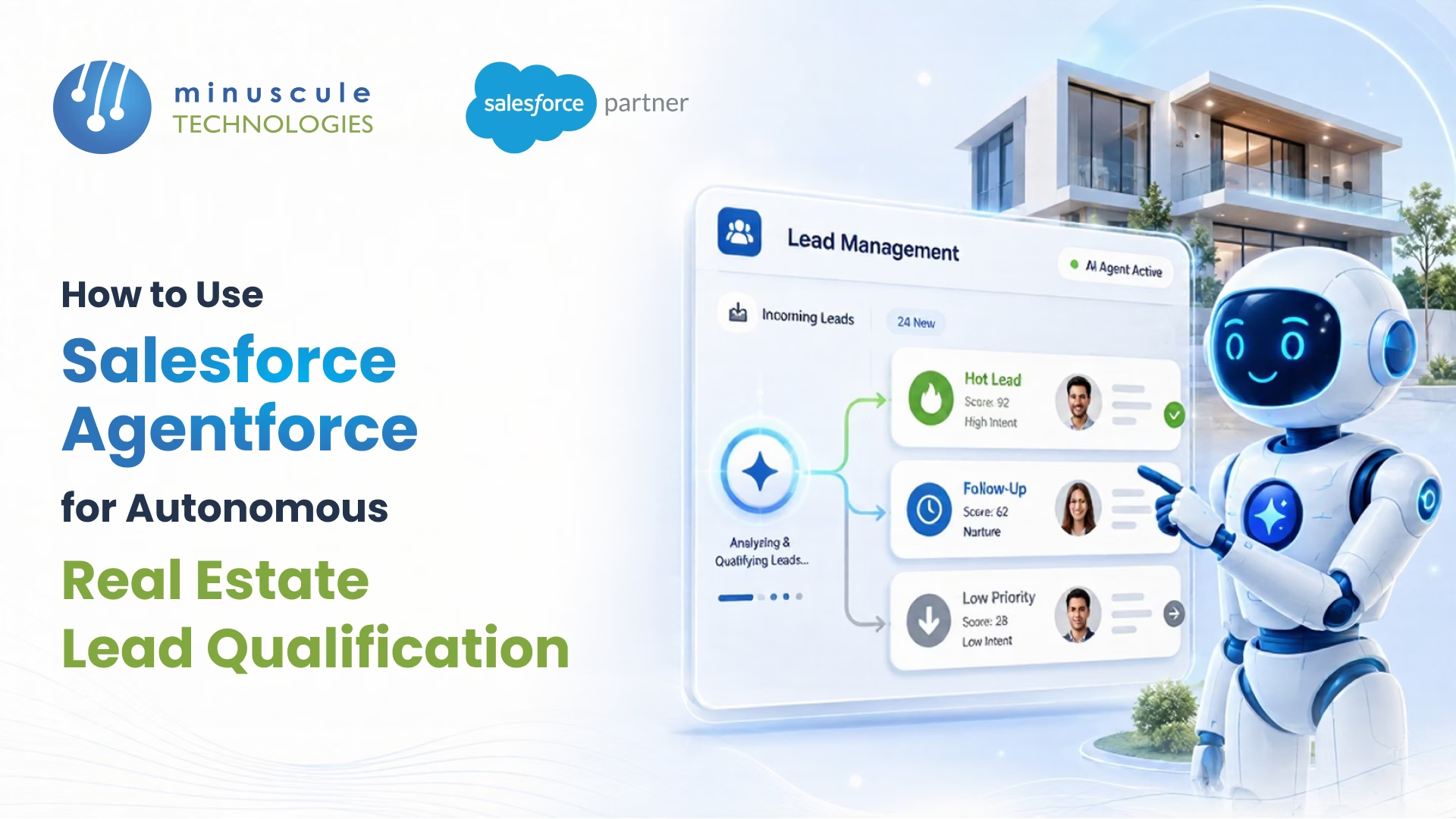
Salesforce Agentforce for real estate lead qualification is an AI agent layer built on the Salesforce Platform that scores, replies to, and routes property inquiries without a human touching the keyboard. It runs on the Atlas Reasoning Engine, pulls live context from Data Cloud, and acts on signals like buyer budget, location preference, financing status, and timeline - then either books a showing or hands the lead to a human agent.
In practice, an Agentforce setup for real estate does five things:
By the end of this guide, you'll know exactly how to ship it.
Agentforce is Salesforce's framework for building autonomous AI agents that live inside your CRM. Unlike Einstein Copilot, which sits next to a human and waits for prompts, an Agentforce agent runs on its own - taking inbound signals, reasoning through them, and executing actions across Sales Cloud, Service Cloud, Data Cloud, and any system MuleSoft can reach.
Three pieces make the magic work. The Atlas Reasoning Engine decides what the agent should do next - think of it as the brain that decomposes a goal like "qualifying this real estate lead" into smaller steps. Topics group related actions together (e.g., "Property Inquiry," "Mortgage Pre-Qualification," "Showing Scheduling"), so the agent knows which playbook to run. Actions are the verbs: send a DocuSign packet, update a Lead record, fire a Flow, call a REST endpoint, or hand off to a human.
For a real estate brokerage, this means you're not stitching together a chatbot, a marketing automation tool, and a manual lead-routing script. One agent, one runtime, and one audit trail.
You can read the official platform overview on the Salesforce Developer Blog for deeper architectural detail.
Most real estate sales teams have the same complaint: they're drowning in leads but starving for conversions. A typical residential brokerage office gets 100–300 inbound leads per agent per month from portal aggregators (Zillow, Realtor.com, 99acres, Magic Bricks, Rightmove). Industry studies put conversion rates between 1.5% and 3%. Everything else is noise - wrong city, wrong budget, just browsing, never picking up the phone.
Lead-response research from Harvard Business Review and Inside Sales has been consistent for over a decade: contacting a web lead within five minutes makes them roughly 9x more likely to convert versus a contact at the one-hour mark. Push to 24 hours, and the lead is effectively cold.
Humans cannot meet that SLA across nights, weekends, and time zones. An autonomous agent can.
Rules-based lead scoring - assign 10 points for budget over $500K, 5 points for downloading a brochure - was built for a world where leads filled out one form on one website. Modern real estate buyers ping you on WhatsApp, request a callback from a portal, message your Instagram, and then call the office. By the time the data syncs, the lead has moved on.
Agentforce uses Data Cloud as a real-time profile store, so the agent reasons over the full picture (every touch, every form, every property viewed) rather than a stale snapshot. Salesforce's Trailhead module on Data Cloud for AI walks through the underlying data model.
For brokerages that have already invested in Yardi or a similar property management system, the missing piece is usually the qualification layer. That's where a properly engineered Salesforce platform - the kind we build at Minuscule's Salesforce engineering practice - turns a stack of disconnected tools into a single decisioning system.
Here's what happens when a new lead enters an Agentforce-powered real estate org. We've shipped variations of this flow for a Middle East commercial property firm and a North American multifamily REIT, and the skeleton is roughly the same.
Leads arrive from portal feeds, web forms, WhatsApp, inbound calls (transcribed by Service Cloud Voice), and partner referrals. Each one lands as a Lead or a unified profile object in Data Cloud. The agent doesn't care about the channel - it only cares about the signal. See how to connect real estate marketplaces to Salesforce for better lead capture.
The Atlas Reasoning Engine classifies the incoming message against your defined Topics. For a real estate org, you might have topics like Buyer Inquiry, Tenant Inquiry, Investor Inquiry, Existing Customer Service, and Wrong Number / Spam. The agent picks the topic with the highest confidence and follows its action plan.
This is where the agent asks the BANT questions a human SDR would ask - but in a tone the buyer doesn't notice. A typical exchange:
Every answer updates the Lead record and triggers the next reasoning step. No human in the loop.
Once the agent has enough data, it runs your scoring rubric. Hot leads (high budget, financed, 30-day timeline) get routed to your top-producing broker with a calendar invite already scheduled. Warm leads to land in a nurture flow. Cold leads get a polite "we'll keep you posted" plus an MLS alert subscription.
The agent can send a property brochure, generate a DocuSign reservation packet, push a callback task to a CTI queue, or - for hot leads - start a three-way conversation between itself, the buyer, and a live broker. The handoff carries full conversation context, so the broker doesn't open with "Hi, how can I help?"
Here's the build path that works in production. Plan 6–10 weeks for a clean first release if your data is in decent shape, longer if you're untangling a legacy Yardi or PeopleSoft sync first.
You need: Sales Cloud or Service Cloud Enterprise edition or higher, Data Cloud provisioned with at least your Lead, Account, Contact, and Property objects ingested, and a service account with Agentforce permissions. Most real estate orgs also need MuleSoft or named credentials wired to the MLS or PMS.
Before you touch Setup, write down the questions a senior broker asks for a new lead. Group them into the 4–6 dimensions you score on. We typically see:
In Setup → Agentforce → Agent Builder, create a new agent. Give it a clear role description ("You are a real estate lead qualification specialist for residential brokerage in Texas"). Vague role descriptions produce vague behavior.
Create one topic per qualification path. Inside each topic, attach actions - these are either standard Salesforce actions (Create Record, Send Email), Flow-based actions, Apex actions for custom logic, or prompt-template actions for content generation.
Don't ship until you've run at least 30 realistic conversations through the preview pane - including the messy ones. Buyers who type in Hinglish, drop the conversation mid-flow, send voice notes, ask for prices in different currencies. The preview shows you the agent's reasoning trace, so you can spot where it's making bad calls.
Pilot on web-form leads first. Keep portal feeds and WhatsApp on the human SDR queue for two weeks while you tune. Then expand channel by channel.
For larger rollouts where you need DevOps and CI/CD automation across Salesforce sandboxes, an AI-powered deployment pipeline keeps the agent's metadata, flows, and prompt templates moving cleanly from sandbox to prod.
Not every Agentforce capability is equally useful to a brokerage. These are the ones that pull their weight.
The reasoning engine handles multi-step thinking - the same skill a human SDR uses to decide whether to ask one more qualifying question or pass the lead to a broker right now. For real estate, this matters because qualifications are never linear. A buyer might mention budget first, location third, and reveal an investor angle only on the fifth message.
Real estate data is famously fragmented: MLS listings here, Yardi tenant ledger there, marketing leads in HubSpot, deals in Salesforce. Data Cloud ingests it all, harmonizes it via identity resolution, and exposes a unified profile to the agent. The result: the agent knows the lead toured a property last month even if the tour came in through a different channel.
Real estate is heavily regulated - TCPA, GDPR, RERA, Fair Housing rules. The Einstein Trust Layer masks PII, applies prompt defense, and logs every model of interaction. For brokerages working in regulated markets, this isn't a nice-to-have; it's the difference between a green-light go and a legal review that stalls the project for a quarter.
Out of the box, Agentforce works across the web, email, SMS, WhatsApp (via approved BSPs), and Service Cloud Voice. You don't have to build separate bots per channel. Read the Salesforce Admins guide for the channel setup details. For text-based client updates, learn how to automate real estate texting with 360 SMS.
DocuSign for offers and lease packets, Yardi for tenant and unit data, MuleSoft for MLS feeds, WhatsApp Business for buyer chat. Each one removes a brittle integration script your admin used to maintain by hand.
A few things go wrong in almost every first attempt.
Bad data in, bad qualifications out. If your Lead object is full of duplicates, blank Property IDs, and inconsistent geography fields, the agent will make confident but wrong decisions. Run a data audit and de-duplication pass before launching. Our Salesforce data harmonization work typically starts here.
Over-automating the hot leads. The instinct is to let the agent handle everything from end to end. Don't. The strongest setups use the agent to qualify and warm, then hand off to a human broker the second the buyer mentions a specific property or asks about price. Buyers don't mind talking to AI for triage; they want a human when they're ready to sign.
No escalation path for edge cases. Hindi-English code-switching, voice-note inputs, legal questions, complaint tones - these need a fast human fallback. Build an "escalate to human" topic and tune the confidence threshold low. Better to escalate too often earlier than to alienate a hot lead.
Skipping the prompt template review. The default Agentforce prompts are generic. Real estate has its own vocabulary (BHK, carpet area, snagging, conveyance, freehold vs. leasehold). Rewrite the prompts in your market language, or the agent sounds like an outsourced bot.
Treating it as a "set and forget" project. Agent behavior drifts as buyer language drifts. Plan for a monthly review of the conversation logs, lead-score distribution, and handoff success rate. The SalesforceBen team has good writing on long-term AI governance practices that apply here.
Don't measure it as "AI conversations handled." Measure it as you measure a junior SDR.
Track five metrics from the first month: median lead-response time (target: under 2 minutes), qualification completion rate (target: 70%+ of inbound leads fully scored), broker-accepted handoff rate (target: 85%+ of escalations rated useful by the broker), incremental booked showings per week, and consumption-based cost per qualified lead.
Compare these against your pre-Agentforce baseline. A clean implementation typically lifts qualified-lead throughput by 2–4x in the first 90 days, with a flat or shrinking SDR headcount. That ROI math sells itself to a CFO - and it's also the metric set we use when we run Salesforce ROI optimization engagements.
For a deeper read on how to model Agentforce consumption costs, the Salesforce Ben Agentforce pricing breakdown is worth the read.
Yes. Agentforce has been generally available since late 2024, with Agentforce 2.0 adding stronger reasoning, library actions, and tighter Data Cloud integration in December 2024. Real estate orgs running on Sales Cloud or Service Cloud Enterprise edition or higher can deploy it now, provided they have Data Cloud and a clean lead data model.
Salesforce prices Agentforce on a consumption model - currently around $2 per agent conversation, plus the underlying Sales Cloud or Service Cloud licenses and Data Cloud. For most brokerages, that translates to a per-qualified-lead cost in the low single digits, which is well below what a human SDR costs per qualified lead.
No. Agentforce replaces the first touch and qualification work that human SDRs hate doing anyway. The closing conversation, the property tour, the negotiation - those staying with humans. The right way to frame it internally is "Agentforce gives every broker a 24/7 SDR team."
Yes, to all three. Yardi integrates via MuleSoft or native API connectors and is one of the more common real estate integrations of Minuscule ships. MLS feeds flow through Data Cloud or direct API. DocuSign has a first-party Salesforce integration that Agentforce can trigger as an action.
Einstein Copilot is assistive - a human asks it a question; it answers. Agentforce is autonomous - it acts on its own based on signals, with humans setting the goals and guardrails. For lead qualification, you want Agentforce, not Copilot.
Agentforce runs on the Einstein Trust Layer, which masks PII, logs prompts and responses, and supports content-moderation policies. That said, compliance is a configuration responsibility - your admin needs to set up the right data masking, fair-housing prompt rules, and consent capture. The platform makes it possible; it doesn't make it automatic.
If your real estate brokerage is sitting on a portal-lead firehose and a Salesforce org that wasn't built for AI, the gap between "we should try Agentforce" and "Agentforce is qualifying leads in production" is usually shorter than it looks - but only with the right engineering partner.
Minuscule Technologies has built Salesforce-powered solutions for real estate developers, multifamily operators, and commercial brokerages since 2014, including Yardi integrations, DocuSign-driven leasing workflows, and AI-ready data models on Data Cloud.
If you'd like a working pilot in 8 weeks or a candid review of your current Salesforce setup before you commit to Agentforce, talk to our Salesforce engineering team - we'll show you what a production-ready autonomous lead qualifier looks like in your org.
You've seen what's possible. Now, let's make it happen for your business. Whether you need an end-to-end Salesforce solution, a complex integration, or ongoing managed services, our team is ready to deliver.

Schedule a Free Strategic Call


Plot No. 4, Sridevi Amman Street, Perumal Nagar Extension, Old Pallavaram, Chennai, Tamil Nadu 600117, India.

