
April 20, 2026
Picture a lead support agent on a Monday morning. Twelve browser tabs open. A customer on the line asking about a complex warranty. And the answer scattered across the CRM, a legacy billing system, a PDF manual, and a spreadsheet. By the time the agent finds it, three more high-priority tickets have landed.
The short answer to the title question is yes. And salesforce service cloud customization is how you fix that Monday morning. Out of the box, Salesforce Service Cloud is powerful but generic - a digital filing cabinet. Tailored right, it becomes a smart co-pilot. It surfaces the right data at the right moment, on one screen.
This guide covers every layer of that tailoring. From no-code tools to Apex. From Omni-Channel routing to industry-grade security. Plus the tech debt trap to avoid along the way.
Service Cloud customization means adapting the platform's case management, routing, console, and automation to your support operation. Your business rules. Your channels. Your compliance needs. It ranges from drag-and-drop setup an admin can do in an afternoon to custom-coded parts built by developers.
It's a focused branch of broader salesforce customization. The same clicks-first rules apply. But the stakes here are agent speed and customer experience, not pipeline hygiene.
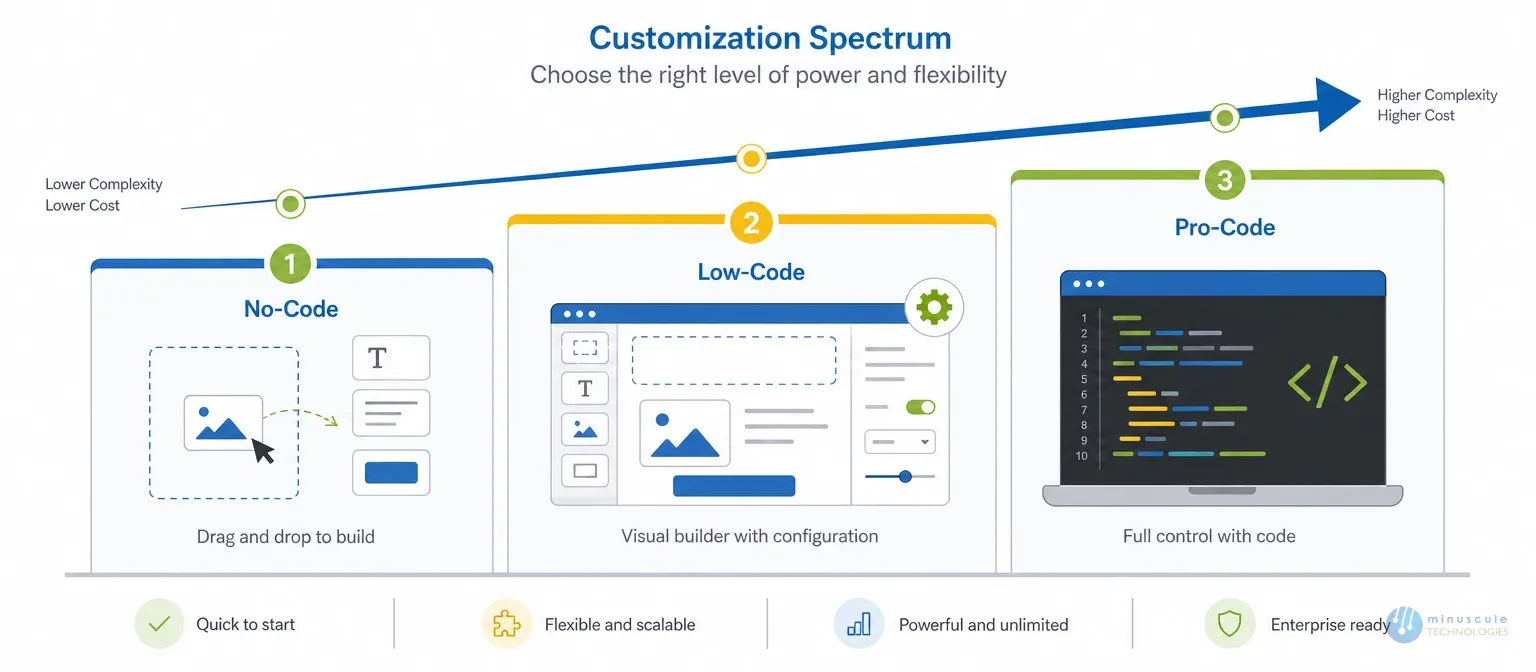
Customizing Service Cloud doesn't require a dev team on day one. The platform offers three tiers:
The right order is always no-code first, code last. Each tier costs more to build and maintain than the one before it.
Salesforce Flow is the main automation tool. But badly designed Flows slow the whole org. Four standards keep them healthy:
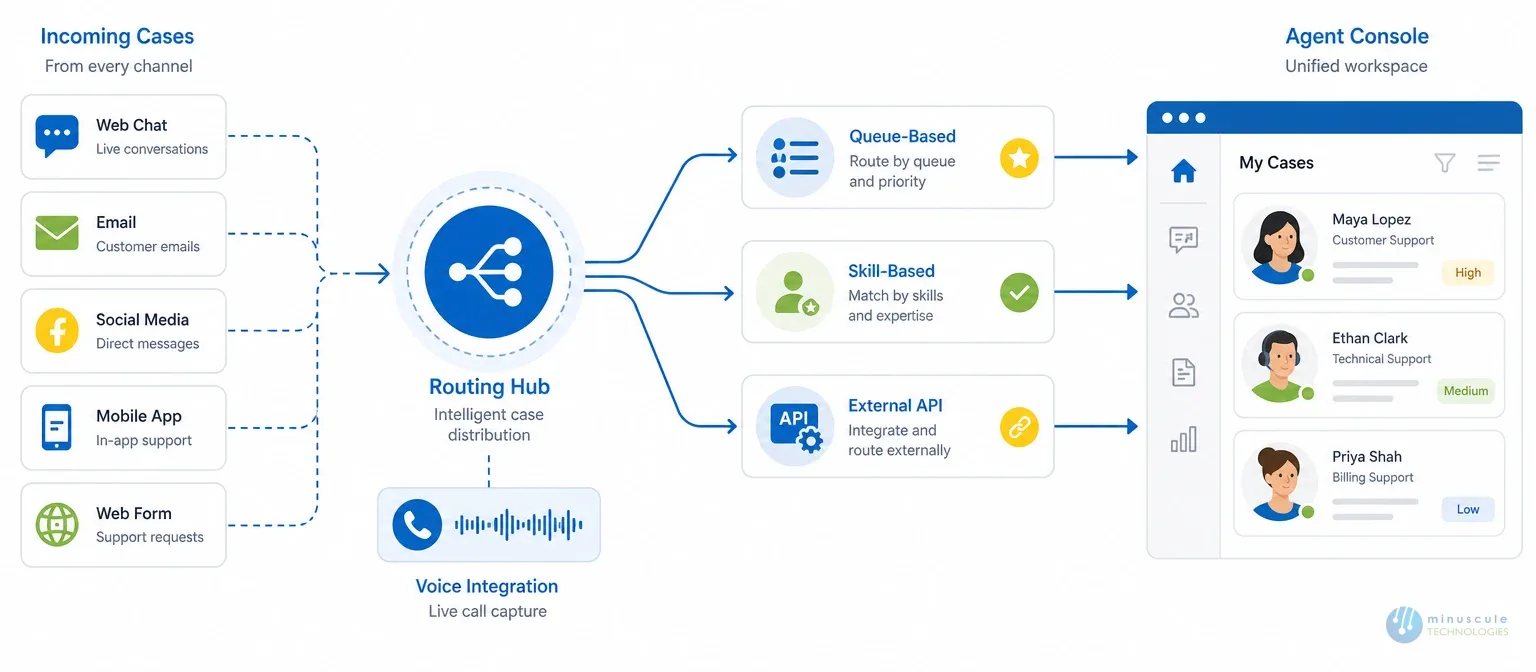
Routing logic decides whether cases reach the right agent or sit in the wrong queue. Admins can customize three models:
Service Cloud Voice builds phone calls right into the Service Console. Old CTI connectors can't match it. Voice delivers deeper Salesforce integration, live call transcripts, and AI tips that cut manual notes. Agents stay on one screen from ring to resolution.
The rule: buy for common needs. Build for the workflows that set your service team apart.
The Hidden Risk: Technical Debt in SFDC Customization
Every SFDC customization choice either strengthens the org or mortgages it. Rushed setups, overlapping automations, and hardcoded quick fixes pile up into tech debt. The hidden cost surfaces later - as slowdowns, upgrade failures, and changes nobody dares to make. Proven best practices for Salesforce customization help you avoid it.
Three habits prevent it:
This is where an engineering-led partner differs from a feature factory. The goal isn't more customization. It's lasting customization.
Yes. Service Cloud is just the one-word shorthand people type for Salesforce Service Cloud - the platform's customer service product. Same product, same customization options covered in this guide.
No-code uses pure drag-and-drop tools for speed. Low-code mixes those visual tools with custom code, for deeper control when needs get specific.
Three: queue-based, skill-based, and external routing via APIs. Most growing teams start queue-based. They move to skill-based as roles specialize.
Set up a governance framework. Audit the org on a schedule. And favor modular, click-based design over hardcoded quick fixes. Treat every change as something a future admin must maintain.
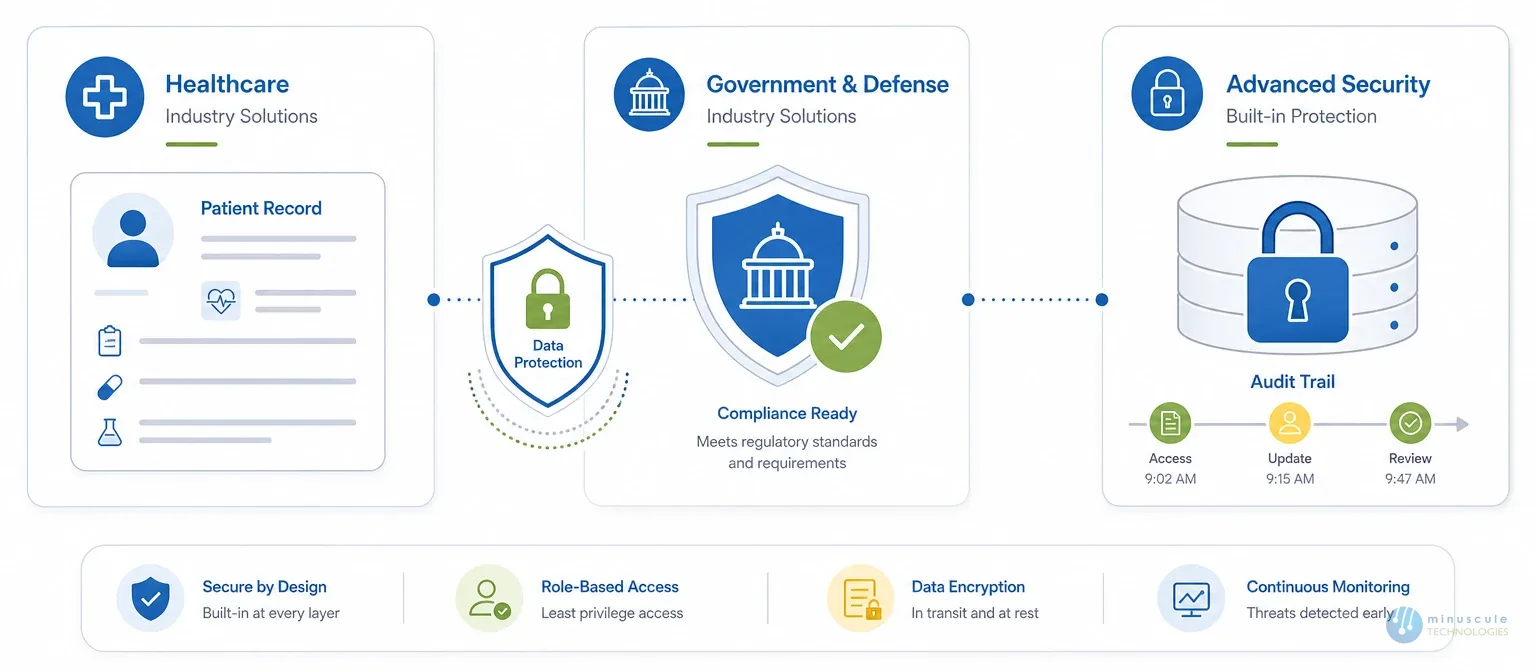
Use FedRAMP-approved setups such as Government Cloud. Then deploy Salesforce Shield for encryption, audit trails, and event monitoring.
Service Cloud can be customized at every layer. No-code Flows for speed. Apex and LWC for complex logic. Omni-Channel routing for smarter case flow. Shield for enterprise security. The options are vast. The discipline to keep them maintainable is what splits a scalable org from a slow one.
At Minuscule Technologies, we build Service Cloud setups that balance high-performance customization with lasting stability. We don't just build features. We engineer tech-debt-free solutions that empower agents and delight customers.
Don't let old workflows or tech debt slow your service down. Connect with our Service Cloud experts to start your customization roadmap.
You've seen what's possible. Now, let's make it happen for your business. Whether you need an end-to-end Salesforce solution, a complex integration, or ongoing managed services, our team is ready to deliver.

Schedule a Free Strategic Call


Plot No. 4, Sridevi Amman Street, Perumal Nagar Extension, Old Pallavaram, Chennai, Tamil Nadu 600117, India.
