

August 12, 2026
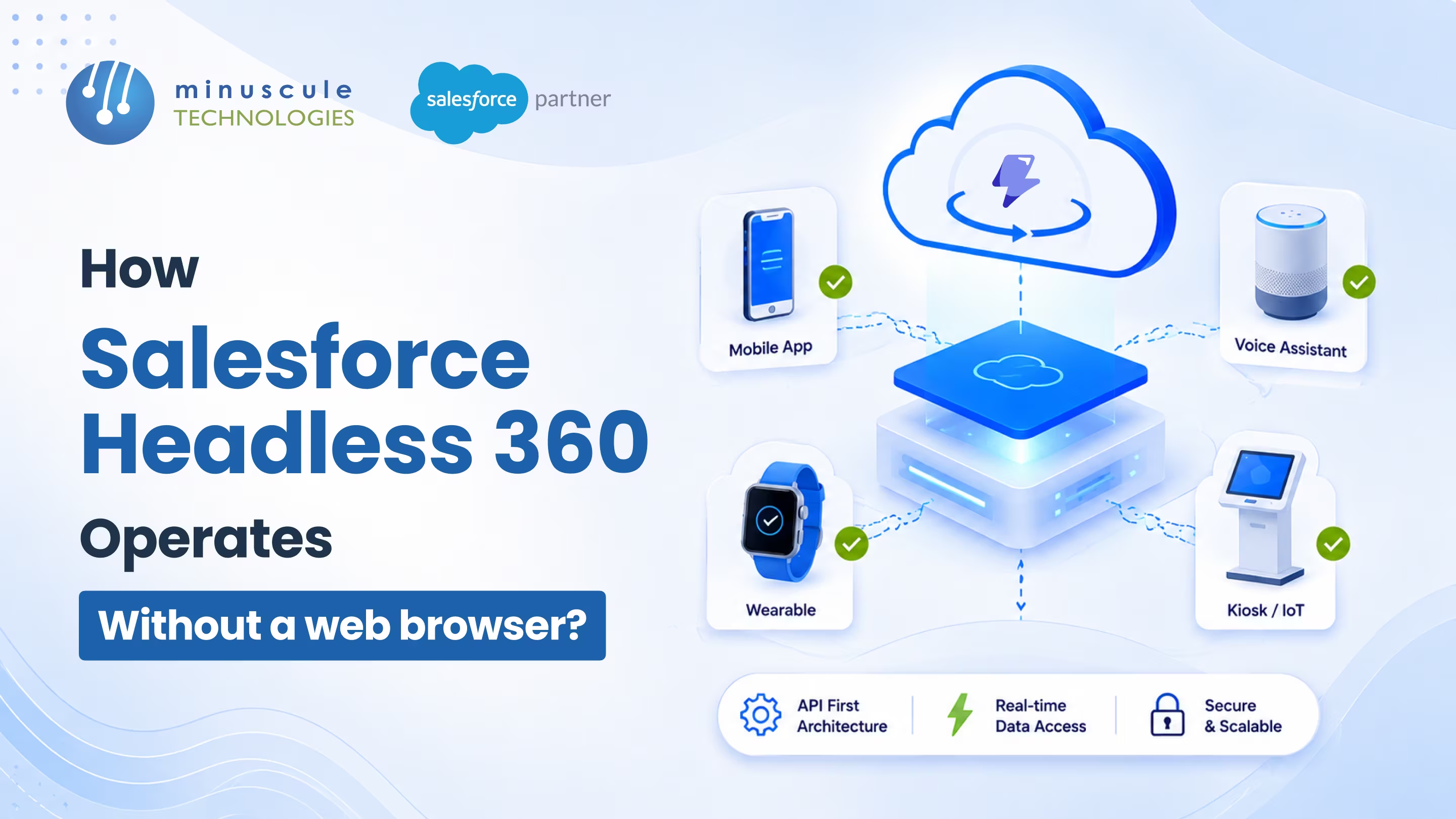
Salesforce Headless 360 operates without a web browser by exposing every major platform capability as an API, a Model Context Protocol (MCP) tool, or a CLI command. In plain terms, the same actions you used to click through in the Salesforce UI, such as querying records, running a Flow, or deploying code, can now be triggered directly by a script, a developer's terminal, or an AI agent. The browser becomes optional, not required, because the platform itself is the interface.
Here's how that access works, at a glance:
Think about how much of a typical Salesforce workday happens inside browser tabs: an admin clicking into a record, a developer flipping between Setup screens, a rep updating a case. Now imagine an AI agent or a nightly script doing those same steps on its own, in the background, with no window open at all. That's the shift Salesforce Headless 360 makes real, and it's why the launch headline was simply "no browser required." This guide explains exactly how Salesforce Headless 360 works without a browser, what changes for your team, how security holds up, and who should adopt it first.
Salesforce Headless 360 is Salesforce's API-first delivery of the whole platform, where every major capability is available as an API, an MCP tool, or a CLI command instead of only through the browser UI. The name breaks into two ideas. "Headless" means the front end (the "head") is decoupled from the back end, so you can drive Salesforce without its standard screens. "360" means you still get the full, connected view of your data and logic behind that interface.
This is the same platform, reframed. What used to be marketed as the Salesforce Platform is now positioned as the Headless 360 platform, combining metadata, governance, MuleSoft, and Data 360 to power agent-driven work. The point isn't to take the UI away. It's to make the browser one option among several, so humans and AI agents can both build on any surface, from a custom app to an IDE to a chat interface.
If you want the ground-level primer first, our team wrote a full explainer in What Is Salesforce Headless 360? The Complete 2026 Guide, and a deeper build-focused walkthrough in Salesforce Headless 360: Architecture, Use Cases, and How to Implement It. This post zooms in on one specific question those guides raise: how it actually runs with no browser in the loop.
A browser click is really just a request in disguise. When you update a record in the UI, the page sends a request to Salesforce, the platform checks your permissions, makes the change, and sends back a result. Salesforce Headless 360 keeps that exact request-and-response cycle but lets something other than a browser send the request. That "something" is one of three surfaces.
Every capability on the platform is reachable through an API call. An external app, a middleware layer, or a backend service can retrieve records, update cases, or invoke business logic by sending a structured request, no human and no screen involved. This is the workhorse surface for connecting Salesforce to other systems and custom front ends built in frameworks like React or Vue.
The Model Context Protocol is an open standard that lets AI agents discover and call a platform's capabilities in a format they understand natively. Through Salesforce MCP tools, an agent can deploy a workflow or pull data without anyone writing a custom connector for each action. If you're new to the protocol, we break it down in our overview of Salesforce AgentExchange, the marketplace where MCP servers and other agent tools get discovered and activated Salesforce's own developer breakdown of Headless 360 details how each capability is exposed.
Developers and agents can trigger a Salesforce action straight from a terminal or a CI/CD pipeline using a CLI command. That means deploying metadata, running tests, or kicking off a workflow becomes a scriptable step in a build, not a manual trip through Setup. For teams standardizing this, it slots cleanly into existing DevOps practice.
Put together, these three surfaces mean the platform no longer depends on a rendered page to do work. A person can still open the browser whenever they want, but the browser is now a choice rather than a chokepoint.
The clearest way to understand Salesforce Headless 360 is to compare the old browser-bound way of working with the headless way, task by task.
| Task | With a Browser (traditional) | Without a Browser (Headless 360) |
|---|---|---|
| Update a record | Open the record page, edit fields, click save | Send an API call or let an agent update it via an MCP tool |
| Deploy code or metadata | Click through Setup or a change set | Run a CLI command inside a CI/CD pipeline |
| Run a business process | Navigate to the screen and trigger the Flow by hand | Invoke the Flow through an API or agent action |
| Build a customer experience | Work within standard Salesforce pages | Build any front end and connect it through APIs |
| Who does the work | A person, one click at a time | A person, a script, or an AI agent, in the background |
The takeaway isn't that clicking goes away. It's that the same work can now run unattended, at machine speed, without a person babysitting a screen.
Underneath the three access surfaces, Salesforce Headless 360 pulls together the platform layers that make headless work safe and useful. Metadata and governance keep your configuration and rules intact no matter how a request arrives. MuleSoft extends the API reach across outside systems. Data 360 supplies the unified data layer so agents and apps act on a complete picture instead of a fragment.
Agentforce sits on top as the agent runtime, which is why Headless 360 and agentic AI are so often discussed together. The platform is being positioned as the foundation of an agentic enterprise, where software agents carry out multi-step work across systems. We explore that direction in our piece on the era of Salesforce agentic AI and enterprise operations. For a hands-on learning path, the Trailhead quick-look module on Headless 360 is a solid starting point.
One useful reframe from Salesforce's own guidance: Headless 360 doesn't invent brand-new integration patterns. It adds a new kind of caller, an AI agent, to the patterns you already run. That means your existing integration skills still apply, which is a relief for teams worried about starting over.
The natural worry is that removing the browser removes the guardrails. It doesn't. Every headless request runs through the same permission model as a UI action, so object permissions, field-level security, and sharing rules all still apply. A request can only do what the authenticating user or connected app is allowed to do.
Access is handled through standard authentication like OAuth, and because each call runs under a known identity, you keep a traceable record of what ran and on whose behalf. That matters even more when an AI agent is the caller, since you want to see exactly which actions an agent took. This is where careful setup pays off, and it's a core part of our Salesforce integration services.
A few governance points worth keeping front of mind:
Salesforce Headless 360 isn't only for hardcore developers, though they'll feel the benefit first. It fits several roles, each for a different reason.
When is it the right call? Any time the browser has become the bottleneck, whether that's repetitive manual steps, a custom experience the standard UI can't deliver, or an agent-driven workflow you want to run unattended. If your work still fits comfortably inside standard pages, there's no rush, the UI isn't going anywhere.
Since all three surfaces skip the browser, the question becomes which one to reach for. Here's a quick decision guide.
| Surface | Primary Caller | Best For | Typical Example |
|---|---|---|---|
| API | Apps and services | Connecting systems and powering custom front ends | A React portal reads and writes CRM data |
| MCP tool | AI agents | Letting agents act on the platform without custom connectors | An agent updates cases and runs a Flow |
| CLI command | Developers and pipelines | Scripting deployments, tests, and automation | A CI/CD job deploys metadata on merge |
Most teams end up using all three: APIs for their apps, the CLI for their release process, and MCP tools as they roll out agents. Salesforce Ben's take on the move toward a headless future is a balanced read on how fast to lean in. For the hands-on view, Apex Hours covers running the platform as an API with no browser required.
Salesforce Headless 360 is Salesforce's API-first delivery of the platform, where every major capability is available as an API, an MCP tool, or a CLI command rather than only through the browser. It lets humans, scripts, and AI agents build and act on Salesforce from any surface while keeping the platform's data and governance intact.
"Headless" means the front-end interface is separated from the back-end platform. In Salesforce, that lets you drive data, logic, and workflows without the standard UI, connecting your own front end or an AI agent through APIs, MCP tools, or the CLI instead.
You pick the surface that fits the job: APIs to connect apps and custom experiences, the CLI to script deployments and tests in a pipeline, and MCP tools to let agents act on the platform. Each call authenticates as a user or connected app, so your existing permissions apply automatically.
The "360" refers to a complete, connected view of your data and business logic across the platform. Headless 360 keeps that full context available while removing the requirement to work through the browser, so the same unified data powers apps, pipelines, and agents.
Salesforce hasn't published a separate standalone price for Headless 360, since it reframes the existing platform rather than adding a bolt-on product. Access generally follows your platform edition and licensing, so the right move is to confirm what your current agreement covers before planning a rollout.
The browser isn't dead, but it's no longer the front door. Salesforce Headless 360 turns the whole platform into something a person, a pipeline, or an AI agent can call directly, which is what makes unattended, agent-driven work practical rather than theoretical. The teams that gain the most will be the ones who treat Salesforce as an API and an agent surface, not just a set of screens.
Moving to headless work goes faster with a running start. Our agent-ready starter packs bring proven, API-first Salesforce workflows into your org instead of building from scratch, like the B2B Marketplace accelerator for distribution and the WhatsApp accelerator for agent-driven, omnichannel engagement. Each ships as an industry-customized starter pack, so a manufacturing or BFSI team gets to value sooner. If your priority is agents specifically, our Salesforce Agentforce services map where they fit.
Wondering whether Salesforce Headless 360 belongs on your roadmap this year? Book a free strategic Salesforce call with our team, and we'll pressure-test your use case and lay out the cleanest, most governed path from browser-bound to headless.
You've seen what's possible. Now, let's make it happen for your business. Whether you need an end-to-end Salesforce solution, a complex integration, or ongoing managed services, our team is ready to deliver.

Schedule a Free Strategic Call


Plot No. 4, Sridevi Amman Street, Perumal Nagar Extension, Old Pallavaram, Chennai, Tamil Nadu 600117, India.

