
April 24, 2026
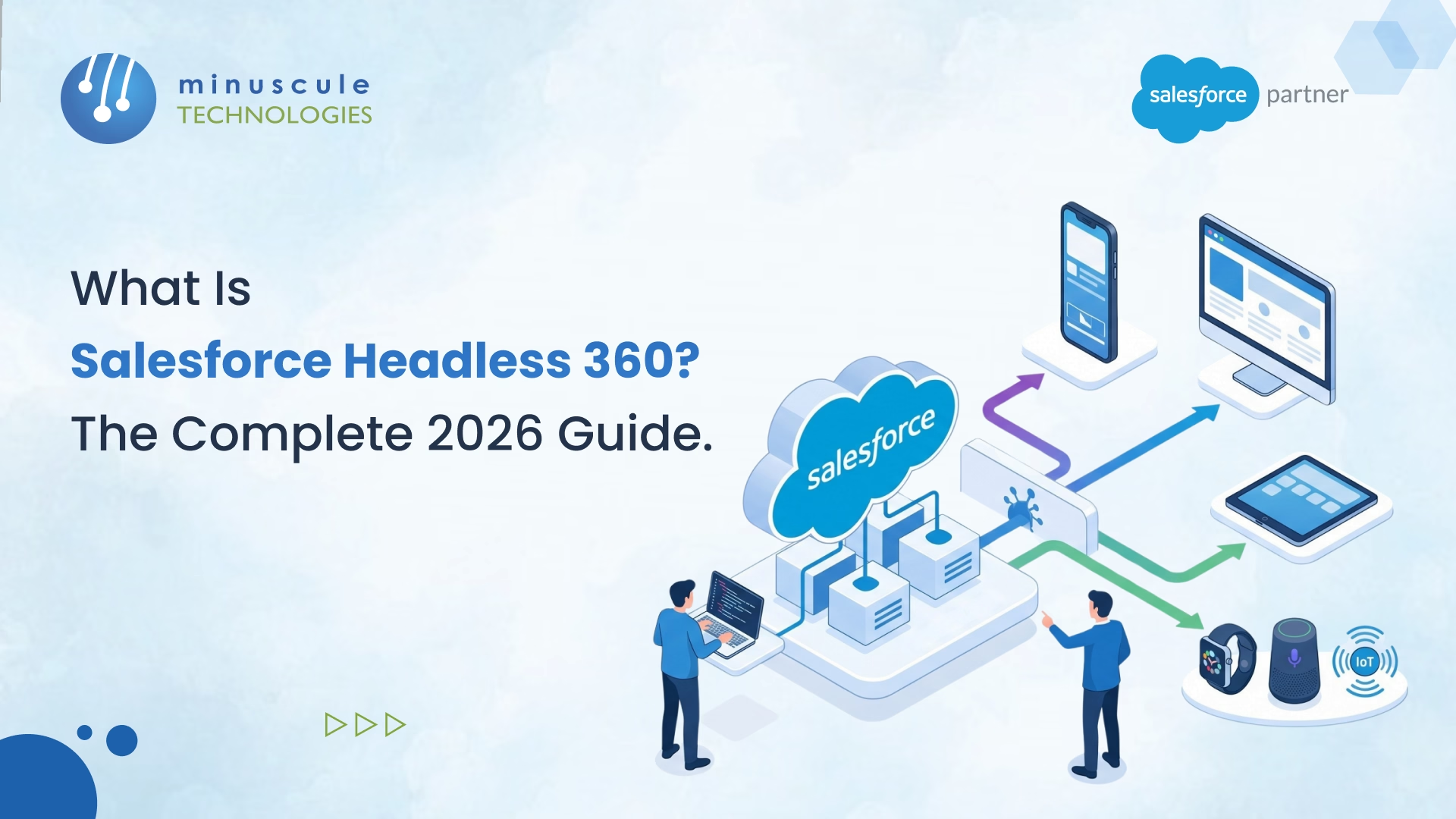
On April 15, 2026, Salesforce made the browser optional. Salesforce Headless 360 is an architectural shift announced at TrailblazerDX 2026 that exposes every platform capability - CRM data, business logic, workflows, and agent tools - as an API, MCP tool, or CLI command. AI agents and developers can now access the full Salesforce platform without ever opening a browser window.
The numbers tell the story: 60+ new MCP tools, 30+ preconfigured coding skills, native React support, and a new Experience Layer that renders agent outputs across Slack, Teams, ChatGPT, Claude, and more. This isn't a feature release. It's a fundamental rethinking of how humans and AI agents interact with Salesforce.
In this guide, we'll break down what Headless 360 actually is, how the architecture works, what it means for your team, and whether your org should make the shift.
Salesforce Headless 360 is Salesforce's 2026 initiative that turns the entire platform into a programmable backend. Every capability that previously required a user to log in, click through Setup menus, or navigate Lightning pages is now accessible through three surfaces: REST APIs, Model Context Protocol (MCP) tools, and sf CLI commands. For a plain-English view, read how Headless 360 works without a browser.
Parker Harris, Salesforce co-founder, framed it plainly from the TDX stage: the question isn't whether you can work without a browser - it's why you'd choose to work with one when agents can handle it directly.
Headless 360 ships with three distinct innovations that work together:
MCP Tools and Coding Skills: More than 60 new MCP tools and 30+ preconfigured coding skills give AI coding agents - like Claude Code, Cursor, Codex, and Windsurf - complete, live access to your org's data, metadata, workflows, and business logic. Your coding agent can query records, deploy Apex classes, run tests, and inspect results without you switching tabs.
Agentforce Experience Layer (AXL): A new UI service that separates what an agent does from how it appears. Agents can deliver rich interactive components — approval cards, rebooking workflows, data layouts - that render natively inside Slack, Teams, WhatsApp, or any MCP-compatible client. Build the logic once; AXL handles surface-specific rendering.
Agent Lifecycle Tools: Testing Center, Custom Scoring Evals, Agent Script, Session Tracing, and A/B Testing give you control over agent behavior before and after launch. These tools address the core challenge with AI agents: they're probabilistic, not deterministic. You need to observe, evaluate, and tune - not just deploy and hope.
Understanding Headless 360 requires looking at two layers: the four programmable surfaces agents use to access the platform, and the four platform layers that give those surfaces their power.
REST and Agentforce APIs are the foundation. Salesforce has had REST APIs since 2006, but Headless 360 adds explicit agent-accessible documentation, token-scoped access patterns, and the Agentforce REST API for invoking agent sessions from external systems.
MCP (Model Context Protocol) is the biggest net-new addition. It's an open standard that lets AI assistants connect to external tools without custom integration code. The Salesforce MCP server (@salesforce/mcp) ships with the DX toolchain and exposes 60+ tools across seven categories. We'll dig into this in the next section.
sf CLI Commands bring a scriptable, CI/CD-friendly interface. The new sf agent topic lets you generate agent specs from plain-language descriptions, deploy them, and run evaluation tests - all from the terminal.
Slack and Voice serve as the primary human-facing surfaces. Custom AI agent deployments on Slack have grown 300% since January 2026. Slack isn't just where humans chat anymore - it's where agents surface structured outputs, approvals, and workflows through the Experience Layer.
Salesforce positions Headless 360 as the access layer over four existing investments:
| Layer | Product | What It Does |
|---|---|---|
| System of Context | Data 360 | All your trusted business data — unified, real-time, ready for agents |
| System of Work | Customer 360 | Decades of business logic and workflows across sales, service, and every function |
| System of Agency | Agentforce | Build, deploy, and manage agents across every channel |
| System of Engagement | Slack | Where humans and agents come together to get work done |
This is what separates a coding agent that writes code from one that understands your business. A coding agent connected to a raw database doesn't know that a customer has an open escalation, a renewal due in 30 days, and a breached SLA. That context lives in Salesforce - and now, Data 360 exposes it as an API, MCP tool, or CLI command.
The Salesforce MCP server is where Headless 360 gets practical for developers. It ships as @salesforce/mcp with the Salesforce DX toolchain and connects your AI coding agent directly to your org.
| Toolset | What It Does |
|---|---|
| metadata | Deploy and retrieve metadata between DX projects and orgs |
| data | Execute SOQL queries against live orgs |
| testing | Run Apex tests and agent evaluation tests |
| lwc | Create LWC components, generate Jest tests, accessibility guidance |
| code-analysis | Static analysis via Salesforce Code Analyzer |
| devops | CI/CD pipeline access through DevOps Center MCP |
| aura | Migration blueprints, LWC transition guidance |
Install and configure via NPX:
npx -y @salesforce/mcp --orgs myDevOrg --toolsets metadata,data,testingOnce configured, your AI coding agent picks up the tools automatically. From that point, the agent can query your org, write an Apex class, deploy it, run tests, and inspect results - all within one conversation thread.
A practical tip: Don't enable all 60+ tools at once. That will overwhelm your LLM's context window. The --toolsets flag exists for a reason. Start with metadata and data, then add toolsets as your use case demands.
The --allow-non-ga-tools flag unlocks pre-release functionality. Keep this to development environments only.
The DevOps Center MCP brings programmatic access into your CI/CD pipeline. Natural Language DevOps means you describe what you want to deploy and your agent handles execution. The build loop that used to require context-switching across four different tools now happens inside one connected experience.
For teams already running Salesforce DevOps pipelines, this is a direct upgrade to how you ship code.
Most coverage of Headless 360 glosses over AXL, but it's arguably the most forward-looking piece of the announcement.
Here's the problem AXL solves: an AI agent might complete a task perfectly - rebooking a flight, approving a discount, surfacing a renewal summary - but the output needs to look different depending on where the user sees it. A Slack message looks nothing like a WhatsApp card, which looks nothing like a ChatGPT response.
AXL separates the agent's action from its visual presentation. You define the component once - a decision tile, a data layout, a workflow card - and AXL renders it natively on whatever surface the user is working in.
Supported surfaces today: Slack, Mobile, ChatGPT, Claude, Gemini, Teams, and any client that supports MCP apps.
This matters because the conversation is becoming the interface. Work that used to pull people out of their communication channel to log into Salesforce now happens right where they already are. Approvals, decisions, rich data views - all inside the channels your team uses daily.
For enterprises building multi-channel customer experiences, AXL means you design the workflow once and let the platform handle the rendering. That's a significant reduction in front-end development effort.
Here's a practical end-to-end flow: generate an agent spec, deploy it, and run evaluation tests - all from the terminal, no browser required.
For development environments, use web-based OAuth:
sf org login web --alias myDevOrg --instance-url https://login.salesforce.comsf org login jwt --client-id CONNECTED_APP_CONSUMER_KEY --jwt-key-file server.key --username deployer@mycompany.com --alias myCIOrgJWT auth requires a Connected App configured with the JWT OAuth flow and a certificate uploaded to Salesforce. The certificate upload step is the most common failure point in headless CI setups - don't skip it.
sf agent generate agent-spec --type customer-facing --role "Handle tier-1 billing support questions and escalate unresolved cases" --company-description "B2B SaaS, Enterprise edition, 500-seat customer base" --max-topics 4 --tone professional --output-file specs/billingAgentSpec.yaml --target-org myDevOrgThis outputs a YAML specification including the agent definition and up to four subagent topics. Pass --spec specs/billingAgentSpec.yaml to iterate and refine rather than starting from scratch each time.
sf project deploy start --source-dir force-app --target-org myDevOrg --wait 10
sf agent test run --target-org myDevOrg
Your AgentDefinition files live in force-app/main/default/botDefinitions/ - version-controlled, diffable, and code-reviewable. That's the point.
Once @salesforce/mcp is configured in your coding agent, it can do all of this autonomously. You describe the goal; the agent handles the rest. If your team needs help setting up this pipeline, working with an experienced Salesforce engineering partner can save weeks of trial and error.
Not every org needs Headless 360 right now. Here's a practical framework for deciding.
This is the question nobody's answering directly, but everyone on Salesforce community forums is asking: what does this mean for my job?
This is the biggest productivity shift in years. Switching between Setup, Developer Console, VS Code, and three browser tabs to make one change is ending. A coding agent that can query your org, write code, deploy it, and validate it - all within one conversation thread - changes how you spend your day.
The tradeoff: you're trusting an AI to write and deploy code. Build solid evaluation test suites before letting an agent near staging, let alone production.
You won't need to log in as often. That's good news - fewer context switches, less clicking through nested Setup menus. But your work shifts toward configuration governance: making sure OAuth scopes are tight, reviewing Session Traces when something goes wrong, and understanding what an agent actually did.
Loose field-level security and sharing rules don't get worse with Headless 360, but the consequences become more visible faster. An agent hitting the API 500 times a minute doesn't pause to question whether a field should be readable.
The interesting question: where does your integration layer live now? When any MCP-compatible AI agent can reach your org directly, the API gateway conversation becomes more important, not less. Named credentials, connected app scopes, IP allowlisting, and per-agent rate limits matter more than ever.
Headless 360 opens new service models. Salesforce consulting partners that already offer DevOps automation, org re-engineering, and integration services are well-positioned. The shift creates demand for MCP server configuration, agentic workflow design, API governance strategy, and agent evaluation frameworks - services that didn't exist a year ago.
Agents don't get special treatment from governor limits. Every API call from an MCP tool or sf CLI command counts against your daily allocation.
| Resource | Enterprise Edition Default | Notes |
|---|---|---|
| Daily API calls (rolling 24h) | 100,000 | Pooled across REST, SOAP, Bulk, and Connect |
| Connect REST rate limit | Per-app, per-user, per-hour | Returns 503 when exceeded |
| SOQL queries per transaction | 100 | Applies to synchronous Apex in agent tools |
| DML statements per transaction | 150 | Governor limits don’t bend for agents |
| Heap size (sync / async) | 6 MB / 12 MB | Apex called by agent tools is subject to this |
Use JWT OAuth flow for headless agent authentication - no browser redirect, certificate-based auth. Scope your Connected App to only the OAuth scopes your agent actually needs:
Use Named Credentials to manage org credentials for agent-to-org connections. They keep auth details out of your code and out of your agent's context.
The Einstein Trust Layer applies to every Agentforce session, browser or not. It enforces data masking of PII fields before they reach external LLMs, zero-data-retention agreements with LLM providers, dynamic grounding against your org's actual data, and field-level security compliance. Agents respect FLS and sharing rules - the same guardrails your IT team already approved.
Headless 360's impact varies by industry. Here are three scenarios where the architecture delivers the most value. For a closer look at design choices, see our post on Headless 360 architecture and use cases.
In manufacturing, dealer management systems often run on a mix of SAP, Salesforce, and custom portals. Headless 360 lets AI agents pull real-time inventory, trigger quote generation, and update dealer incentive records through APIs - without anyone logging into Salesforce. For organizations running complex Salesforce integrations with ERP systems, this removes a layer of manual handoff.
In our experience working with automotive clients, the biggest friction point is the handoff between systems. An agent that can reach both SAP and Salesforce through MCP tools eliminates that context switch entirely.
Loan origination workflows - from application to approval to disbursement - involve multiple approval chains, credit checks, and compliance validations. These processes already run in Salesforce, but they required human navigation through each step. With Headless 360, an AI agent can trigger the full workflow through APIs, surface approval cards in Slack, and log every action for audit trails.
The Einstein Trust Layer is especially relevant here. PII masking and zero-data-retention policies address the compliance requirements that make BFSI orgs cautious about AI adoption.
Patient engagement workflows - appointment scheduling, care plan updates, prescription follow-ups - are high-volume, repetitive, and time-sensitive. Headless 360 lets these workflows run through APIs while surfacing only the decisions that need a human in Slack or a mobile app.
The key here is that HIPAA-compliant sharing rules carry through to headless interactions. The Trust Layer doesn't change because the surface changes.
| Criteria | Traditional Salesforce | Salesforce Headless 360 |
|---|---|---|
| Primary interface | Lightning Experience (browser) | APIs, MCP tools, CLI, Slack |
| Who interacts | Humans click through UI | Humans and AI agents call APIs |
| Development model | Declarative + code in browser/IDE | API-first, terminal-driven, agent-assisted |
| Deployment | Change sets, Metadata API via IDE | sf CLI, DevOps Center MCP, Natural Language DevOps |
| Multi-channel output | Requires custom builds per channel | AXL renders once, displays everywhere |
| Speed of execution | Limited by UI navigation speed | Limited by API rate limits and agent reasoning |
| Best for | Admin-heavy orgs, simple workflows | Developer-driven orgs, agentic workflows, multi-channel |
| Learning curve | Familiar to all Salesforce users | Requires CLI, OAuth, and MCP knowledge |
| Trust and security | Standard FLS, sharing rules | Same FLS and sharing + Einstein Trust Layer for AI |
Neither approach replaces the other. Traditional Lightning Experience isn't going away - millions of users depend on it daily. Headless 360 adds a parallel access path optimized for agents and developers. The two will coexist for years, and smart Salesforce strategy means knowing when to use each one.
Salesforce Headless 360 is a platform initiative announced at TrailblazerDX 2026 that exposes every Salesforce capability - CRM, Agentforce, Data Cloud, Slack - as APIs, MCP tools, and sf CLI commands. AI agents and developers can access data, trigger workflows, and deploy code without opening a browser.
The core package — including @salesforce/mcp and sf agent commands - shipped in April 2026. Some toolsets remain in Beta or Developer Preview. The --allow-non-ga-tools flag unlocks pre-release tools for development environments. Check the Salesforce CLI Release Notes for current GA status.
Yes. Every API call from an MCP tool or sf CLI command counts against your daily API limit - 100,000 for Enterprise Edition by default. Agentic workflows that run many queries or deployments in sequence can drain your quota faster than traditional integrations. Monitor usage via Setup and set API usage alerts.
Yes. Any MCP-compatible AI agent can connect to the Salesforce MCP server. The Connect REST API and Agentforce REST API are standard HTTP/OAuth surfaces accessible from any programming language or framework. The sf CLI is Node.js-based and runs in any CI/CD environment.
The Einstein Trust Layer enforces data masking, dynamic grounding, field-level security, and zero-data-retention agreements with LLM providers for every Agentforce session — whether triggered from a browser or an API call. Agents running as a Salesforce user respect that user's sharing rules and FLS settings.
No. Lightning Experience isn't going away. Millions of users rely on it daily for tasks where a visual interface is the right tool. Headless 360 adds a parallel access path optimized for AI agents and developers. Both will coexist - Salesforce is expanding how you can interact with the platform, not limiting it.
Admin roles evolve, not disappear. Day-to-day work shifts from clicking through Setup menus toward governance: managing OAuth scopes, reviewing agent Session Traces, configuring Named Credentials, and monitoring API consumption. The skills change, but the need for someone who understands the org's configuration stays.
For the CLI and API surfaces, no - standard REST API and CLI knowledge is enough. For the MCP tools specifically, you'll need to understand how to configure the MCP server and scope toolsets for your AI coding agent. The setup process itself takes minutes, but understanding which toolsets to enable for your use case requires some planning.
Salesforce Headless 360 isn't something you flip on overnight. It requires strategic planning - auditing your current API consumption, scoping OAuth permissions, building evaluation test suites, and deciding which workflows benefit from going headless first.
At Minuscule Technologies, we've been helping enterprises re-engineer their Salesforce orgs for over a decade. Our team of 125+ Salesforce experts has delivered 75+ projects globally, from legacy system modernization to AI-powered DevOps pipelines. Whether you're starting from scratch with Headless 360 or migrating an existing org toward an API-first architecture, we can help you get there without the trial-and-error.
Book a free consultation to discuss your Headless 360 readiness.
You've seen what's possible. Now, let's make it happen for your business. Whether you need an end-to-end Salesforce solution, a complex integration, or ongoing managed services, our team is ready to deliver.

Schedule a Free Strategic Call


Plot No. 4, Sridevi Amman Street, Perumal Nagar Extension, Old Pallavaram, Chennai, Tamil Nadu 600117, India.
