
June 3, 2026

A Salesforce CRM implementation in a real estate firm doesn't have to freeze your deal pipeline for three months. With a phased, deal-first plan, the rollout runs alongside active transactions, and your agents keep working without a break. The trick is to sequence the rollout. Data migration, user training, and integrations happen in stages, not all at once.
Real estate deals are time-sensitive and built on relationships. A missed follow-up on a $2M listing doesn't just cost a commission. It can cost a client bond built over years. That's what makes CRM moves in real estate so high-stakes.
In this guide, you get a step-by-step plan to roll out Salesforce for real estate. It runs from pre-migration planning to live integrations, without putting active deals at risk.
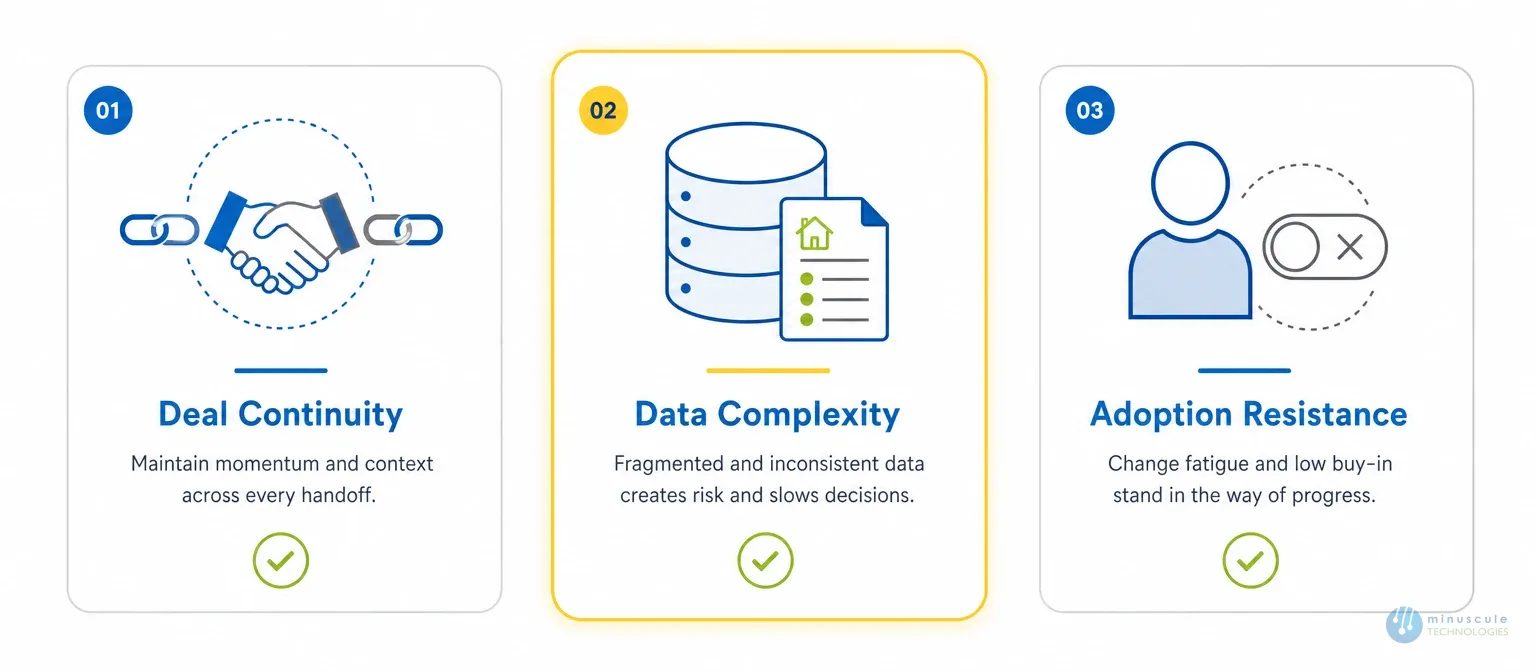
Most CRM moves in real estate fail for three clear reasons. None of them are technical.
The first is deal continuity. Your agents have 15 active deals. Some are in contract talks. Some are days from signing. Asking them to switch CRMs mid-deal is like asking them to swap a car engine while driving. The timing has to be right, and the migration must keep every note, stage, and contact link intact.
The second is data complexity. Real estate data isn't just contacts and opportunities. It's property records, listing statuses, lease expiration dates, unit availability, NOI numbers, and buyer/seller ties that span years. Standard Salesforce objects weren't built for this out of the box. So your data model has to be designed before a single record moves.
The third is adoption resistance. Real estate agents are independent operators at heart. They won't use a system just because IT said so. They'll use it if it makes their deals move faster and their follow-ups less manual. If your rollout skips this, you end up with a $150/user/month license while everyone still uses their old spreadsheet.
Grasp these three friction points and you're halfway there. Deal continuity, data integrity, and adoption resistance set a solid rollout apart from one that quietly dies six months after go-live. After launch, managed services for real estate CRMs help the system keep pace with market changes.
The biggest mistake real estate firms make is jumping into setup before they answer three basic questions. Work through these before any technical work on your Salesforce implementation starts.
Pull a snapshot of every active deal in your current system. Note the stage, last activity date, next action, key contacts, and any documents in play. This is your "zero-day" inventory. It's the baseline you use to check that nothing gets lost during migration.
A pipeline audit also shows what fields and objects you need in Salesforce. If your current system tracks lease start dates, Net Operating Income, or reservation status, those fields must exist in Salesforce before any data moves. Don't migrate into a field structure you haven't confirmed.
Don't ask when go-live is. Ask what go-live means to you. Some firms call it the day agents start logging work in Salesforce. Others call it the day the old CRM shuts off. Those are very different milestones, and mixing them up is where disruption starts. Our Salesforce go-live checklist for real estate covers what to finish first.
Here's a practical go-live rule for real estate firms: Salesforce is live for all new deals and inbound leads from day one. Active deals in late-stage talks stay in the old system until they close, then move to Salesforce as archives. This gives agents a clean switch without running two live pipelines at once.
This step gets skipped more than any other. Your top agents are your most important stakeholders - not IT, and not your Salesforce admin. If the senior brokers aren't on board, the rollout stalls no matter how good the setup is.
Run a short session with your top three to five agents before setup starts. Ask them what their ideal deal workflow looks like. Their answers will shape your setup more than any template. And when those agents become champions during rollout, adoption spreads through the team on its own.
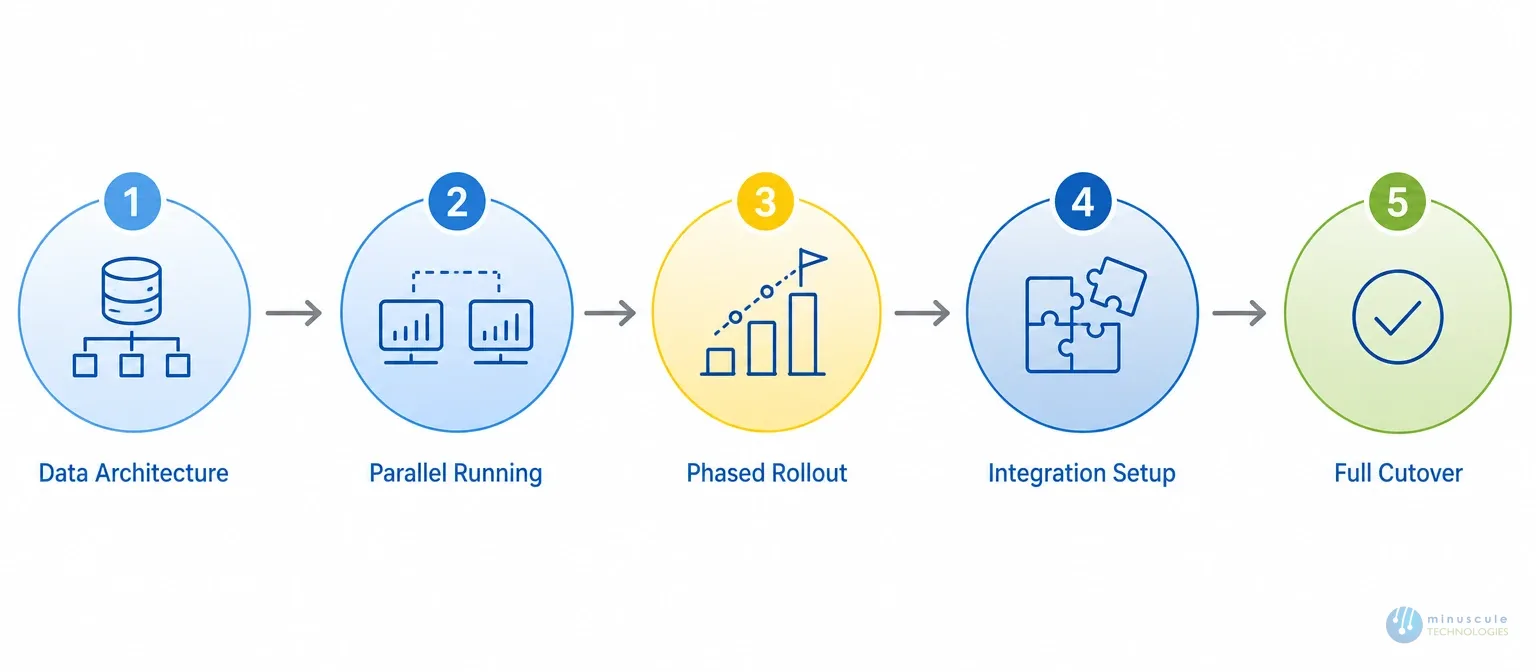
This plan is built for real estate firms with active pipelines. It treats Salesforce implementation as a system that comes online slowly, not a switch you flip on a Monday.
| Phase | What Happens | Key Output |
|---|---|---|
| 1. Data Architecture & Object Mapping | Map real estate data to Salesforce objects and create custom Property, Listing, and Lease objects. | Data dictionary, field mapping, and sandbox organization. |
| 2. Parallel Running | Operate the legacy CRM and Salesforce simultaneously. New opportunities start in Salesforce while active deals remain in the existing system. | Zero mid-deal migrations. |
| 3. Phased User Rollout | Launch with tech-forward agents first and provide role-based training before expanding adoption. | Internal champions driving user adoption. |
| 4. Integration Setup | Connect Salesforce with Yardi/MRI, DocuSign, MLS, and email/calendar platforms. | Live, connected data with minimal manual entry. |
| 5. Full Cutover & Archival | Retire the legacy CRM by approximately week 12 and archive historical records. | Clean, centralized source of truth. |
Here you map your real estate data to Salesforce objects. Standard objects like Accounts, Contacts, and Opportunities need extra fields for property type, listing status, unit availability, lease terms, and deal stage.
In a real estate Salesforce org, you usually need custom objects for Properties, Listings, and Lease Records. You link them to standard objects with lookup and master-detail relationships. This gives agents a property-first view without losing native automation. Our team at Minuscule Technologies builds this object model as the first deliverable, before any migration work.
In this phase, your old CRM and Salesforce run at the same time. New deals and leads go into Salesforce. Active deals in late-stage talks stay in the old system.
This is the single most important phase for deal continuity. Agents aren't forced to migrate mid-deal. They finish what's in progress in the old system, then move to Salesforce for everything new. Set up a weekly sync check so no deals slip through the cracks between systems.
Don't train everyone at once. Start with your most tech-forward agents - often newer team members or anyone who's asked for a CRM upgrade. Get them fully working in Salesforce first.
These early users become your champions. When a doubtful senior broker sees a peer close a deal faster because a Salesforce reminder fired at the right moment, that's more convincing than any training class. For teams with mixed comfort levels, role-based training beats org-wide sessions.
This is where Salesforce connects to the rest of your real estate tech stack: Yardi or MRI for live lease and property data, DocuSign or Conga CLM for in-CRM documents and e-signature, MLS or property portal APIs to pull listing data in, and email/calendar sync for Gmail or Outlook. A live Yardi sync updates unit status, lease start dates, and NOI numbers on its own, so agents never work from stale data. Salesforce's own developer documentation shows how well-structured integrations cut manual data entry - which in real estate means faster deal velocity.
By week 12, most deals from the parallel period should be closed or near the end. This is when you formally retire the old CRM. Remaining active deals move to Salesforce, and old records are archived as closed notes and activities. Run a final data quality pass before cutover: deduplication, standard address formats, and verified contact ownership.
The most fragile part of any real estate CRM migration is deal context - the trail of notes, emails, and activity history that tells your agents where each relationship stands today.
Here's a practical way to keep it:
Our Salesforce data migration approach - legacy CRM/ERP migration with ETL tools and native data cleansing - is built for this kind of structured, active-pipeline move without gaps.
Real estate agents are entrepreneurs. They won't use a system just because IT told them to. Training has to answer one question above all: how does this help me close more deals?
A few things that work:
Salesforce's Trailhead admin resources make the same point: firms with a dedicated internal champion see much higher usage in the first 90 days than those relying on outside support alone.
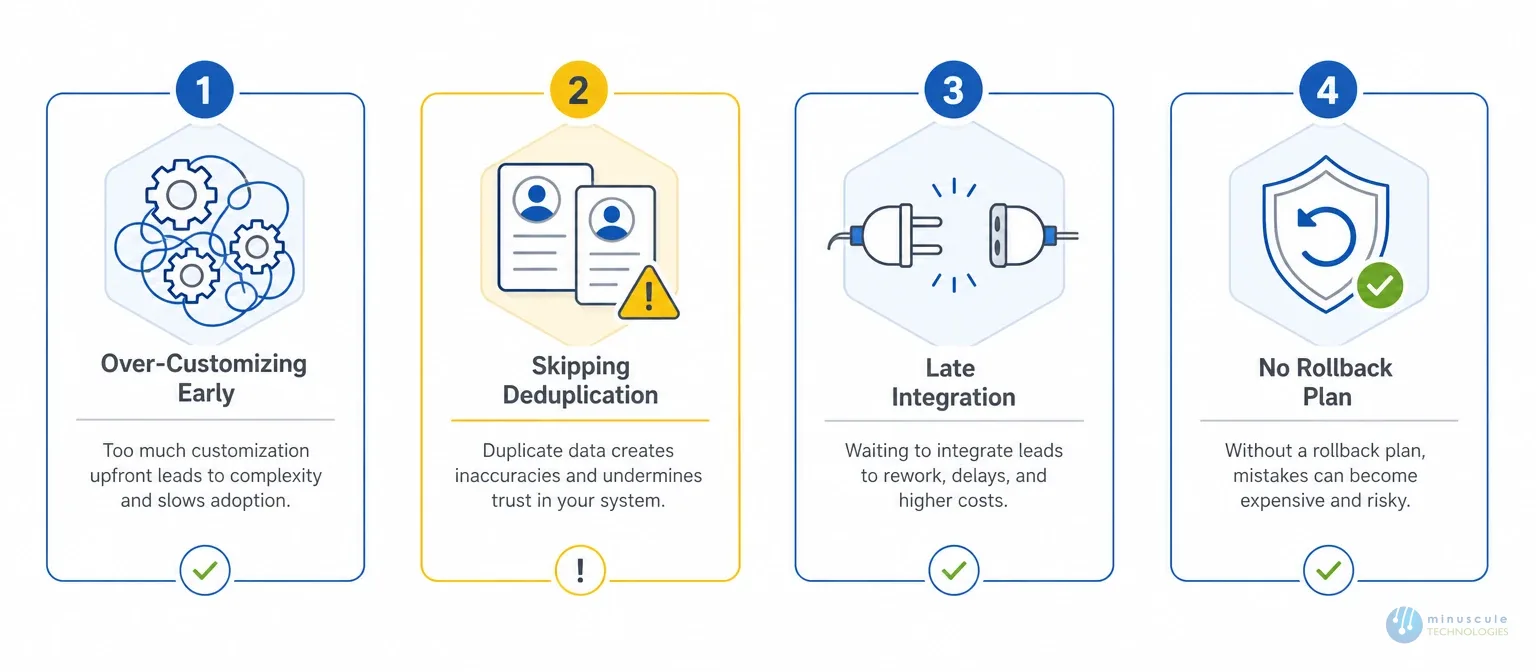
These are the patterns we see most in projects that stall:
Strong Salesforce implementation services for real estate cover both the build and the adoption. A properly configured org usually includes these parts:
| Component | What It Does |
|---|---|
| Custom Property Object | The central record that links Properties with Contacts, Accounts, and Opportunities. |
| Listing Management Module | Tracks unit availability, listing dates, price changes, and listing status in real time. |
| Deal Pipeline with Real Estate Stages | Manages opportunities through Inquiry → Site Visit → Offer → Due Diligence → Under Contract → Closed. |
| Automated Follow-Up Flows | Automatically triggers follow-ups based on stage changes, inactivity, and lease-expiry windows. |
| DocuSign Integration | Enables document generation, approvals, and electronic signatures directly within Salesforce. |
| Yardi / MRI Sync | Synchronizes live property, tenant, and lease information from your property management system. |
| KPI Dashboards | Provides visibility into NOI, deal velocity by agent, pipeline by property type, and renewal forecasts. |
For mid-sized real estate firms, a well-built Sales Cloud with custom real estate objects gives a better return than a vertical cloud product. A Salesforce Sales Cloud implementation gives you room to build a real estate data model without paying for features you'll never use. If you'd rather hand off the build, our Salesforce implementation and integration teams run the full project.
Cost depends on your user count, data quality, and how many integrations you need. Salesforce implementation cost for a mid-sized real estate firm mostly comes from three things: data migration work, custom object design, and integrations like Yardi or MLS.
| Cost Driver | Impact on Price |
|---|---|
| User Count | More users require additional configuration, onboarding, and role-based training, increasing implementation effort. |
| Data Cleanup | Cleaning incomplete, duplicate, or inconsistent legacy data increases migration time and overall project cost. |
| Integrations | Connecting systems such as Yardi, MLS, and DocuSign expands project scope and integration complexity. |
| Customization Depth | Custom objects, automation, workflows, and business logic require more development hours and testing. |
Simpler orgs cost less. Heavy integration and data cleanup push the cost up. The cheapest bid is rarely the cheapest project — weak builds create rework that shows up months later.
For a firm with 20–100 users and an active pipeline, a phased rollout usually runs 12–16 weeks from kickoff to full cutover. Smaller firms with simpler data can go live in 8–10 weeks. The timeline grows when integrations are complex or when data needs cleanup first.
Yes, and you should. Running your old CRM next to Salesforce during the switch is the safest way to protect active deals. New deals enter Salesforce from day one; existing deals stay in the old system until they close. Plan for 6–10 weeks of parallel work, and keep the old system readable for 30 days.
Sales Cloud is the most common choice - it maps to deal-first workflows and supports deep customization. Firms with large tenant bases sometimes add Service Cloud for tenant requests. Financial Services Cloud fits REITs and capital markets teams, but it costs more per seat than most mid-sized firms need.
Active deals migrate in two waves. First, you build and check the full data model in a sandbox and confirm every field maps right. Second, you run a final migration of only active records within 48 hours of go-live, so agents start with current data. Closed historical deals migrate in a separate batch after go-live.
For any firm with a live pipeline, an integration need (Yardi, DocuSign, MLS), or more than 15 users, a Salesforce implementation partner adds real value. The technical setup is rarely where rollouts fail - it's data migration and change management. Those two areas decide the gap between a smooth go-live and a six-month cleanup.
Rolling out Salesforce in a real estate firm is as much about protecting what you have as building something new. Your deals, your client bonds, and your agents' trust all have to come through the switch intact.
Minuscule Technologies has handled Salesforce rollouts and integrations for real estate firms - live Yardi syncs, DocuSign for multi-language documents, and capital deployment pipelines with stage-level forecasting - all without disrupting active deals. Our 125+ Salesforce engineers bring the same precision to real estate that we bring to banking, manufacturing, and logistics.
Schedule a free strategic Salesforce call and we'll walk you through what's feasible, what carries risk, and the right sequence for your firm.
You've seen what's possible. Now, let's make it happen for your business. Whether you need an end-to-end Salesforce solution, a complex integration, or ongoing managed services, our team is ready to deliver.

Schedule a Free Strategic Call


Plot No. 4, Sridevi Amman Street, Perumal Nagar Extension, Old Pallavaram, Chennai, Tamil Nadu 600117, India.
