
May 17, 2026
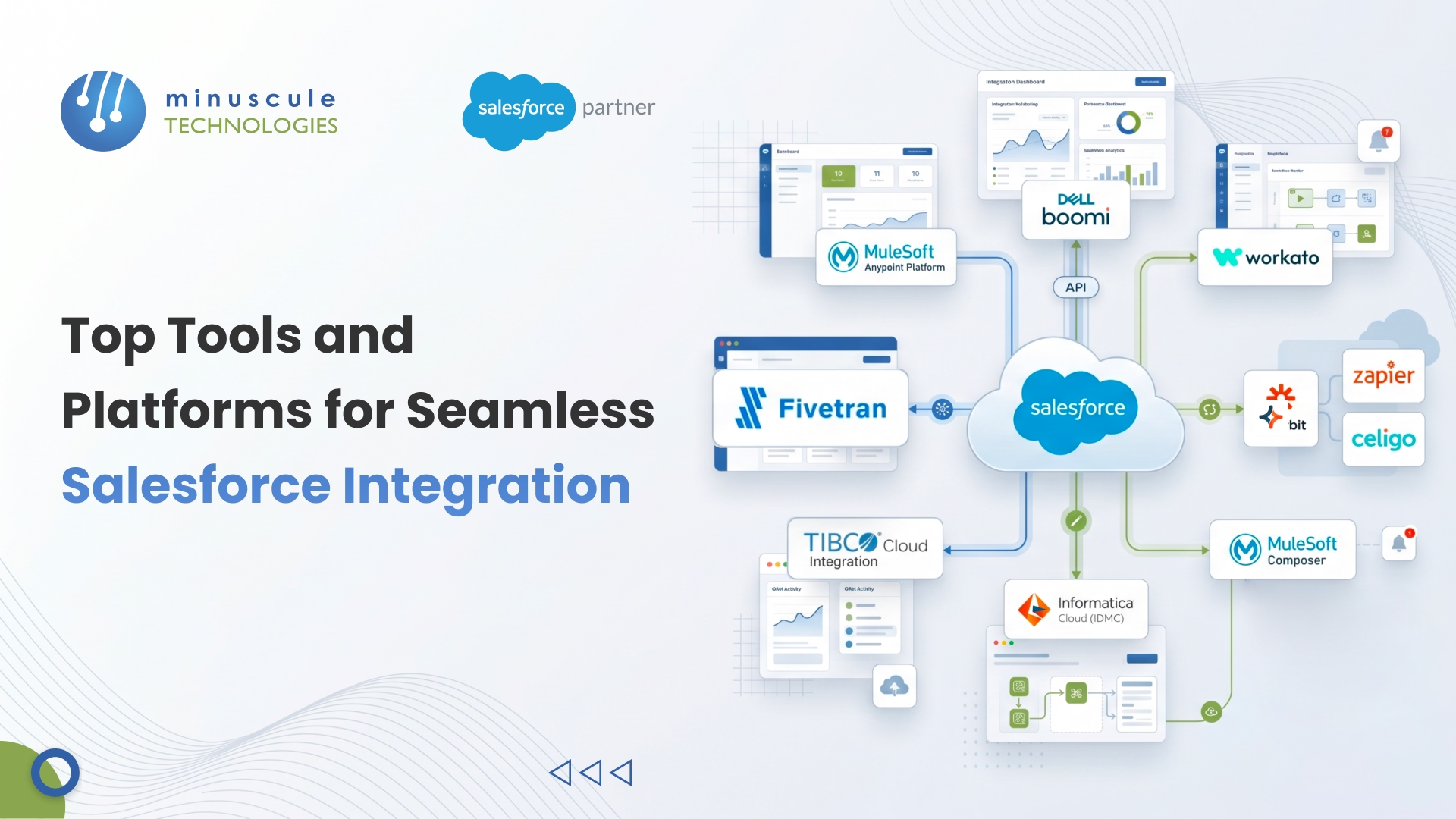
Salesforce integration tools are software platforms that connect your Salesforce CRM with other business applications - ERPs, marketing tools, databases, and custom systems - so data flows automatically between them. The right integration tool eliminates manual data entry, breaks down information silos, and keeps every team working from the same real-time customer view. In 2026, the top Salesforce integration platforms include MuleSoft Anypoint Platform, Dell Boomi, Workato, Jitterbit, and Zapier - each serving different business sizes, budgets, and technical requirements.
According to Salesforce's own research, the average enterprise uses more than 1,000 different applications. Without proper integration, up to 70% of those systems sit disconnected, creating blind spots that cost revenue and slow teams down.
This guide breaks down the best Salesforce integration tools available right now, compares their features and pricing, and gives you a practical framework to pick the right one for your business.Table of Content.
Salesforce integration tools are middleware platforms or connectors that sit between Salesforce and your other business systems. They handle data synchronization, workflow automation, and process orchestration - making sure that when something changes in one system, the right updates happen everywhere else.
Think of them as translators. Your ERP speaks one data language. Your marketing platform speaks another. Salesforce has its own API structure. An integration tool bridges these differences so all your systems exchange information smoothly, without someone manually copying data from one screen to another.
Here's why this matters in practice. When a sales rep closes a deal in Salesforce, the integration tool can automatically create an invoice in QuickBooks, trigger an onboarding sequence in HubSpot, notify the delivery team in SAP, and update the finance dashboard - all within seconds. Without an integration tool, someone on your team has to do each of those steps by hand.
For growing businesses, especially those running Salesforce alongside ERPs like SAP or NetSuite, the cost of not integrating is significant: duplicate data, delayed reporting, missed handoffs between departments, and hours of admin work that adds zero value. That's exactly what integration tools are built to fix.
Not every integration works the same way. Before picking a tool, you need to understand the three core approaches - because the type of integration you need directly influences which platform fits best.
Data integration moves records between Salesforce and another system in scheduled batches. You might sync all new contacts from your marketing database to Salesforce every night, or push updated product prices from your ERP to Salesforce every hour.
This approach works well for high-volume transfers where real-time updates aren't critical. If you're migrating historical data, syncing large product catalogs, or running nightly reconciliation between finance and CRM, batch data integration is efficient and cost-effective.
Best for: Nightly syncs, large data migrations, reporting consolidation, and warehouse-to-CRM transfers.
Process integration fires actions instantly when a specific event happens. When a support case hits "Escalated" status in Salesforce, the integration tool immediately creates a priority ticket in Jira and sends a Slack alert to the engineering lead. There's no waiting for a scheduled batch - the action happens in real time.
This is what most companies need for customer-facing workflows. Lead routing, order fulfillment triggers, real-time notifications, and cross-department handoffs all rely on process integration.
Best for: Lead routing, order processing, real-time alerts, approval workflows, and any scenario where delays cost money or customer trust.
Sometimes you don't want to move data at all - you just want to see it. Virtual integration lets Salesforce users view and interact with data that lives in an external system (like a legacy SQL database or a warehouse management tool) directly from the Salesforce interface, without actually storing that data in Salesforce.
This saves on Salesforce data storage costs and avoids duplication. A customer service agent can check live inventory levels from an external warehouse system right inside the Service Cloud console, without that inventory data ever entering Salesforce's database.
Best for: Large external datasets, real-time lookups (inventory, shipping status), and situations where data storage costs are a concern.
Here's a detailed breakdown of the best Salesforce integration tools, ranked by market presence and capability. Each one serves a different segment - from enterprise iPaaS platforms to no-code connectors for small teams.
MuleSoft is Salesforce's own integration platform, acquired in 2018 for $6.5 billion. It's the most powerful option for enterprises that need API-led connectivity across dozens or hundreds of systems. The Anypoint Platform lets you build reusable APIs, manage them centrally, and connect virtually any application -cloud or on-premise.
What sets MuleSoft apart is its API-led architecture. Instead of building point-to-point connections, you create modular API layers that any team can reuse. This is a major advantage when you're managing 50+ integrations.
Ideal for: Large enterprises with complex, multi-system environments and dedicated integration teams.
Pricing: Enterprise-tier; typically starts around $50,000/year and scales significantly based on API calls and connectors used. Contact Salesforce for exact quotes.
Boomi (now part of Dell Technologies) is a cloud-native iPaaS that's known for its visual drag-and-drop interface. It handles application integration, data synchronization, API management, and master data management through a single platform. Boomi's AtomSphere architecture deploys lightweight runtime engines ("Atoms") that can run in the cloud, on-premise, or in hybrid environments.
In our experience working with mid-sized Salesforce orgs, Boomi hits the sweet spot between power and usability. Your integration team can build and deploy connections faster than with MuleSoft, while still handling enterprise-grade workloads.
Ideal for: Mid-to-large enterprises needing a balance of power, speed, and ease of use.
Pricing: Starts around $10,000/year for the base edition. Enterprise pricing varies by connection count and data volume.
Workato positions itself as the AI-driven automation platform for business and IT teams. It uses "Recipes" - pre-built automation templates - to connect over 1,000 apps with minimal coding. Workato's strength is bridging the gap between IT-managed integrations and business-user automation. Non-technical team members can build and manage workflows, while IT maintains governance and security controls.
What we've seen work well: Workato is particularly effective for mid-market companies that need sophisticated multi-step automations (lead-to-cash, quote-to-order) but don't have a large integration engineering team.
Ideal for: Mid-market companies wanting IT-governed, business-user-friendly automation.
Pricing: Starts around $10,000/year. Pricing scales by the number of recipes and tasks (automation runs).
Jitterbit is a cloud-based iPaaS that emphasizes speed of deployment. The company claims most integrations go live in under 10 days. It offers three service tiers based on the number of systems you're connecting and the support level you need, making it accessible for businesses of different sizes.
Jitterbit's Harmony platform includes a visual designer for building integrations, a library of pre-built connectors, and a built-in data transformation engine. It's particularly popular with companies that need rapid deployment and straightforward ERP-to-Salesforce connections.
Ideal for: Small-to-mid-sized businesses needing fast deployment and ERP connectivity.
Pricing: Three tiers available. Entry-level pricing starts around $5,000/year. Custom enterprise pricing for larger deployments.
If you're a small business or startup looking for a quick, no-code way to connect Salesforce with other apps, Zapier is the go-to option. It connects with over 7,000 applications through simple "Zap" workflows - trigger an event in one app, perform an action in another.
Zapier isn't built for complex enterprise integrations. It doesn't handle bulk data transfers, complex data transformations, or bi-directional real-time sync well. But for straightforward automations — like creating a Salesforce lead when someone fills out a Type form or sending a Slack message when an opportunity close - it's hard to beat for simplicity and price.
Ideal for: Startups, small businesses, and teams needing simple app-to-app automations.
Pricing: Free plan available (limited). Paid plans start at $19.99/month. Professional and Team plans range from $49-$69/month.
Celigo is a next-generation iPaaS built specifically for e-commerce and operations teams. Its integrator.io platform offers pre-built "Integration Apps" for popular ERP-to-Salesforce scenarios, along with a visual flow builder for custom integrations. Celigo stands out for its strong error handling, monitoring dashboards, and built-in data mapping tools.
Ideal for: E-commerce businesses and operations-heavy companies connecting Salesforce with NetSuite, Shopify, or Amazon.
Pricing: Starts around $600/month for standard plans. Enterprise pricing is custom.
MuleSoft Composer is the low-code, business-user-friendly version of MuleSoft. Released as a Salesforce-native product, Composer lets admins and business analysts create integrations directly from the Salesforce interface - no API expertise required. It supports common connectors (Slack, Google Sheets, Tableau, NetSuite, SAP, and more) and works well for departmental automations.
If your team already uses Salesforce and you need to connect a handful of apps without involving developers, Composer is the fastest path from idea to live integration.
Ideal for: Salesforce admins and business users needing quick, simple integrations without code.
Pricing: Included in some Salesforce enterprise editions or available as an add-on. Pricing starts around $25,000/year.
Informatica's Intelligent Data Management Cloud (IDMC) is an enterprise-grade platform that excels at data integration, data quality, and master data management. It's a strong choice for companies where data governance and compliance are top priorities - think healthcare, financial services, and large manufacturing firms.
Informatica offers AI-powered data matching, cleansing, and deduplication, which is a significant advantage when you're integrating messy data from multiple legacy systems into Salesforce.
Ideal for: Enterprises with strict data governance, compliance requirements, and complex data quality needs.
Pricing: Enterprise-only pricing. Typically starts at $30,000+/year depending on data volume and modules used.
TIBCO Cloud Integration (now part of Cloud Software Group after the Citrix merger) offers a hybrid integration platform that connects cloud and on-premise systems. It's particularly well-suited for companies that have a mix of modern SaaS applications and legacy on-premise systems that still need to talk to Salesforce.
TIBCO's visual mapper and pre-built connectors make integration straightforward, while its event processing capabilities support real-time data streaming - useful for IoT and manufacturing use cases.
Ideal for: Manufacturing and logistics companies with hybrid cloud/on-premise environments.
Pricing: Custom enterprise pricing. Contact TIBCO for quotes.
Fivetran takes a different approach - it's specifically designed for data replication and ELT (Extract, Load, Transform). Rather than orchestrating workflows between apps, Fivetran automates the movement of data from Salesforce (and 500+ other sources) into your data warehouse (Snowflake, BigQuery, Redshift, Databricks).
If your primary goal is getting Salesforce data into a centralized warehouse for analytics, BI reporting, and dashboards, Fivetran is the most reliable and hands-off option. It handles schema changes automatically and requires minimal maintenance.
Ideal for: Data and analytics teams building centralized reporting across Salesforce and other systems.
Pricing: Starts with a free tier. Paid plans based on Monthly Active Rows (MAR), starting around $1/MAR credit.
Picking the right Salesforce integration tool isn't about finding the most feature-packed platform. It's about matching the tool to your actual situation -your team's technical skill, your budget, your data volume, and how complex your integration needs really are.
Here's a practical decision framework.
Startups and small businesses (under 50 employees): Start with Zapier or MuleSoft Composer. You likely need 5-10 simple app connections, your data volume is manageable, and you don't have a dedicated integration team. Zapier's free tier or low-cost plans give you immediate value without a large investment.
Mid-market companies (50-500 employees): Look at Workato, Jitterbit, or Celigo. At this stage, you probably have an ERP, a marketing platform, and several operational tools that all need to sync with Salesforce. You need something more powerful than Zapier but less complex (and less expensive) than MuleSoft.
Enterprises (500+ employees): MuleSoft Anypoint, Dell Boomi, or Informatica IDMC. You're managing hundreds of applications, complex data transformations, strict compliance requirements, and high transaction volumes. You need a platform that can handle API management, governance, and enterprise-grade security.
No-code teams (Salesforce admins, business analysts): Zapier, MuleSoft Composer, or Fivetran. These tools require zero programming knowledge and can be set up in hours.
Low-code teams (technical admins, citizen developers): Workato, Jitterbit, Dell Boomi, or Celigo. These platforms offer visual builders with drag-and-drop interfaces but allow custom logic when you need it.
Pro-code teams (developers, architects): MuleSoft Anypoint, Informatica IDMC, or TIBCO. These platforms offer full API development environments, custom coding capabilities, and enterprise architecture support.
The Salesforce integration space is changing fast. If you haven't evaluated your integration stack recently, here are the three biggest shifts happening in 2026.
Salesforce's Agentforce platform is the biggest story in the Salesforce world right now. Autonomous AI agents can now handle tasks like qualifying leads, resolving support tickets, and processing orders - but only if they can access clean, real-time data from all your connected systems.
This means your integration layer is no longer just about syncing records. It needs to feed structured, up-to-date data to AI agents in real time. If your integration is batch-only and runs overnight, your AI agents are making decisions on stale data. That's a problem.
Companies that get this right are using event-driven integration patterns (more on that below) combined with Salesforce Data Cloud to ensure Agentforce agents always have the freshest context available.
Salesforce Data Cloud has evolved into more than a customer data platform. In 2026, it's becoming the central integration hub for many organizations. Data Cloud unifies structured and unstructured data from any source - ERPs, data warehouses, web analytics, IoT devices - and makes it available across all Salesforce clouds.
What makes this significant for integration: Data Cloud supports zero-copy data sharing with Snowflake, BigQuery, and Databricks. Instead of copying massive datasets into Salesforce, you can query them in place. For companies with terabytes of operational data, this reduces integration complexity and cost significantly.
The old model of scheduled batch syncs is giving way to event-driven integration. Salesforce's Change Data Capture (CDC) and Pub/Sub API enable systems to subscribe to specific data changes and react instantly.
When a contact's email changes in Salesforce, CDC broadcasts that change event. Your marketing automation, your data warehouse, and your support platform all receive the update simultaneously - no polling, no batch delays. This approach scales better, uses fewer API calls, and keeps all systems in tighter sync.
If you're evaluating integration tools right now, check whether they support Salesforce's Pub/Sub API and CDC natively. Tools like MuleSoft, Dell Boomi, and Workato already support these patterns. Zapier does not.
Getting the tool right is only half the job. Here's what actually separates successful integrations from the ones that break two weeks after launch.
1. Clean your Salesforce data model first. Integration magnifies every flaw in your data structure. If you've got duplicate fields, inconsistent picklist values, or a cluttered object model, fix those before connecting anything. We've seen integration projects at Minuscule Technologies where the biggest time savings came from cleaning up the org before a single connector was configured.
2. Map your business processes, then map your fields. Don't jump straight into field mapping. First, document the entire workflow: When does data need to move? Who owns it at each stage? What triggers the sync? For example, map your full Quote-to-Cash flow before deciding which fields sync between Salesforce and your ERP.
3. Define your system of record for every data point. When two systems hold the same customer data, conflicts are inevitable. Decide upfront which system wins for each field. Your ERP might own billing addresses. Salesforce might own opportunity data. Document this clearly so your integration logic handles conflicts correctly.
4. Test in a full sandbox before production. Never deploy a new integration straight to your live org. Use a Salesforce Full Sandbox that mirrors your production data volume and complexity. Run unit tests, integration tests, and user acceptance tests. A Salesforce consulting partner can help you build a proper testing framework for complex integrations.
5. Set up monitoring and alerting from day one. Integrations fail silently. A sync breaks at 2 AM on a Saturday, and nobody notices until Monday when the pipeline reports look wrong. Configure real-time alerts for sync failures, API limit warnings, and data validation errors. Most enterprise integration tools (Boomi, MuleSoft, Workato) include monitoring dashboards — use them.
6. Plan for Salesforce API limits. Every Salesforce org has daily API call limits based on your license type. If your integration makes too many calls, it'll hit the ceiling and stop syncing. Optimize your integration to use bulk APIs for large data transfers and composite APIs to bundle multiple requests into a single call.
Salesforce integration tools are software platforms or middleware that connect Salesforce with other business applications. They automate data synchronization, workflow triggers, and process orchestration between Salesforce and external systems like ERPs, marketing platforms, accounting software, and databases. Popular examples include MuleSoft, Dell Boomi, Workato, and Zapier.
There's no single "best" tool - it depends on your business size, technical expertise, and budget. For large enterprises with complex systems, MuleSoft Anypoint Platform is the industry standard. For mid-market companies, Workato and Dell Boomi offer a strong balance of power and usability. For small businesses needing simple automations, Zapier is the easiest starting point. The comparison table earlier in this guide can help you narrow down your options.
MuleSoft is an enterprise-grade iPaaS designed for complex, high-volume integrations across dozens of systems. It requires technical expertise and starts at approximately $50,000/year. Zapier is a no-code app connector designed for simple, one-to-one automations. It starts with a free tier and costs as little as $20/month. Choose MuleSoft when you need API management, data transformation, and enterprise security. Choose Zapier when you need quick, straightforward app connections without developer involvement.
Not always. No-code tools like Zapier and MuleSoft Composer let non-technical users set up integrations without writing a single line of code. Low-code platforms like Workato and Boomi use visual drag-and-drop builders that technical admins can manage. However, for complex integrations involving legacy systems, custom data transformations, or high-volume real-time syncing, a skilled Salesforce developer or integration partner is essential to ensure the integration is secure, performant, and maintainable.
Yes. Salesforce integrates with all major ERP platforms, including SAP, Oracle NetSuite, Microsoft Dynamics 365, and QuickBooks. Tools like MuleSoft, Dell Boomi, and Jitterbit offer pre-built connectors specifically designed for ERP-Salesforce integration. These connections typically sync customer data, orders, invoices, inventory levels, and pricing between the two systems. For complex ERP integrations involving real-time data sync and custom business logic, working with a Salesforce engineering partner with ERP integration experience is highly recommended.
Costs vary widely depending on the tool and your requirements. Zapier starts with a free tier and goes up to about $69/month for team plans. Mid-tier iPaaS platforms like Jitterbit start around $5,000/year, while Workato and Boomi start around $10,000/year. Enterprise platforms like MuleSoft Anypoint and Informatica typically start above $30,000-$50,000/year. Beyond licensing fees, factor in implementation costs, ongoing maintenance, and the time your team spends managing integrations. A Minuscule Technologies integration assessment can help you estimate the total cost for your specific situation.
Picking the right integration tool is the first step, but the real value comes from how it's designed, deployed, and governed. At Minuscule Technologies, we've delivered 75+ Salesforce integration projects across manufacturing, BFSI, real estate, and healthcare - connecting Salesforce to ERPs like SAP and NetSuite, marketing platforms, and custom applications. If you're evaluating integration options or dealing with disconnected systems, schedule a free strategic call with our integration team and get a clear roadmap for your specific setup.
You've seen what's possible. Now, let's make it happen for your business. Whether you need an end-to-end Salesforce solution, a complex integration, or ongoing managed services, our team is ready to deliver.

Schedule a Free Strategic Call


