We are at Dreamforce 2026, Industry Pavilion at San Francisco


June 16, 2026

Salesforce App Development Services build what your CRM can't deliver through settings alone. That means custom Apex logic, Lightning Web Components, and API links engineered for your exact business processes. Settings handle standard workflows. Development handles everything past the platform's point-and-click ceiling. Knowing where that line sits is the whole discipline. So is knowing what to build when you cross it.
Here's what crossing it looks like. An auto company ran its dealer incentive program inside Salesforce. They used formula fields, custom reports, and a dashboard for the finance team reviewed each morning. For fifty dealers on one product line, it worked. Then they grew up. Three hundred dealers. Six product lines. Tier-based incentives change each quarter. Dealers earned back-dated adjustments when they crossed thresholds in mid-cycle.
The formula fields hit their limits. The system timed out the reports. Finance kept a parallel spreadsheet to cross-check numbers Salesforce could no longer compute. The problem wasn't Salesforce. The problem was using settings to solve an engineering problem.
Every Salesforce rollout starts with what the platform provides on day one. That means standard objects like Accounts, Contacts, Opportunities, and Cases. It means point-and-click automation through Flows. It means page layouts, reports, dashboards, and AppExchange apps. For most basic CRM workflows, this is enough, and you should use it first. Clicks are always faster and cheaper than code. They also upgrade on their own with each Salesforce release.
But Salesforce is built to serve every industry. That breadth means it can't match the depth of any single one. Sooner or later, your process has a logic formula that can't express. Or a screen needs a standard Lightning page that can't be met. Or a link no off-the-shelf connector can handle. At that point, you've crossed the line between settings and development.
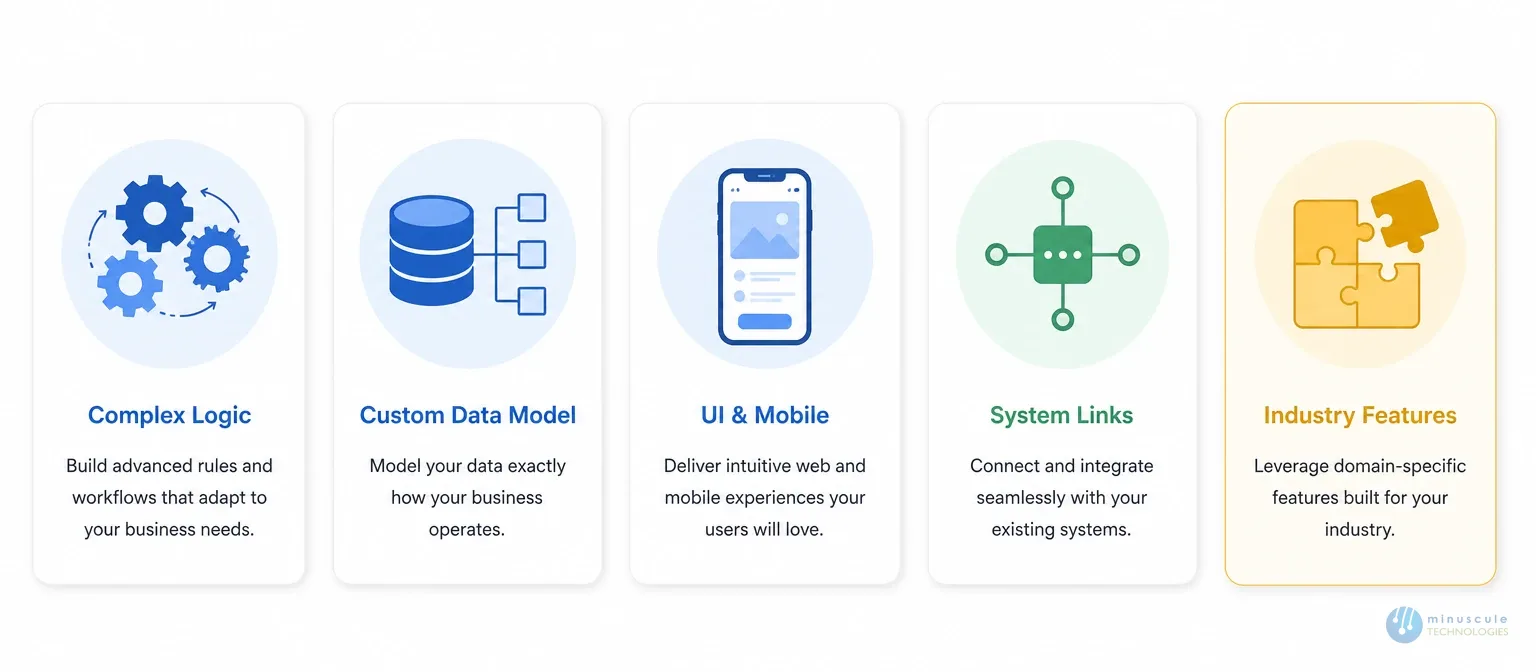
Salesforce Flow is capable. But it has governor limits, strict run orders, and design ceilings. Some processes just can't run on it. Incentive math engines. Multi-step approvals with branching paths. Live pricing that reads from an outside ERP. High-volume batch jobs. All of these need server-side code to run well.
Watch the signs. A Flow needs workarounds to handle errors. A process takes minutes because it runs through chained Flows instead of one clean class. That's a development problem, not a settings problem.
The standard object model covers CRM basics well. It does not cover dealer audit structures. Or B2B catalog trees. Or loan lifecycle stages, field visit tracking, and production run records. When your business tracks data with no standard Salesforce home, you need custom objects and custom links between them. Complex trees also need Apex logic to enforce the business rules they carry.
Standard Lightning pages are built for general use. Special workflows need more. Picture a field engineer filling an audit checklist offline. A dealer filing a claim through a guided form. A finance user editing hundreds of child records online. For them, the standard UI adds friction instead of removing it.
Lightning Web Components let teams build custom screens that run natives in Salesforce and match the exact workflow. The same goes for Salesforce mobile app development. Custom LWC screens in the Salesforce Mobile App put offline-ready, field-ready tools in front of teams who never touch a desktop. Minuscule's Customization practice builds both.
Salesforce has a big connector library. But for SAP, PeopleSoft, Oracle, or custom in-house platforms, connectors often don't exist. Or they exist but can't handle your data volumes, transforms, or login protocols.
The fix is custom work. Apex callout classes. REST and SOAP links. Event-based designs. Minuscule's Development and Integration teams builds these to be easy to maintain, looked around the clock, and safe through three platform releases a year. The Salesforce developer documentation gives the foundation. Applying it right in production is where engineering experience matters.
Some problems are so specific that AppExchange has no real answer. A factory tracking dealer compliance through field check-ins. An auto firm computing multi-tier, back-dated incentives. A BFSI group tracking loan stages across many approvers. These aren't edge cases in those industries. They're core daily workflows. They need to be built, not configured.
Minuscules Dealer Incentive accelerator came from exactly this kind of gap. It was refined across many projects into something that ships faster than a full custom build.
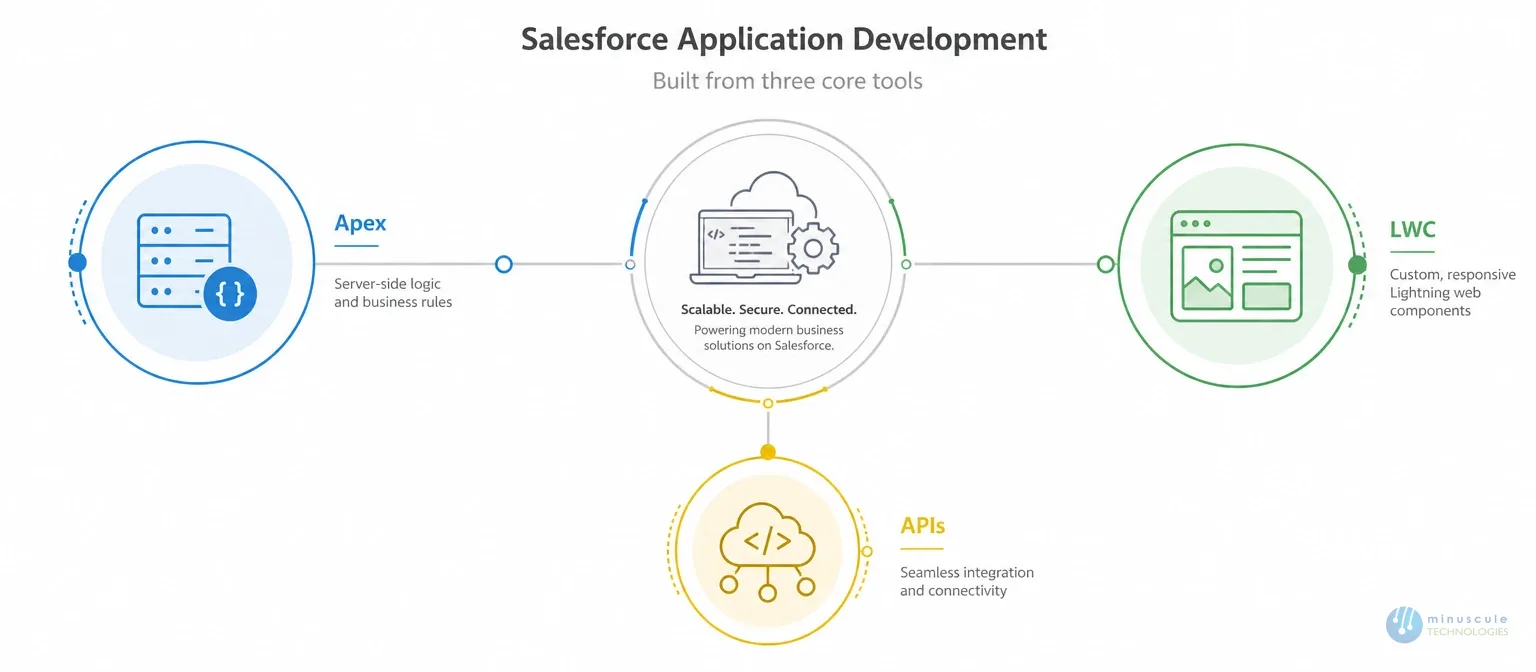
Salesforce application development runs on three main tools. Each one fits a different gap.
Apex is Salesforce's Java-like server-side language. It handles business logic on the platform: triggers, batch jobs, scheduled work, complex math, and callouts. Apex runs inside the governor limit framework. That framework caps CPU time, queries, data writes, and memory per transaction. Well-written Apex respects those limits by design. Poorly written Apex hits them in production at the worst moment.
Lightning Web Components (LWC) are the modern standard for custom Salesforce screens. They're built on web standards, not closed frameworks. LWC parts plug into Lightning pages, Experience Cloud sites, and Salesforce mobile. You get full control over the screen, inside the Salesforce security and deploy model.
Salesforce APIs connect Salesforce to everything else. REST for live data exchange. SOAP for older enterprise systems. Platform Events for event-driven designs. Bulk API for high-volume jobs. The right pattern depends on volume, speed needs, and direction. Get it wrong — REST for batch loads, or sync callouts where async was right — and failures surface at random in live systems.
Between full custom work and AppExchange apps, a third option: pre-built accelerators. These are engineered starting points for specific industry workflows.
Minuscule has built six. B2B Marketplace, Dealer Audit, Field Visit, Dealer Incentive, Loan Lifecycle Visibility, and the WhatsApp Salesforce Accelerator. Each exists because the same gap kept appearing across clients in the same industry. Each one adapts to a new client's rules. The engineering base is already done. It's one reason Minuscule's AppExchange App Development practice ships faster than pure from-scratch work.
Salesforce ships three major updates each year. Custom code not built to survive breaks in silence after an update. Code that leans on retired APIs. Code with hardcoded record IDs. Code that skips platform security. Then comes the weekend of emergency patching.
The best salesforce development companies build release safety in from day one:
Platform notes at admin.salesforce.com list what changes each release. A good partner tests against those changes before they reach your org.
Not every gap deserves custom code. Bring in Salesforce development services when you see these signs:
When two or more apply, vet a Salesforce app development company on engineering proof. Ask about test coverage standards, deploy pipelines, and their upgrade track record. Start with a scoping session from a full-service salesforce application development service. It confirms whether you need to code at all — and at what scope.
Customization uses point-and-click tools: page layouts, custom fields, Flows, and rules. No code. App development uses Apex, Lightning Web Components, and Salesforce APIs to build what clicks can't produce. Start with customization. Develop when the need truly exceeds what clicks deliver.
Logic, too complex or too high-volume for Flows. Custom screens for special workflows. Links to ERPs or older platforms with no connector covers. Industry data models like dealer incentives or loan tracking. And scheduled batch jobs that chew through large record volumes.
It can, if written badly. Upgrade-safe work means no hardcoded IDs, full test coverage, metadata-based deployments, and regression tests before each release. Teams that follow these habits catch problems early. Teams that don't meet them as emergencies.
An AppExchange app is a packaged product for a broad market. Fixed features, license fee. An accelerator is an engineered starting point for one industry workflow, then shaped to your exact rules. Accelerators ship faster than custom builds because the base already exists. And they become part of your org, maintained by your partner.
The clearest signs: Flows hitting governor limits, spreadsheet workarounds for core math, layouts that can't serve your team, and systems no connector supports. A consulting session before any build settles whether you need to code at all - and exactly how much.
Salesforce out of the box is a strong tool for what it was built to handle. But sooner or later, you'll need to track something with no standard object. Or automate something Flow can't run. Or show something a Lightning page can't render. Or connect a system with no connector covers. At that point, you're in development territory. And development without engineering discipline piles up tech debt. Every future change gets slower and riskier.
The right partner won't write custom code when clicks would do. They build exactly what clicks cannot. They build it to survive three releases a year. And they hand it over with the test coverage and docs your team needs to own it.
Minuscule Technologies brings 160+ certified Salesforce experts and 75+ enterprise projects to the table. We deliver Apex, LWC, and API work for manufacturing, auto, BFSI, and field service clients. We also handle ERP links with SAP, PeopleSoft, and Denodo. If your business has outgrown what Salesforce provides by default, we build what fills the gap. Talk to us.
You've seen what's possible. Now, let's make it happen for your business. Whether you need an end-to-end Salesforce solution, a complex integration, or ongoing managed services, our team is ready to deliver.

Schedule a Free Strategic Call


