
April 7, 2026
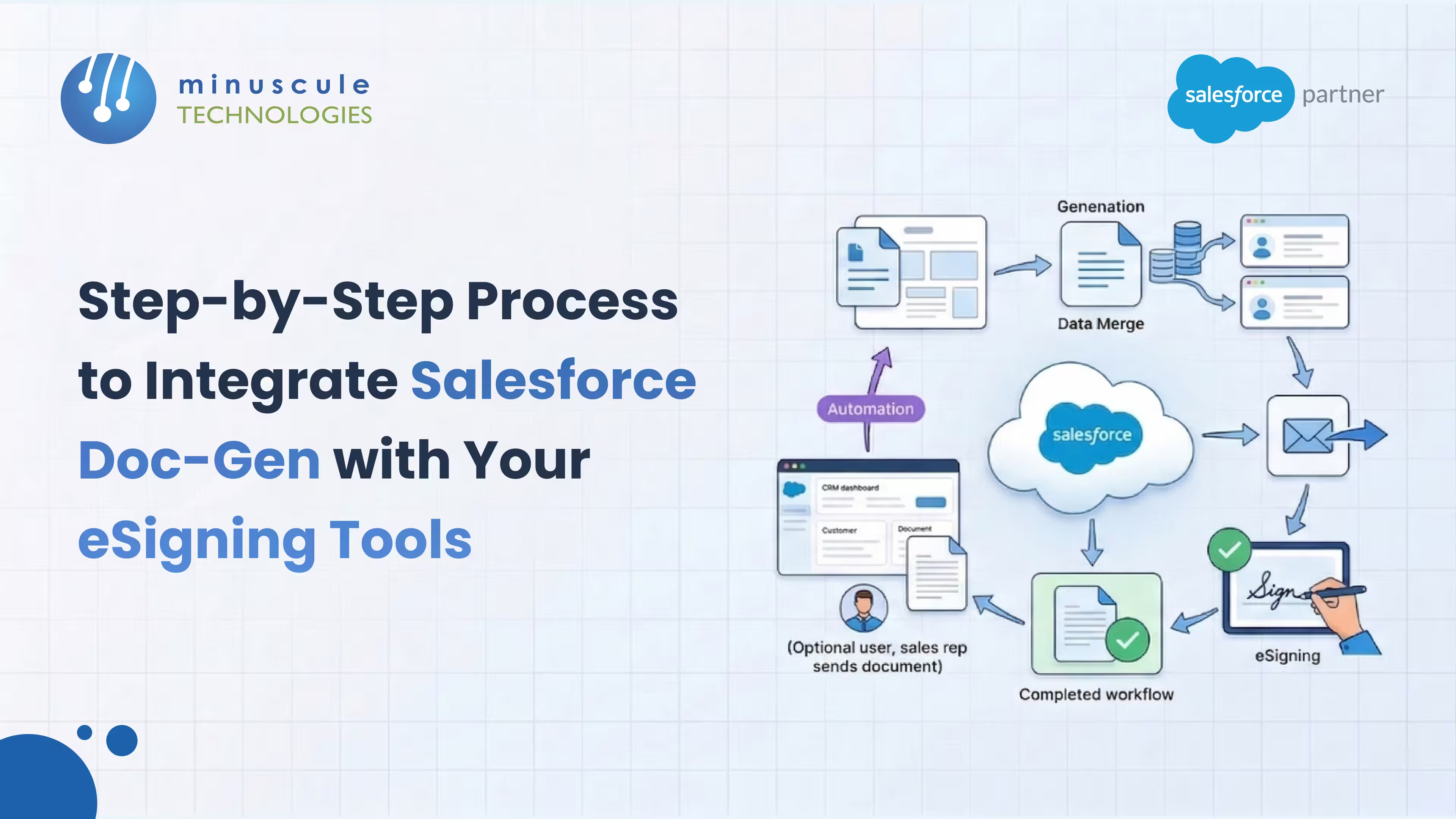
Manual contract assembly and collecting physical signatures reduce productivity. Re-entering data into Salesforce is time-consuming and increases the risk of costly errors. Integrating a document generation tool with an eSignature solution within Salesforce streamlines the process, enabling a seamless transition from data extraction to be finalized contracts.
At Minuscule Technologies, we believe your CRM should drive performance, not serve as a digital archive. Implementing a reliable, scalable integration between your data and signing platform streamlines administrative tasks into a single-click process.
This guide outlines how to build a reliable, scalable integration between your Salesforce data, document generator, and eSigning platform.
Before creating templates, ensure your toolset matches your operational needs. Assess the AppExchange ecosystem to find solutions that fit your requirements, such as DocuSign Gen for repetitive documents, PDF Butler for custom branding, or OmniStudio for regulated workflows. Confirm that Salesforce fields serve as the single source of truth to prevent outdated data from entering contracts.
Recognize the distinction between static forms and dynamic documents. In dynamic contracts, such as employment offers, varying data lengths can shift surrounding text. Your document generation engine should manage these changes to maintain a professional appearance without white space or overlapping text.
Do not use fixed coordinates for signature blocks, as dynamic documents can shift text and cause overlaps. Instead, use AutoPlace or Anchor Tags by embedding an invisible text string in your template. The eSignature tool will anchor the signature block accurately over this marker, regardless of its final position.
Determine how to initiate the transfer to the eSignature tool according to your team's workflow:
A well-designed integration requires correct user permissions. Assign role-based access for template builders and standard users. Ensure non-admin users have Apex execution permissions if needed, and confirm all senders are included in the eSignature application's permission sets.
Yes. While custom buttons allow manual operation, you can implement zero-click automation with Salesforce Record-Triggered Flows. When an Opportunity reaches a designated stage, the system merges data and sends the document for signature.
This depends on your system's complexity. Tools such as Perfect Doc Studio provide no-code, drag-and-drop interfaces for business users. In contrast, enterprise solutions like OmniStudio support complex data transformations and typically require skilled administrators or developers.
Yes. Advanced document generation tools support relationship mapping, enabling you to include data from related Accounts, Contacts, or custom child objects such as Line Items. This approach ensures contracts are comprehensive without manual data entry.
Security is a key advantage. Data remains within the Salesforce ecosystem and is transmitted through encrypted eSignature channels, reducing the risk of sensitive contracts being stored locally. Most tools also offer a complete audit trail of document access and signatures.
Modern integrations use AutoPlace anchoring. By inserting a unique, invisible text string in your Word template, the eSignature engine locates the precise spot on the final PDF and accurately places the signature block.
Integrating a document generation tool with an eSignature solution in Salesforce streamlines manual processes and accelerates revenue generation. Automation removes the need for manual data entry, reducing management costs and human error.
At Minuscule Technologies, we believe operational agility results from strategic technology choices. Whether you use custom buttons for ad hoc requests or Salesforce Flows for automated processes, the objective remains to accelerate the Quote-to-Cash cycle. Extracting real-time data from your records ensures that each contract is accurate, compliant, and ready for signature.
As your digital transformation partner, we guide you through the AppExchange ecosystem to implement the optimal technology stack for your business needs. Transitioning from manual paperwork strengthens organizational resilience and enhances customer experience. Implement these automated workflows to reduce administrative burdens.
Ready to automate your contract lifecycle?
Do not let manual paperwork slow down your progress. Partner with Minuscule Technologies to design an integration that streamlines your document process. Contact our strategists today to begin your transformation.
You've seen what's possible. Now, let's make it happen for your business. Whether you need an end-to-end Salesforce solution, a complex integration, or ongoing managed services, our team is ready to deliver.

Schedule a Free Strategic Call


Plot No. 4, Sridevi Amman Street, Perumal Nagar Extension, Old Pallavaram, Chennai, Tamil Nadu 600117, India.
