
April 21, 2025
Salesforce is built to serve every business. That means, out of the box, it fits none of them well. Adapting the platform - objects, fields, automation, screens, and reports - to how your company works is what Salesforce customization is all about. Done well, it turns a generic CRM into a system your teams rely on daily. Done badly, it creates clutter, confusion, and tech debt that eats the investment.
The difference is discipline. This guide covers the eight habits that separate customizations that pay for themselves from those that pile up as debt.
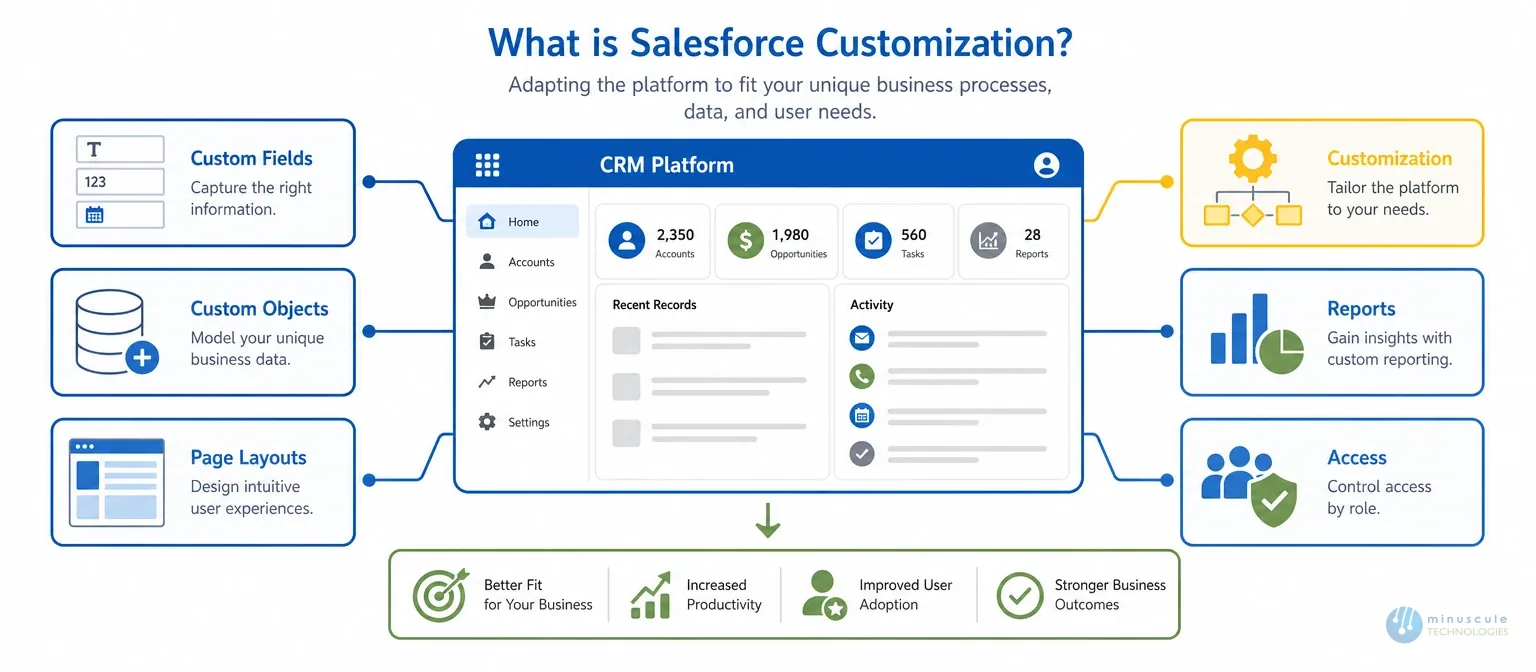
Salesforce customization covers every change you make to fit the platform to your business. Custom fields and objects. Page layouts. Automation with Flow. Custom reports and dashboards. Role-based access. Most of it happens with clicks, not code.
That's the useful line: customization uses click tools, while salesforce custom development uses Apex and Lightning Web Components when clicks hit their ceiling. Both shape the platform. This post focuses on getting the click layer right first. A well-customized org is the base everything else sits on.
Define clear business goals before starting customization. Audit how each team uses Salesforce today. Find where users hit bottlenecks or data gaps. And talk to sales, marketing, and support - they know daily friction better than IT does.
A useful needs assessment includes:
Don't customize assumptions or one loud voice. Solve problems that measurably affect productivity, speed, or customer experience.
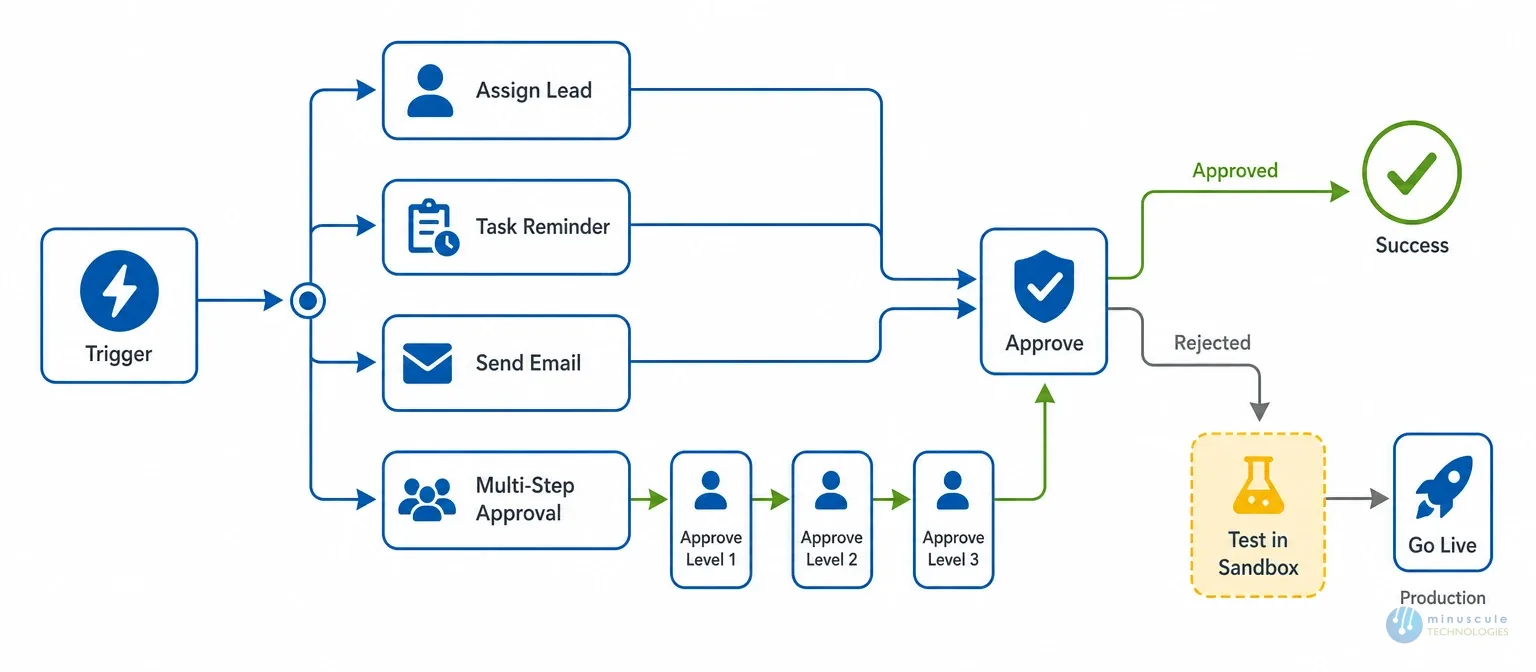
Automation delivers faster processes, fewer errors, and steady service. In 2026, that means Salesforce Flow. Process Builder and Workflow Rules are retired. Any org still running them should migrate to Flow as a priority.
Use Flow for lead assignments, task reminders, follow-up emails, and multi-step approvals. Two rules keep automation healthy:
Salesforce customization services can also merge legacy automations into one clean Flow design, instead of a tangle of overlapping triggers.
Default reports rarely match the KPIs your business runs on. Define the right metrics per team first. Sales tracks pipeline speed and win rate. Support tracks case resolution time and satisfaction.
Then build for them:
Keep visuals simple. Review dashboards each quarter, so they track current goals - not last year's.
Even a powerful platform fails without adoption. A cluttered screen discourages use. That degrades data quality. That kills ROI.
Support agents need customer history and open cases in one view - not seven clicks away. A clean UX is the cheapest adoption program you'll ever run.
Standard objects can't capture everything your business tracks. Custom objects and fields fill the gap — with discipline:
Field sprawl is the most common form of customization debt. Deleting is as valuable as a building.
The AppExchange offers thousands of apps - email marketing, document automation, payments - that beat building from scratch. Common picks: DocuSign for e-signatures, Stripe or QuickBooks for billing, marketing platforms for nurture campaigns.
Before you install: check security and compliance fit. Test in a sandbox. Write down the setting changes. And watch a performance after go-live. For systems no AppExchange app covers, you're in integration territory.
Salesforce's AI layer - Einstein and Agentforce - improve forecasts, lead scoring, and next-step tips. But AI is only as good as the data feeding it.
Data access should follow the least privilege. Use Profiles, Permission Sets, and Field-Level Security to match access to each role. Audit permissions on a schedule.
Pair security with hygiene:
Clean, governed data supports better insights, smoother automation, and - more and more -AI you can trust.
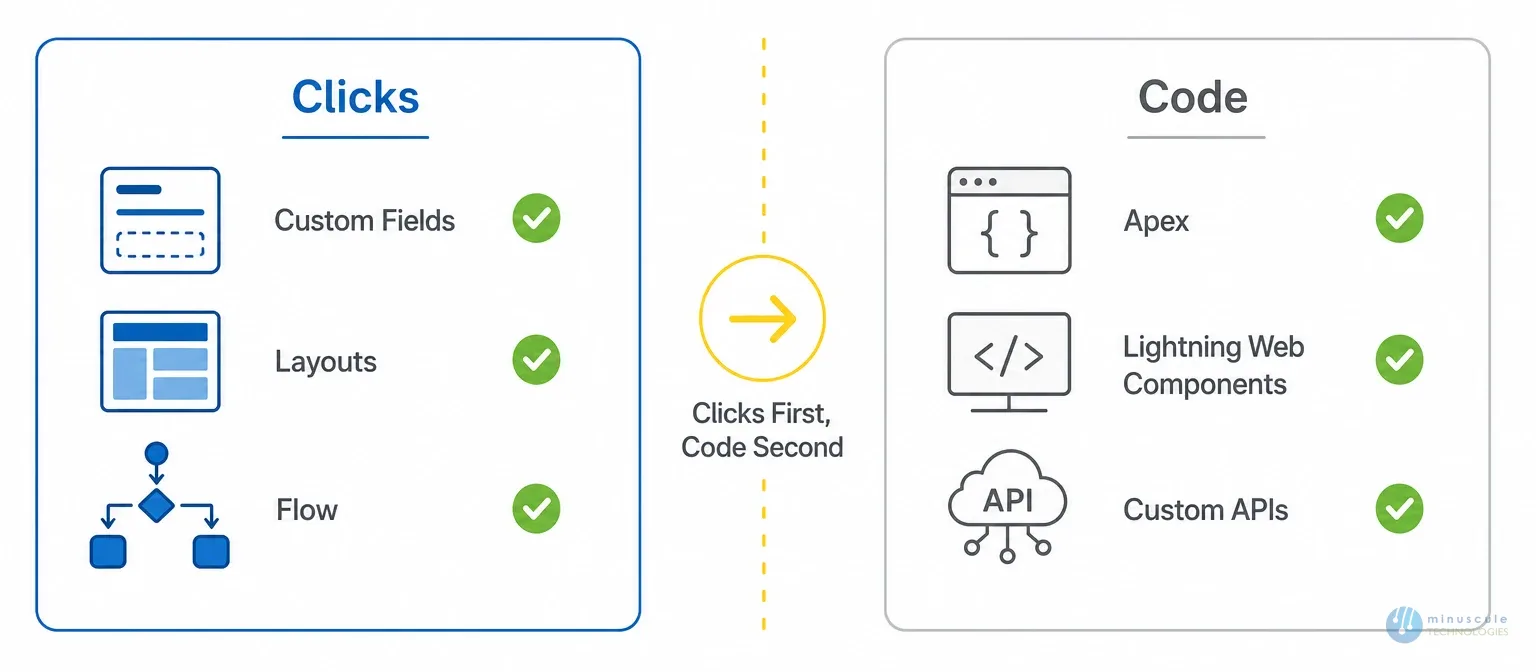
SFDC customization (SFDC is short for Salesforce.com) covers everything click-based. But some needs exceed what clicks can do. Knowing the border saves you from both under-building and over-engineering:
The right order in Salesforce CRM development always clicks first, code second. Clicks upgrade on their own with every release. Custom code needs engineering discipline to stay upgraded safe. When your needs cross the line, that's when a Salesforce development engagement makes sense -not before.
People often mix the terms. Strictly: configuration adjusts built-in settings - users, layouts, standard fields. Customization creates new elements - custom objects, Flows, report types. Both use clicks. Neither needs code.
The same thing as Salesforce customization. SFDC is the old short form for Salesforce.com. Teams and job posts still use both terms for tailoring the platform with click tools.
Yes, and it's common. Hundreds of unused fields. Overlapping automation. One-off page layouts. The clutter slows users and complicates every future change. Quarterly cleanups and a "every field earn its place" rule prevent it.
When changes span many teams, touch integration or migration work, or keep breaking each other. That's a sign the org needs design thinking, not more fields. A Salesforce consulting session scope it right.
Getting ROI from Salesforce customization takes strategy, precision, and steady cleanup - not just building. Assess needs before you build. Automate with Flow. Design for adoption. Govern your data. And know where clicks end and code begins.
Minuscule Technologies delivers customization backed by engineering discipline. Every change you make strengthens the org instead of adding debt. Not sure where to start? Contact us now.
You've seen what's possible. Now, let's make it happen for your business. Whether you need an end-to-end Salesforce solution, a complex integration, or ongoing managed services, our team is ready to deliver.

Schedule a Free Strategic Call


Plot No. 4, Sridevi Amman Street, Perumal Nagar Extension, Old Pallavaram, Chennai, Tamil Nadu 600117, India.
