We are at Dreamforce 2026, Industry Pavilion at San Francisco


June 13, 2026
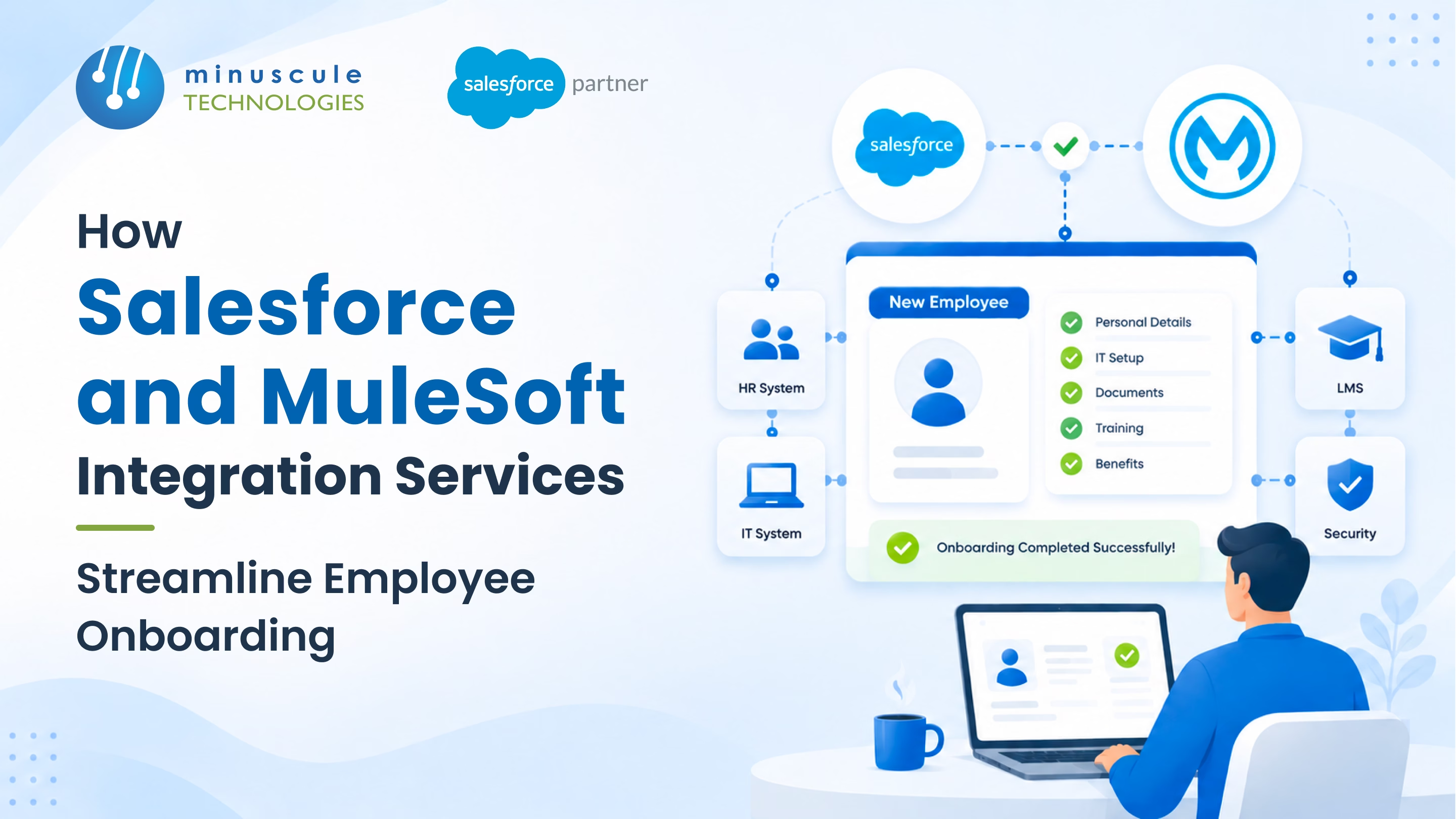
Salesforce and MuleSoft integration services streamline employee onboarding by turning six manual handoffs into one automated journey. Salesforce tracks every new hire's progress as the hub. MuleSoft works as the backbone that links your HRIS, identity, IT ticketing, background check, benefits, and learning systems. The result: a new hire who walks in on Day 1 to a working laptop, live accounts, and a clear path forward.
Here's what usually happens instead. Monday morning, 9:00 AM. The new senior engineer arrives for Day 1. Badge isn't ready. Laptop wasn't provisioned. Email account doesn't exist. The Slack invitation never went out.
By 11:00 AM she's in a conference room reading a printed handbook. By Friday she's still chasing system access.
Three weeks before her start date, HR entered her into Workday. Workday triggered nothing. IT was supposed to be notified - the email went to a list nobody monitors. The background check lived in Sterling. Benefits were supposed to fire from ADP. Six systems. Six manual handoffs. Six points where the chain broke.
This is employee onboarding in most enterprises. The fix is Salesforce MuleSoft integration: Salesforce as the onboarding hub, MuleSoft as the backbone connecting every HR system.

Six failure points across the offer-to-Day-30 journey:
Every failure point is a system handoff. Together, they make Day 1 chaotic and Week 1 unproductive.
Most firms touch six to nine systems during onboarding. No single system owns the full journey:
| System Type | Examples | Role in Onboarding |
|---|---|---|
| HRIS | Workday, BambooHR, ADP, SuccessFactors | System of record for employee information |
| Identity Management | Okta, Azure AD, Active Directory | Manages user authentication and application access |
| IT Ticketing | ServiceNow, Jira Service Management | Handles hardware, software, and access requests |
| Background Check | Sterling, HireRight, Checkr | Performs identity verification and criminal background screening |
| Benefits Administration | ADP, Aetna, Fidelity, BCBS | Manages health benefits, retirement plans, and payroll deductions |
| Learning Management | Cornerstone, Workday Learning | Delivers compliance and role-based training |
| Collaboration | Slack, Microsoft Teams, Zoom | Provides Day-1 communication and collaboration access |

Salesforce Service Cloud (or HR Service Center) holds an onboarding Case for each new hire. Stages map to milestones: offer accepted, background check complete, equipment provisioned, access granted, Day 1, Week 1, Day 30.
MuleSoft Anypoint links Salesforce to every HR system through API-led design. Pre-built connectors cover Workday, ServiceNow, Okta, and ADP. Custom APIs cover the systems unique to you.
Salesforce Flow runs each step. It triggers MuleSoft API calls, watches for completion, escalates delays, and notifies the right people.
A single dashboard shows every stage for every new hire. The new hire sees their own progress through an Experience Cloud portal.
For 2026 builds, there's a new layer. Agentforce agents can answer new-hire questions - benefits, policies, setup steps - straight from the onboarding Case. The journey data feeds the agent.
Salesforce holds the journey. MuleSoft connects the systems. The new hire sees one experience; HR sees one dashboard.
All three handle HR work well. MuleSoft is Salesforce-owned, so the mulesoft and salesforce pairing is the most mature - Salesforce even publishes its own integration best practices. Boomi and Workato are neutral; both work with a similar design.
No. The HRIS stays the system of record for employee data. Salesforce is the hub that coordinates onboarding across the HRIS and its neighbors.
Core setup with HRIS, Okta, and ServiceNow: four to six months. Adding background check, benefits, learning, and comms systems: another four to six. Phased rollouts are common -expert Salesforce integration consulting helps order the phases.
Yes, with different workflow paths. Contractors skip benefits and get time-bound access. The same Salesforce layer handles both by role.
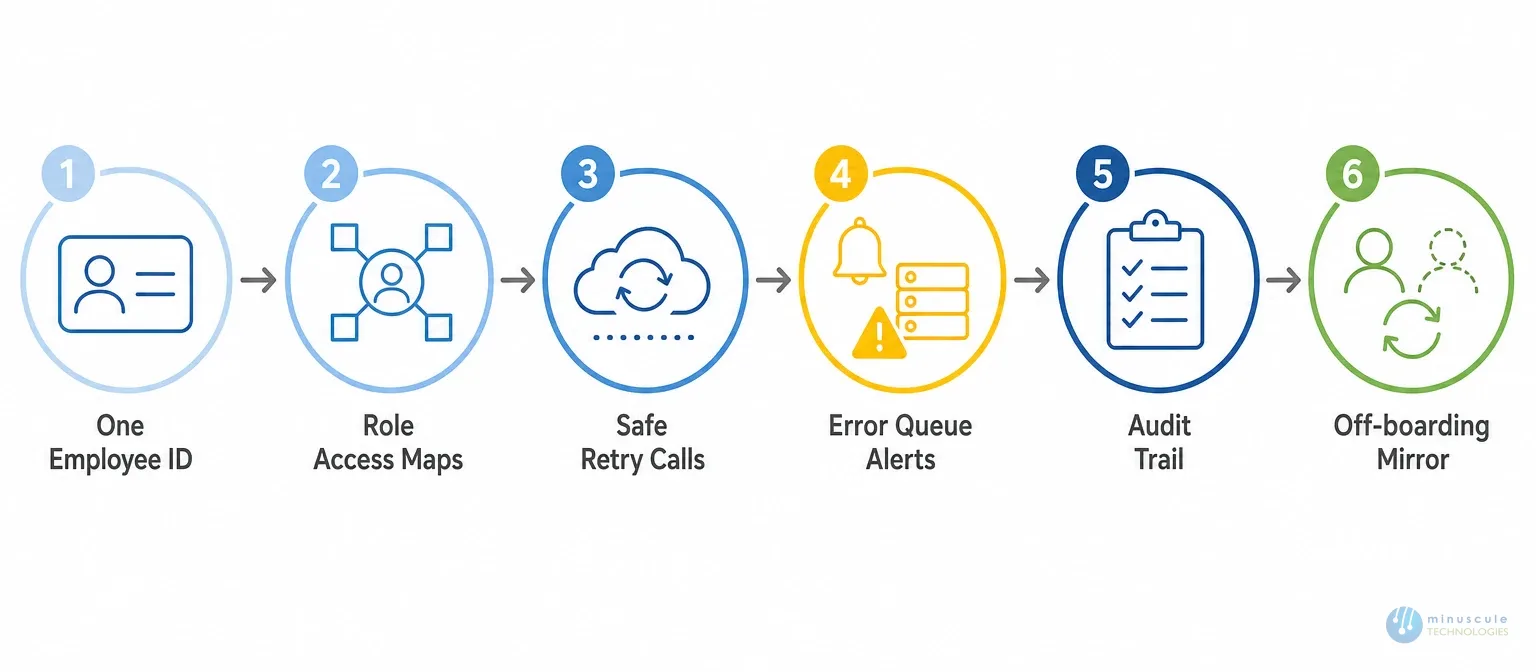
Onboarding on Salesforce and MuleSoft turns six manual handoffs into one guided journey. Salesforce manages the case and the visibility. MuleSoft links the HRIS, identity, ticketing, background check, benefits, learning, and chat systems. Seven workflows automated. Six rules keeping it audit-safe.
Built right, the new hire walks in Monday morning to a working laptop, a live email account, a Slack channel, and a clear path through Day 1.
Minuscule Technologies is a Trusted Salesforce Engineering Partner with 160+ Salesforce experts and 75+ projects shipped worldwide - including Nasdaq-listed firms across BFSI, manufacturing, IT services, and higher education. Our MuleSoft Salesforce integration services cover HR onboarding, identity setup, background check links, benefits enrollment, and off-boarding - so the employee experience starts strong on Day 1.
Map your onboarding integration with us. We'll review your HR stack and identity setup, then show you the Salesforce-MuleSoft design that fits your business.
You've seen what's possible. Now, let's make it happen for your business. Whether you need an end-to-end Salesforce solution, a complex integration, or ongoing managed services, our team is ready to deliver.

Schedule a Free Strategic Call


