

December 19, 2024

A Salesforce implementation for the Console follows eight clear steps: identify stakeholders, set objectives, collect requirements, prioritize them, design and build, test, prepare for go-live, and launch. Work through each step in order and you get a fast, tab-based workspace that helps your agents resolve cases and close deals quicker. This guide walks you through the whole process, plus the console features worth setting up.
Over 150,000 companies use Salesforce to run their operations more smoothly. A strong rollout improves teamwork, simplifies processes, and lifts customer satisfaction. The Salesforce Console is one of the best tools for that, since it puts everything an agent needs on one screen. Whether you're new to Salesforce or upgrading, this guide keeps your rollout clear and on track.
The Salesforce Console is a tab-based workspace built for speed. It lets agents work on many records at once without losing their place. Instead of clicking back and forth between pages, agents see a list and a record side by side, with related details in one view.
It's most common in Service Cloud, where agents handle many cases a day. But sales teams use it too, to manage lots of leads and deals. Key parts include the utility bar, split view, macros, and keyboard shortcuts - all built to cut clicks and save time.
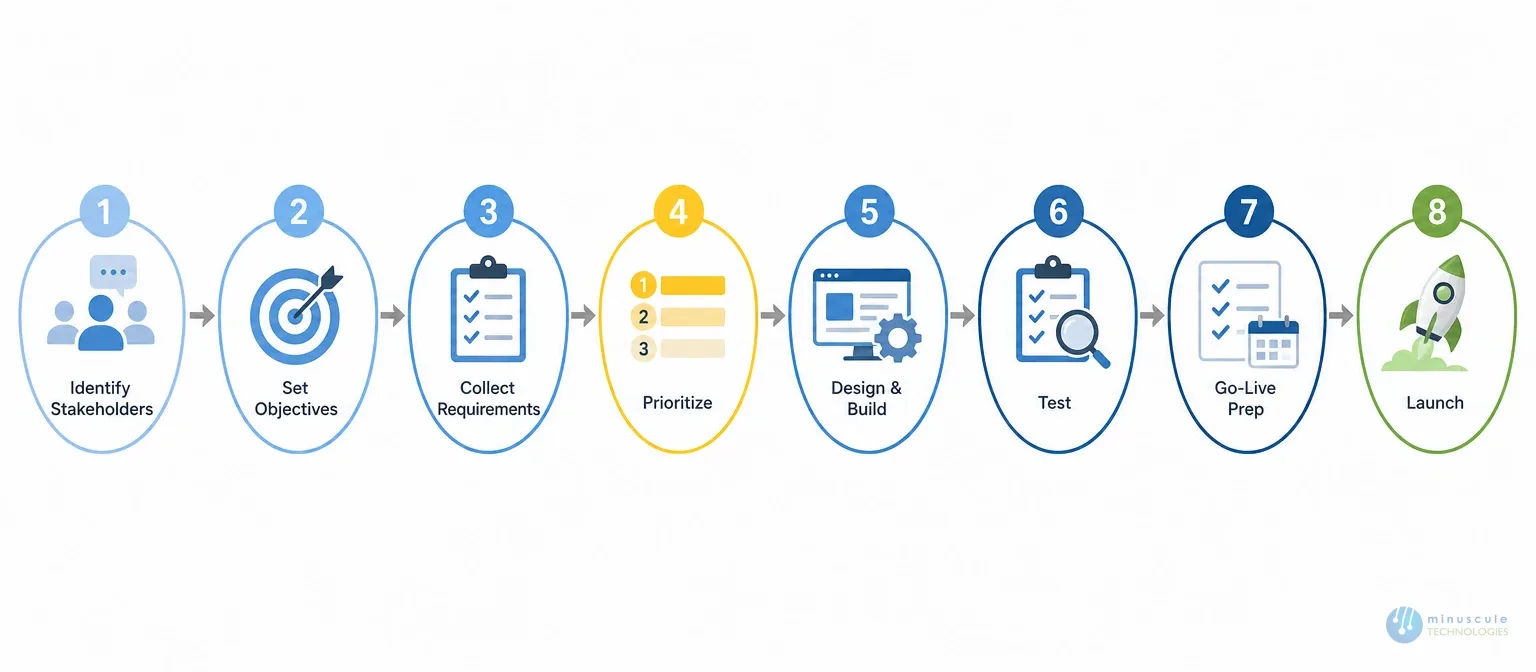
Here's the process to make your console rollout smooth and successful.
Start by naming your key stakeholders. These include department heads, IT staff, and the end-users who know the daily workflows. Their input makes sure the console fits real needs. One report found that stakeholder buy-in lifts success rates by 30%. Hold early meetings to gather their views on current gaps and goals.
Set clear, measurable objectives to keep the rollout on track. Are you aiming for faster case resolution or higher productivity? Firms with clear goals see output rise by 20 to 30%. Use SMART criteria, and share the goals so the whole team pulls in one direction.
Gather detailed requirements so the build fits your business. Talk to the people who'll use the console every day. Most failed rollouts trace back to poor requirements, so this step matters a lot. Cover functional needs like dashboards, automated workflows, and case routing. Don't skip non-functional needs like data security, performance, and scalability.
Rank your requirements by business impact and urgency. Sort them into three groups: immediate needs, secondary features, and future add-ons. Focus first on high-impact features like automated workflows or case management. A Salesforce implementation consultant can help you organize this. Good prioritization gets the essential features live sooner.
The design phase sets the foundation for your console. Work with a certified partner to create a scalable, well-built architecture. Use Salesforce's drag-and-drop tools for quick prototypes. Design role-based dashboards and automated workflows to boost efficiency. Follow Salesforce best practices for security, data integrity, and performance. Test prototypes to confirm they match user expectations before full build.
Testing makes sure the console works and feels easy to use. Start with unit testing on single components, then integration testing across the system. Early testing cuts post-release defects by 75%. Bring in end-users for user acceptance testing, or UAT, to gather real feedback. Fix the issues you find before launch.
Getting ready for go-live is more than a technical task. Good change work is what makes users adopt the new system. Train staff with hands-on workshops, video guides, and manuals. Firms that plan the change are six times more likely to hit their goals. Share the benefits to ease resistance, and set up support for user questions after launch.
Plan an organized launch. Start with a pilot for a small group to catch issues before the full rollout. Watch usage and gather live feedback during this phase. Give quick support to fix concerns fast. Then expand the rollout step by step to keep things stable. Regular check-ins after launch keep momentum and address new needs.
| Step | Focus | Goal |
|---|---|---|
| 1. Stakeholders | Bring in the right people | Buy-in and real-world input |
| 2. Objectives | Set SMART goals | A clear target to build toward |
| 3. Requirements | Gather functional + non-functional needs | A blueprint that fits the business |
| 4. Prioritize | Rank by impact and urgency | Essentials live sooner |
| 5. Design & build | Architecture and prototypes | A scalable, tested foundation |
| 6. Testing | Unit, integration, UAT | Fewer defects at launch |
| 7. Go-live prep | Training and change management | Users ready to adopt |
| 8. Launch | Pilot, then expand | A stable, monitored rollout |
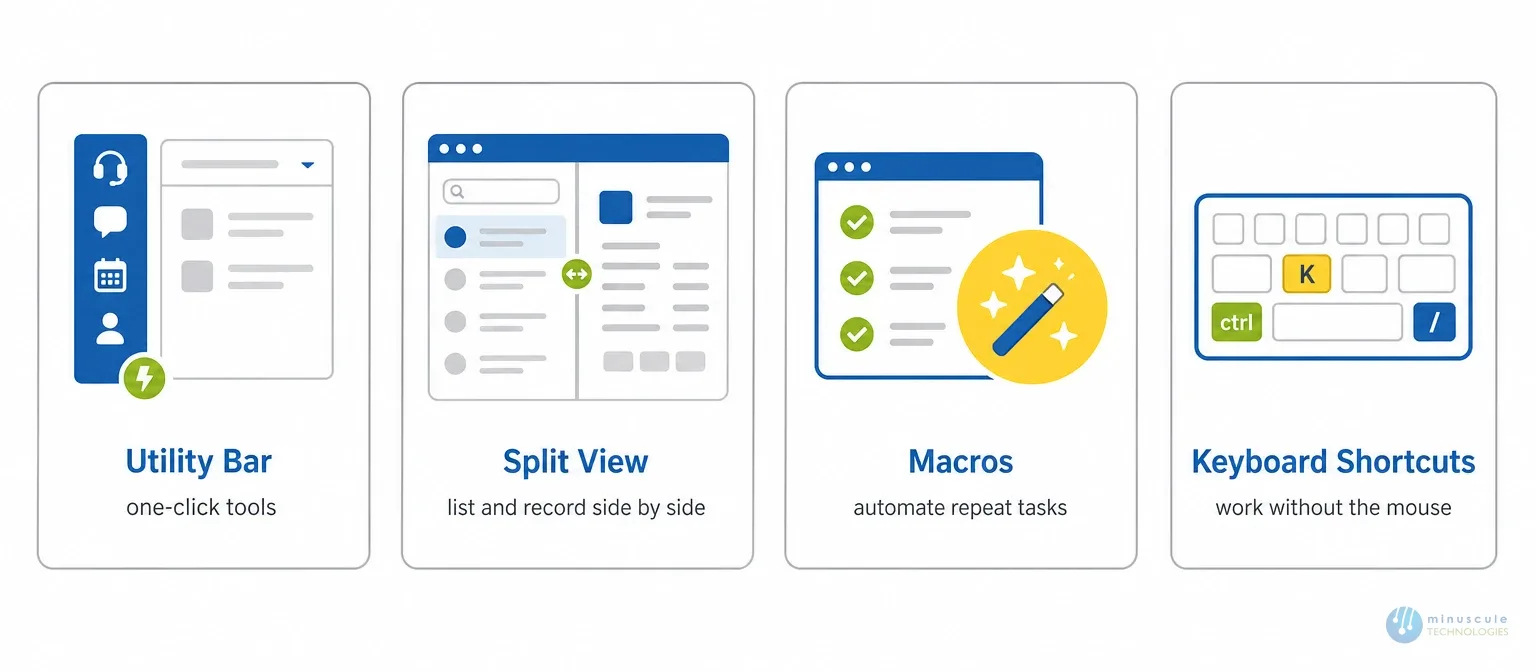
Beyond the eight steps, a few console features are worth setting up well:
Set these up early and your team feels the speed from day one. Salesforce's Trailhead resources are a good reference for configuring each one.
A skilled Salesforce implementation partner can speed up your console rollout and cut the risk. The right partner brings proven methods, deep platform skill, and a track record of clean work. They handle the design, build, testing, and change management, so your team isn't learning by trial and error. Independent sources like Salesforce Ben make the same point.
A strong partner also tailors the console to how your agents actually work. When you compare Salesforce implementation companies, rank real experience and a clear method over the lowest bid. That's the standard Minuscule delivers as a Salesforce Engineering Partner.
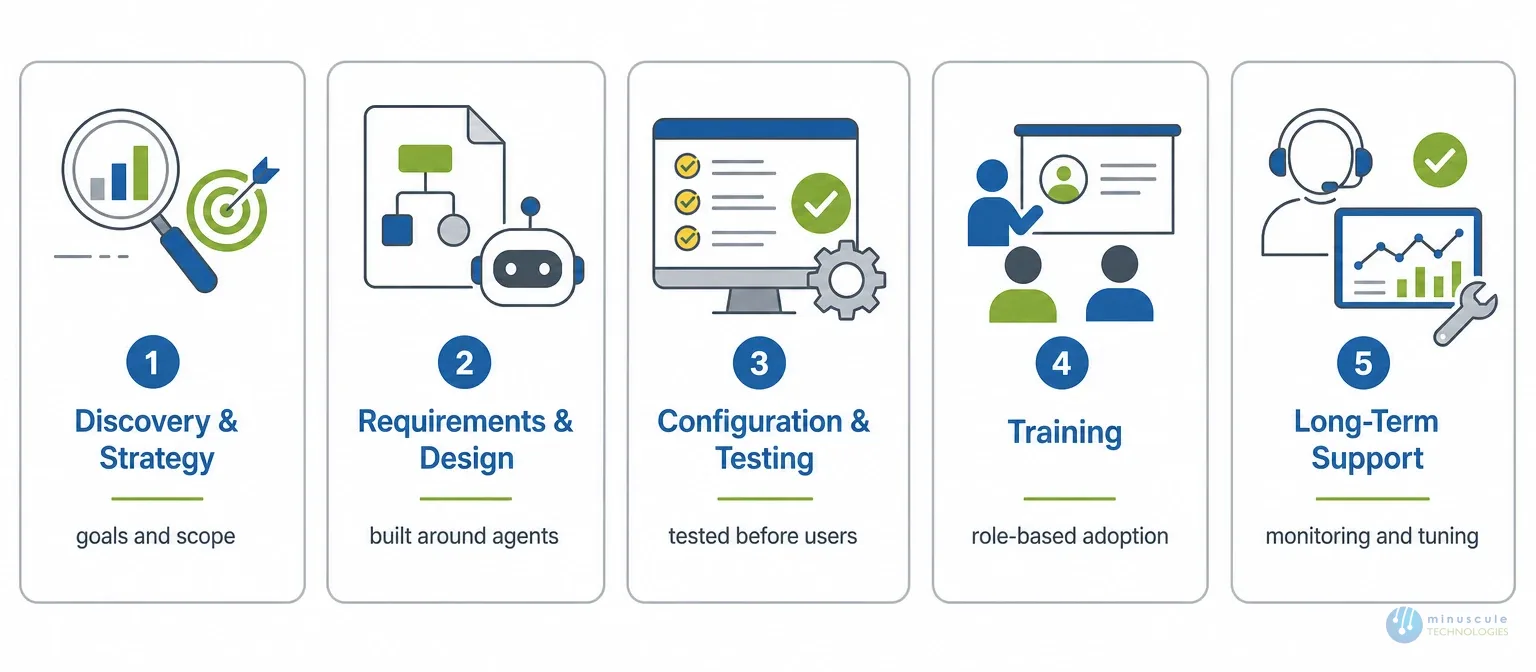
A full Salesforce implementation service covers more than the build. Look for:
See how these fit together across our Salesforce implementation and managed services offerings.
The Salesforce Console is a tab-based workspace that lets agents work on many records at once. It uses split view, a utility bar, macros, and shortcuts to cut clicks and speed up case and deal work.
For a standard setup, a console rollout often takes a few weeks. Complex builds with many integrations and heavy customization take longer. Clear requirements and an experienced partner shorten the timeline.
Salesforce implementation companies range from large global firms to focused specialists. Shortlist ones with real console experience, strong requirements and design work, and good post-launch support.
A Salesforce managed services partner supports your org after launch. They handle monitoring, admin work, tuning, and new features. This keeps your Salesforce CRM implementation healthy as your needs change.
For most teams, yes. A partner cuts the risk and speeds up go-live. They bring proven methods for design, testing, and change management that trial and error can't match fast.
A Salesforce implementation for the Console rewards focus and a clear plan. Engage stakeholders, gather requirements, set clear goals, test well, and prepare your team for the change. Each step drives smooth integration and real efficiency.
That's where Minuscule Technologies comes in. As a Salesforce Engineering Partner, we design and build consoles that match how your agents work, with real engineering discipline at every step. We handle requirements, design, testing, and long-term support, so your rollout saves time and cuts cost - the same rigor we bring to clients across banking, manufacturing, logistics, and real estate.
Don't let a rushed setup slow your team down. Partner with us and get your Salesforce Console right from day one.
Schedule a free strategic Salesforce call and let's map your console rollout.
You've seen what's possible. Now, let's make it happen for your business. Whether you need an end-to-end Salesforce solution, a complex integration, or ongoing managed services, our team is ready to deliver.

Schedule a Free Strategic Call


