Your CRM stores critical business data, including account histories, customer preferences, deal pipelines, and support tickets. Yet most sit behind a login screen that only employees can access.
What if customers could check their account status without calling? What if partners registered leads without manual work? What if your team collaborated seamlessly within a single system?
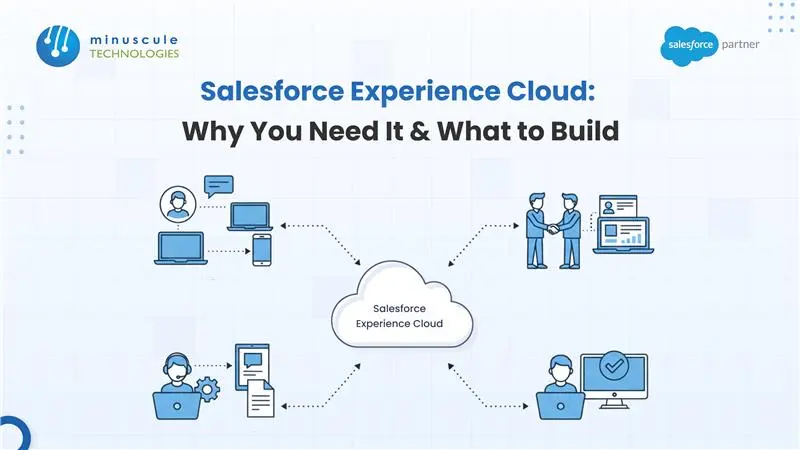
Salesforce Experience Cloud transforms locked-away CRM data into dynamic, personalized digital experiences for customers, partners, and employees. It's not another website builder; it's your CRM's secure, scalable front door built on real-time data.
Organizations that master digital experiences outpace competitors. Salesforce Experience Cloud (Formerly Known as Salesforce Community Cloud) is how you get there.
What Salesforce Experience Cloud Actually Is
- Salesforce Experience Cloud is a Digital Experience Platform (DXP) native to Salesforce. Unlike WordPress or third-party builders, it's not a separate tool grafted onto your CRM, it's a Salesforce extension.
- When a customer updates their billing address in your portal, your sales rep sees it in Salesforce instantly. No broken APIs. No sync delays. No separate databases. One unified platform with real-time data and secure access.
- That seamless connection is Experience Cloud's superpower.
The Platform's Evolution
- Experience Cloud wasn't always called that. Historically, Salesforce marketed it as Community Cloud, a term that limited perception. The name suggested it was "just" for communities or forums, though the platform had evolved far beyond that.
- When Salesforce rebranded it to Experience Cloud, they signaled something bigger: comprehensive digital ecosystems not just isolated communities. Customer portals, partner networks, employee hubs, mobile apps all unified.
- Today, the platform handles up to 100 million end users and 10 million daily page views per organization out of the box.
The Business Case: Why Salesforce Experience Cloud Matters Now
Deflection and Cost Savings
- Every support interaction costs money. When customers find answers independently, resolve issues through help centers, or manage their accounts without contacting support, you significantly reduce overhead. Most customers expect self-service options on company websites. Experience Cloud delivers precisely.
Speed to Market
- Modern users demand instant load times. The older Community Cloud took several seconds. Salesforce's Lightning Web Runtime (LWR) dramatically improved performance comparable to modern frameworks like React or Value.
- Speed affects SEO, mobile engagement, and conversion rates. With LWR, launching your portal faster and cheaper than with custom solutions becomes realistic.
Unified Data, Smarter Decisions
- Digital experiences that pull directly from Salesforce mean information is never stale. Customers see an accurate order history. Partners view real-time inventory. Teams access current commission data.
- No more delays, people make instant decisions with trusted information.
Building Loyalty Through Personalization
- Generic experiences don't drive engagement. Personalized ones do. See how Experience Cloud improves customer engagement across every touchpoint.
- Experience Cloud uses AI (Einstein) to deliver tailored content based on user behavior, preferences, and history. Gold-tier customers see exclusive offers. New partners get onboarding resources automatically.
- This personalization drives measurable outcomes: higher retention, more cross-sells, deeper partnerships.
What to Build with Salesforce Experience Cloud: High-Impact Use Cases
Customer Engagement Portals (B2C & B2B)
1. Self-Service Support Hub
Customers track orders, check support ticket status, view invoices, and browse knowledge bases. They submit cases directly. Community members answer questions; the system highlights the best answers through voting.
- Result: Support teams handle complex issues. Support volume drops significantly.
2. Account Management Portal
Customers update billing info, download documents, check payment history, and manage profiles without involving your team. Reduces friction and frees staff for strategic work.
3. E-Commerce Storefronts
B2B buyers log in, see negotiated pricing, reorder past shipments with one click, and check inventory. Turns shopping from a manual process into self-service efficiency.
Partner Relationship Management (PRM)
Dealer and Reseller Portals
- Partners manage the entire sales cycle. They register leads, access marketing assets, view performance metrics and commissions, and collaborate on opportunities with your sales team.
- Manufacturing companies let dealers configure products and check inventory. Software vendors let resellers upload leads and access pricing.
Co-Sales Hubs
- Your sales team and partners work on the same Opportunity record. They share files, see updated forecasts in real-time, and collaborate without switching systems. Deals close faster. Accountability is clear.
Industry-Specific Solutions
- Healthcare: Patients schedule appointments, view care plans, upload insurance documents, and communicate with providers—securely.
- Financial Services: Clients view portfolio performance, download statements, upload tax documents, and apply for loans.
- Education: Students check grades, track degree progress, book advising appointments, and access campus resources in one place.
- Public Sector: Citizens file permits, track status, and renew licenses online.
- Manufacturing: Suppliers access purchase orders and shipment tracking. Dealers configure products and manage inventory.
Employee Communities and Internal Hubs
- HR and IT Help Desks: Employees file IT tickets, access HR policies, check PTO balances, and download benefits info without leaving Salesforce.
- Onboarding Hubs: New hires complete onboarding modules, access training materials, and track progress in one place.
- Knowledge Sharing Networks: Teams across locations collaborate on projects, share best practices, and solve problems together, which is valuable for dispersed or remote teams.
The Core Mechanics: How to Build Salesforce Experience Cloud
The Experience Builder
- Experience Builder is the digital canvas where everything comes together—a drag-and-drop interface for non-technical users, yet powerful enough for developers.
- Build basic experiences without code drag components onto pages, configure them to pull Salesforce data, and publish. Within days, you have a working portal.
- For complex needs, developers can edit CSS, build custom Lightning Web Components, or integrate third-party tools. The platform scales from simple to sophisticated.
Pre-Built Templates
- Starting from scratch wastes time. Salesforce provides templates for common scenarios: Customer Service portals, Partner Central (PRM), B2B Commerce, and industry-specific solutions.
- These aren't rigid. Customize colors, logos, and content to match your brand. Remove unneeded sections. Add custom components. Templates provide working foundations in days rather than months.
Lightning Web Runtime (LWR)
- LWR is the modern runtime replacing the older Aura framework where performance meets customization.
- Pages built on LWR load dramatically faster with global CDN caching for worldwide delivery. Developers can use Expression-based Visibility to show or hide components based on conditions no complex page-variation setup required.
Mobile-First Responsiveness
- Your portal works on phones, tablets, and desktops out of the box. No separate mobile site. No redundant maintenance.
- Salesforce lets you publish your Experience Cloud site as a branded app on the Apple App Store and Google Play Store configuration only; no native code required.
AI-Powered Personalization
- Experience Cloud uses Salesforce Einstein AI to automatically deliver personalized experiences.
- Show different content by customer tier. Recommend articles based on browsing history. Surface the "next best action" to drive conversions. Suggest relevant experts and groups.
- Personalization is what modern users expect. Einstein makes it achievable without data science teams.
- Salesforce Experience Cloud Licensing: What You Will Actually Need to Know
- Licensing is where many organizations stumble. Ask the right questions upfront.
The Five License Types in Salesforce Experience Cloud
- Customer Community: High-volume B2C self-service. Customers access knowledge, cases, and discussions—most affordable tier.
- Customer Community Plus: Same as above, plus Reports & Dashboards and advanced sharing (roles, sharing rules). Required if you need analytics.
- Partner Community: B2B partner networks. Includes Leads, Opportunities, Campaigns, and Quotes for access. Built for sales and deal management.
- Channel Account: Large partner ecosystems. Scales with partner count, not individual users.
- External Apps: Custom applications needing extensive custom objects. Most flexible option.
Employees who access portals use existing Salesforce licenses no additional Experience Cloud licenses needed.
Member-Based vs. Login-Based Access
How often will users log in?
- Member-Based: Assign a license to specific users. Best for frequent users. Provides unlimited access.
- Login-Based: Purchase monthly logins shared across your user base. Best for infrequent users. More cost-effective with predictable usage.
Most organizations use hybrid approaches: login-based for casual users, member-based for power users.
Salesforce Experience Cloud Realities: What You Should Plan For
Security Is Your Responsibility
- Experience Cloud provides powerful tools role hierarchies, sharing rules, permission sets, and MFA. Using them correctly requires expertise.
- If partners accidentally see each other's data, you have a breach. Security isn't an afterthought. It's part of architecture from day one.
- Clone standard profiles and customize precisely. Conduct regular security audits. Test thoroughly before launch.
Complexity Requires Expertise
- Experience Cloud's flexibility is powerful and dangerous. Easy to build something that "works," hard to make something that scales.
- Using the wrong data structure or security model can lead to painful migrations later. Over-customization beyond platform offerings means writing code when configuration works.
- Partner with experienced consultants for your first implementation. Upfront investment saves thousands of reworks and reduces risk.
File Management Has Limits
- Native file management is serviceable but limited. If you need an external library to sync, handle large volumes, or provide granular sharing controls, expect third-party tools.
- Plan for this reality early.
Integration Costs Time and Money
- Experience Cloud integrates seamlessly with Salesforce data. Everything else requires custom integration—introducing complexity, cost, and risk.
- Where possible, avoid external integrations. Use what Salesforce provides natively.
The "Engineering Partner" Approach to Salesforce Experience Cloud Implementation
Building a portal is easy; engineering a scalable platform is hard. At Minuscule Technologies, we apply our Strategic Builder's DNA to ensure you don't paint yourself into a corner.
The Crawl, Walk, Run Strategy
- Crawl: Launch a public Help Center (Knowledge Base) to start indexing for SEO.
- Walk: Add secure login for Case management and Profile updates.
- Run: Implement full Agentforce integration and personalized commerce.
Common Pitfalls to Avoid
- Over-customizing: Don't fight the framework. Use standard components where possible to ensure future Salesforce updates don't break up your site.
- Ignoring Mobile: Test your phone immediately. LWR is mobile-first, but your custom CSS might not be.
- Guest User Security: This is critical. Ensure your public-facing pages aren't accidentally exposing private data.
Your Salesforce Experience Cloud Implementation Path Forward
Experience Cloud is a strategic infrastructure. Organizations using it report strong ROI. They deflect cases, enable self-service, build loyalty through personalization, and scale without proportional cost increases.
The question isn't whether Experience Cloud makes sense—it's how quickly you can implement it and capture value.
Start small. Build incrementally. Learn. Scale. That's a successful digital transformation.
Your CRM data shouldn't be locked away. Experience Cloud makes it work for customers, partners, and teams.
Ready to explore Salesforce Experience Cloud?
At Minuscule Technologies, we're engineering partners building industry-ready Salesforce solutions. From strategy to implementation services and optimization, we help organizations modernize CRM investments and achieve measurable business impacts.