
January 12, 2026
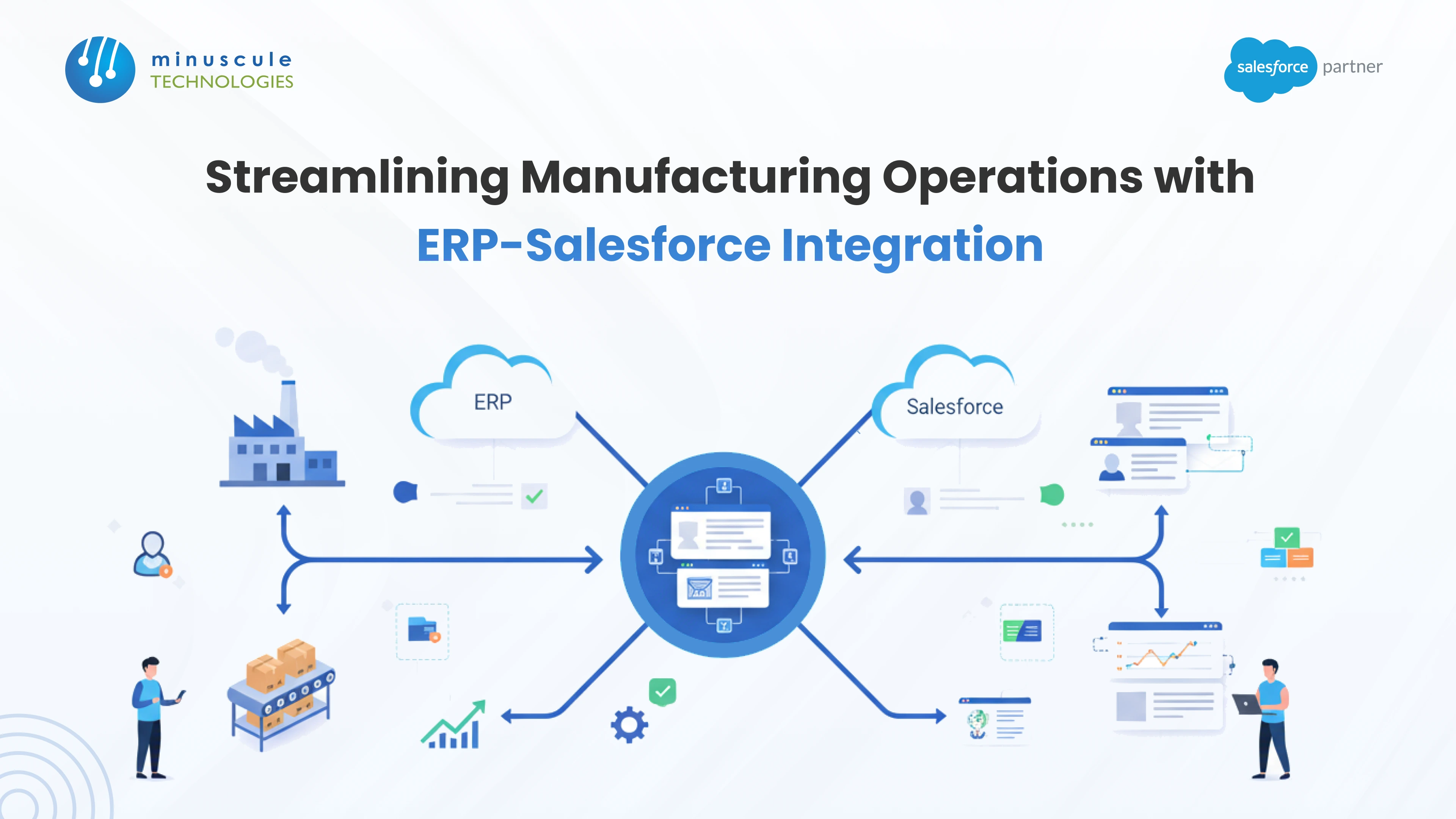
A Salesforce and ERP integration succeeds or fails on four decisions, and none of them is which tool you buy. You have to choose an integration pattern that matches your volume and latency needs, decide which system owns each field, decide how often each type of data syncs and accept the cost of that choice, and design for the failure cases that will happen in production.
Most guides stop at the first decision. This one covers all four, plus the two things manufacturers specifically get wrong: exposing simple stock availability when their business needs capacity-aware promising, and treating the initial data load as a step rather than its own project.
The systems themselves are rarely the hard part. Your ERP already knows what it owns. The difficulty is that two systems now describe the same customer, the same product, and the same order, and something has to arbitrate. For the bigger picture, read our guide to integrating Manufacturing Cloud with your ERP.
There are four viable approaches, not three. The fourth is newer and often overlooked, because it questions whether you need to move the data at all.
| Pattern | Fits When | Real Cost | Fails When |
|---|---|---|---|
| iPaaS, such as MuleSoft | Several systems, conditional routing, real transformation logic | Licensing plus a skill set you must keep in-house | You have exactly two systems and simple field mapping |
| Pre-built connector | A common ERP pairing and near-standard processes | Low upfront, but you inherit someone else's data model | Your process is unusual, and the connector cannot bend |
| Custom API integration | A genuinely unusual requirement nothing else covers | Ongoing maintenance forever; it is code you now own | Nobody budgeted for the maintenance, so it rots silently |
| Zero-copy federation via Data 360 | Read-only reporting and analytics across both systems | Data 360 and a warehouse; query cost rather than sync cost | You need to write back, or act transactionally |
Most manufacturers at any scale end up with a hybrid, and that is not a failure of planning. Transactional events such as an order release want an event-driven path with guaranteed delivery. Reference data such as the product master is happy on a nightly batch. Analytics may not need to move at all.
The fourth row deserves attention because it changes the scoping conversation. Data 360 supports zero-copy sharing with data warehouses, meaning data can be queried where it lives rather than duplicated into Salesforce. For "we want to report across CRM and ERP," that removes the entire sync problem, along with the staleness and reconciliation work that comes with it. It does nothing for order release, which is inherently transactional.
On the custom-API row, the warning in older versions of this advice is correct and worth repeating: custom code creates technical debt that fails quietly. When an ERP is upgraded or a credential expires, a hand-built connector stops working and often stops without telling anyone. You find out from a customer.
This is the artifact that determines whether the integration works. Fill it in for your own estate, field by field, and get both the ERP owner and the Salesforce owner to sign it.
| Data | System Of Record | Direction | Why |
|---|---|---|---|
| Product and part master, with pricing | ERP | ERP to Salesforce only | Manufacturing cost and BOM live there; reps must not invent parts |
| Inventory counts by location | ERP or WMS | ERP to Salesforce only | Physical stock is counted where it is held |
| Customer contacts and relationship data | Salesforce | Salesforce to ERP | The commercial relationship is managed in CRM |
| Billing address and tax registration | ERP | ERP to Salesforce | It is a financial and compliance record, not a marketing one |
| Opportunity, quote, and negotiated price | Salesforce | Salesforce to ERP on close | Commercial terms are agreed in the sales process |
| Order status and shipment tracking | ERP | ERP to Salesforce | Fulfillment happens in the back office |
| Credit standing and payment history | ERP | ERP to Salesforce, read-only | Finance owns credit; sales should see it, never change it |
| Account hierarchy | Usually Salesforce | Salesforce to ERP | Commercial structure often differs from the legal billing entity |
Three rules make this table work.
One owner per field, no exceptions. If two systems can both write a value, they will eventually disagree, and the losing update will vanish without an error. This is the single most common cause of "the data keeps changing back" tickets.
Read-only means enforced read-only. Do not rely on convention. Make ERP-owned fields genuinely non-editable in Salesforce through field-level security, or someone will helpfully correct one and create a silent divergence.
The account hierarchy row is the exception that catches people. How you sell is often not how you bill. A commercial parent may bill through three legal entities. Decide deliberately whether the CRM hierarchy or the ERP billing structure wins, and expect to hold both with a mapping between them rather than forcing one to match.
Here is the distinction most Salesforce and ERP integration guides skip, and it matters enormously if you build rather than stock.
Available-to-Promise (ATP) is the quantity of an item that exists and can be committed to a customer for a given date, after accounting for what is already promised to someone else. Capable-to-Promise (CTP) extends that by asking whether you could make it in time, factoring in production capacity, materials, and lead times.
| Available-to-Promise | Capable-to-Promise | |
|---|---|---|
| The question | "Do we have it, uncommitted?" | "Could we have it by then if we made it?" |
| Considers | On-hand stock, less existing commitments, plus scheduled receipts | All of that, plus capacity, materials, and lead times |
| Right for | Stocked products with predictable replenishment | Make-to-order and configured products |
| Cost to expose in CRM | A relatively cheap read | Expensive; the calculation takes longer |
| Failure if you use the wrong one | Reps quote dates the factory cannot meet | Slow quoting, and unnecessary load on the ERP |
The practical consequence is a design decision, not a preference. If you expose only ATP to a sales team selling configured products, your reps will confidently promise dates that ignore whether the plant has capacity, and every one of those becomes an operations escalation later.
CTP calculations are heavier, which is why calling them synchronously on every quote line is usually a bad idea. A workable pattern is ATP for the fast default read, with CTP invoked deliberately for configured or large orders, and a clear rule about which threshold triggers it. Inventory availability design generally is covered in our guide to real-time inventory control for manufacturers.
"Real time" is rarely the right answer and almost never a free one. Every synchronous call to your ERP is load on a system that also has to run your business, and Salesforce has its own limits on outbound calls.
| Data | Sensible Cadence | Why |
|---|---|---|
| Product master and price list | Nightly batch | It rarely changes intraday, and volume is high |
| Inventory availability | Every few minutes, or on-demand for the specific item | Frequent enough to be safe; not so frequent it becomes ERP load |
| Credit standing | On-demand at quote time | The value only matters at the moment of decision |
| Order release on close | Event-driven, immediately, with guaranteed delivery | It is a transaction; losing one is unacceptable |
| Shipment and tracking updates | Event-driven from ERP as they occur | Customers ask about this within minutes of shipping |
| Invoice and payment status | Hourly or daily | Useful for context, rarely urgent to the minute |
The important asymmetry is in rows two and four. Inventory can tolerate being slightly stale as long as everyone understands the window and the promise logic accounts for it. An order release cannot tolerate being lost at all. Those two requirements call for different mechanisms, and trying to serve both with one nightly job is how manufacturers end up with both stale stock data and missing orders.
This is where integrations actually break, and it is consistently the least-planned part of the project.
| Failure | What Happens Without A Design | What To Build |
|---|---|---|
| The same order is sent twice | The factory builds two, and someone eats the cost | Idempotency: a unique key the ERP rejects on repeat |
| ERP is unavailable when a deal closes | The order silently never arrives | A durable queue with retry, and an alert if it drains slowly |
| Order header succeeds, lines fail | A half-order that looks complete on both sides | Treat the order as one transaction; roll back or quarantine |
| One malformed record blocks the queue | Everything behind it stops moving | A dead-letter path so bad records park without blocking |
| Credentials or certificates expire | All sync stops, usually overnight, with no notice | Expiry monitoring, and rotation on a calendar |
| A record fails validation in the target | It is dropped and nobody is told | An error record with a queue someone actually owns |
| Records diverge over months | The two systems quietly stop matching | A scheduled reconciliation that counts and compares |
The first row is the one that costs real money in manufacturing, because a duplicated order becomes physical product. Idempotency is not sophisticated: send a deterministic external key with every order, and have the ERP reject a key it has already accepted. What makes it essential is that retries are unavoidable in any reliable integration, so duplicates are guaranteed unless you design them out.
The last row is the one that decides whether you trust the system in year two. Divergence is not dramatic; it accumulates. A nightly job that counts open orders on both sides and reports the difference is cheap, and it is the difference between finding a problem yourself and hearing about it from a customer. Practitioner discussion of these patterns comes up regularly on Forcetalks, and the Salesforce-side automation mechanics are covered well on SFDC Fanboy.
Teams routinely scope the ongoing sync carefully and treat the first load as a step in the plan. It is not. It has different risks and it only happens once, badly, if you rush it.
Deduplicate before you load, not after. If one customer exists twice in Salesforce, syncing creates two ERP records and then two order streams. Cleaning afterwards means unpicking transactions, not merging records.
Normalize the obvious things first. "TX" and "Texas," trailing whitespace, inconsistent legal suffixes on company names. Matching logic fails on exactly these, and it fails quietly.
Build the ID mapping deliberately. Every synced object needs the other system's identifier stored on it, indexed. Without it, every subsequent operation is a fuzzy match on name, which is where duplicates come from.
Load in dependency order. Products, then accounts, then contacts, then open orders. Loading orders before the products they reference produces thousands of failures that look like an integration bug.
Decide what history you actually need. "All of it" is expensive and rarely useful. Open orders and current customers are usually enough; closed history can stay where it is and be reported on separately.
Reconcile before going live. Count records on both sides and account for every difference. "Close enough" on day one becomes an unexplainable variance in month six.
Choosing the ERP platform itself is a separate exercise, which we cover for distribution businesses in our guide to ERP for wholesale distribution.
Integrations rarely fail loudly. They fail by dropping one record type, or by stopping overnight while every dashboard stays green because dashboards read what did arrive.
Four things worth monitoring, in increasing order of usefulness. Queue depth and age, because a queue growing steadily is a failure in progress. Error rate by record type, because a spike in one object is more diagnostic than a total. Reconciliation counts, comparing both systems on a schedule. And business-level checks, which are the ones that actually catch things: how many orders closed in Salesforce yesterday, how many exist in the ERP, and why is the answer not the same number?
Give the alerts an owner with a rota. Monitoring that pages a shared mailbox is monitoring nobody reads, which is functionally the same as having none.
Your ERP holds financial records, supplier terms, and cost data. The integration is a permanent, credentialed path into it, so it deserves more care than a typical Salesforce connection.
Use a dedicated integration user with the minimum object and field permissions the integration actually needs, never an administrator account and never a person's login, which breaks the day they leave. Store credentials in a secret store rather than in code or custom settings, and rotate them on a schedule with expiry monitoring, since expired credentials are one of the most common causes of silent outages. Restrict access at the network layer where your ERP supports it, and keep an audit trail of what the integration user changed, because "the integration did it" needs to be a traceable statement rather than a shrug.
Permission and access-model guidance sits with ordinary Salesforce administration practice, and if you are formalizing these skills in your team, the Integration Architect credential path is tracked on saasguru.
Agentforce is current, not a future trend, and it changes what the integration is for.
Once ERP data is reliably present in Salesforce, an agent can act on it rather than merely display it. A delayed inbound shipment stops being a red flag on a dashboard and becomes an agent that identifies affected orders, notifies the reps who own them, suggests an in-stock alternative, and drafts the revised quote.
Two conditions apply, and they follow directly from everything above. An agent can only act on data that has actually arrived, so it is not a shortcut past the integration work. And it needs explicit boundaries: which actions it may take alone, which need approval, and what it must never touch. Reallocating constrained stock between two customers is a commercial policy decision, and it needs to be written down before an agent applies it.
The wider question of what Salesforce should and should not own across operations is covered in our guide to Salesforce AI for supply chain, and the broader product map sits in Salesforce Sales and Service Clouds for manufacturing.
Choose a pattern first: iPaaS such as MuleSoft for multi-system logic, a pre-built connector for a common ERP pairing with standard processes, custom APIs only for genuinely unusual requirements, or zero-copy federation through Data 360 if you only need to report across both. Then define field ownership, set sync cadence per data type, and design your failure handling before building.
A closed opportunity in Salesforce releases an order to the ERP with its bill of materials, so procurement can order raw materials. The ERP returns order status and, on dispatch, a tracking number that triggers a customer notification. Separately, a quote attempt checks the customer's credit standing in the ERP and blocks the quote if they are on hold.
Available-to-Promise is the uncommitted quantity you can promise for a date, based on stock and scheduled receipts. Capable-to-Promise also considers whether you could manufacture it in time, factoring in capacity, materials, and lead times. Stocked products can usually work from ATP; make-to-order manufacturers need CTP or their quoted dates will ignore factory reality.
The ERP, almost always. It holds manufacturing cost, bills of material, and the basis for pricing. Sync products one way into Salesforce and prevent reps from creating products locally, because a product that does not exist in the ERP cannot be built or shipped.
Often enough that promises are safe, not as often as technically possible. Every few minutes suits most manufacturers, with an on-demand check for a specific item at the point of quoting. Synchronous checks on every page view create load on the ERP that is rarely justified by the accuracy gained.
In our experience the recurring causes are shared field ownership so two systems overwrite each other, no idempotency so retries create duplicate orders, unmonitored failure paths so records disappear without an error anyone sees, and an initial load run on dirty data. Note that these are all design and governance failures rather than tooling failures.
For transactions, yes. Releasing an order or updating a record requires actually moving data. For reporting and analytics across both systems, zero-copy federation can let you query data where it lives instead, which removes the sync and reconciliation burden entirely for that use case.
The tools in this space are mature. Almost every troubled Salesforce and ERP integration we are asked to rescue is not suffering from the wrong platform. It is suffering because two systems both believe they own a field, or because retries created duplicate orders, or because a failure path was never built and records have been disappearing for months.
Decide the pattern deliberately, and allow it to be hybrid. Write down field ownership and enforce it technically rather than by convention. Expose the right promising model for how you actually manufacture. Set cadence per data type. Then design idempotency, retry, dead-lettering, reconciliation, and alerting before the first record moves.
Do that, and the integration becomes infrastructure that stops being discussed. Skip it, and you get a project that appears finished and then generates escalations indefinitely.
At Minuscule Technologies we begin these engagements with the field ownership matrix and the failure design, because those decide the outcome long before any connector is configured. If you want your current or planned Salesforce integration reviewed against the four decisions above, talk to our team about an integration audit.
You've seen what's possible. Now, let's make it happen for your business. Whether you need an end-to-end Salesforce solution, a complex integration, or ongoing managed services, our team is ready to deliver.

Schedule a Free Strategic Call


Plot No. 4, Sridevi Amman Street, Perumal Nagar Extension, Old Pallavaram, Chennai, Tamil Nadu 600117, India.
