
January 23, 2026
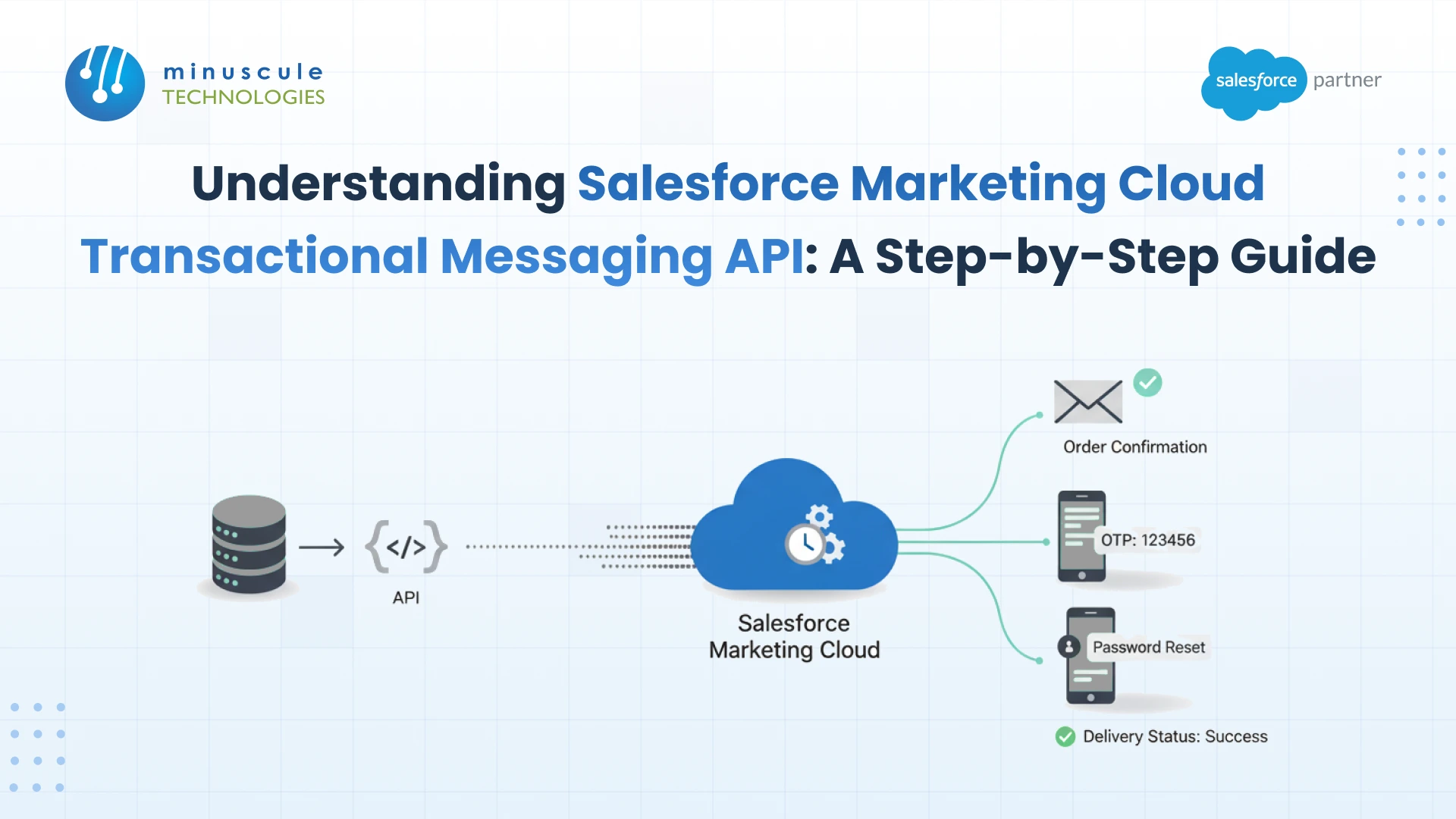
The Marketing Cloud Transactional Messaging API sends one-to-one operational messages, such as password resets and order confirmations, through five steps: create an installed package for API access, authenticate with OAuth 2.0, create a send definition through the API, call the send endpoint with a unique messageKey, and subscribe to the Event Notification Service to track delivery.
Two things surprise teams building this for the first time. Send definitions for this API are created programmatically, not in the Marketing Cloud UI. And the API deliberately skips several safety checks that marketing sends rely on, including suppression lists and exclusion scripts, which makes governance your responsibility rather than the platform's.
It is a REST API for event-driven, operational messaging. A customer resets a password, places an order, or triggers a security alert, and your application calls the API to send that one message to that one person.
The central concept is the send definition. Salesforce describes it as containing references to the email template, recipients, sending options, journey, and metadata for the message. You create the definition once, then call it repeatedly for individual sends, passing the personalization data with each call.
That split matters architecturally. The definition is configuration you deploy; the send is a runtime call your application makes. Confusing the two is why some teams try to create a definition per customer and hit the platform limits within days.
Marketing Cloud offers several ways to send an event-driven message, and picking the wrong one is the most expensive early mistake.
On timing, be realistic with your stakeholders. Practitioners report delivery in the range of a few seconds rather than instantly, so design your user experience around near real time rather than promising an inbox arrival before the page finishes loading. A confirmation screen that says the email is on its way ages better than one that implies it has already landed.
Your application authenticates as an integration, not as a user. That identity comes from an installed package in Marketing Cloud Setup.
Create the package, add an API Integration component, and choose the server-to-server integration type. Grant only the scopes the integration needs, which for this work means the email and messaging permissions rather than everything on the list.
The package gives you a client ID, a client secret, and your tenant-specific subdomain. Store the secret in a secrets manager, not in application config, and note the subdomain because every subsequent call is scoped to it.
Scope discipline here is worth the extra ten minutes. An over-permissioned integration credential is one of the more common findings in a Marketing Cloud security review, and tightening it later means coordinating a credential rotation with whoever owns the calling application.
Marketing Cloud uses OAuth 2.0 with the client credentials grant for server-to-server integrations. Your application posts the client ID and secret to your tenant's authentication subdomain and receives a short-lived access token.
Three implementation details save you an outage later. Cache the token rather than requesting one per message, because token requests are themselves rate limited. Refresh before expiry rather than reacting to a 401. And handle the failure path deliberately, since an expired credential means your password reset emails stop while your marketing sends carry on working, so nobody notices immediately.
Use your tenant-specific endpoints throughout. Generic legacy endpoints will not work for a modern org, and the subdomain from your installed package is what scopes both authentication and REST calls. Architecture-level write-ups on Jitendra Zaa are useful background on token handling patterns for Salesforce APIs generally.
This is the step most guides get wrong, so it is worth being explicit. For the Transactional Messaging API, you create send definitions programmatically. You cannot build them in the Marketing Cloud UI the way you would configure a classic triggered send, and practitioner threads on Stack Exchange are full of people looking for a screen that does not exist.
Before you call the create operation, prepare two things in the UI:
Then create the definition via the API, giving it a stable external key. That key is what your application references on every send, so treat it as a deployment artifact: version it, promote it through environments, and never let someone rename it in production.
Because definitions are API-created, they also need to be part of your release process rather than hand-built per environment. Managing that properly is ordinary integration architecture work, and skipping it is how sandbox and production drift apart.
With a definition in place, sending is a single call that references the definition and carries the recipient plus their personalization data.
The critical field is the messageKey. Salesforce requires a unique messageKey value for each single-send request, and it becomes your handle for that specific message afterward.
Generate the messageKey from something meaningful in your own system, such as an order identifier combined with a message type. A random UUID works, but a derived key means that when support asks why a customer never got their receipt, you can find the message without a database join.
The API accepts the request and processes the send asynchronously. A success response means Marketing Cloud has accepted the message, not that it has reached the inbox. Do not tell your user their email has arrived on the strength of a 202.
Here is the operational trap. These sends do not show up in standard Marketing Cloud tracking the way a normal email send does, so if you build nothing else, you are flying blind on your most important messages.
The Event Notification Service is the answer. You register a callback endpoint, Salesforce verifies it, and then it posts delivery events, such as sent and bounced, to your endpoint as they happen.
Build four things around it:
Treat the callback endpoint as production infrastructure with the same uptime expectations as the application that triggers the sends. Practical implementation walkthroughs on Salesforce Codex are helpful when you get into the handshake details.
Two of these are hard platform limits and the rest are practical ceilings. Design around them from the start.
The first row is the one that catches teams building multi-tenant or highly templated systems. The limit counts transactional and triggered definitions together, per business unit, over a rolling seven days, so a script that creates definitions dynamically will exhaust it fast. One definition per message type, parameterized at send time, is the pattern that scales.
This section deserves more attention than it usually gets, because the API's convenience is also its risk. It is designed for messages a customer needs, so it skips guardrails that exist for marketing sends.
The temptation is obvious and worth naming. Because these sends bypass unsubscribe status, teams occasionally route promotional content through the transactional channel to reach people who opted out. That is a compliance problem regardless of which endpoint delivered it, and it puts your sending reputation and your legal position at risk for a short-term open rate.
Draw the line in writing. A receipt, a password reset, a shipping notification, a security alert, and a service outage notice are transactional. A cross-sell, a discount, a newsletter, and a re-engagement nudge are not, whatever the template is called. Keeping that boundary is a governance responsibility that sits alongside your other Salesforce administration controls. If personalization is the reason someone wants to blur the line, the answer is better use of Einstein for Marketing Cloud on the marketing side, not misuse of the transactional channel.
Six failures account for most support tickets on this integration.
The third row is worth internalizing early. Several hours of team time get lost every year to searching the Marketing Cloud interface for send definitions that were never going to appear there. Tutorials on SFDCStop and the official reference are faster routes than clicking around.
For exact endpoint paths, request schemas, and response codes, work from Salesforce's own Salesforce Developers reference rather than a blog post, including this one. The reference is versioned; blog posts are not.
It is a REST API for sending operational one-to-one messages such as password resets, order confirmations, and security alerts. It works from send definitions that reference an email template, recipients, sending options, and metadata, which your application then calls per message.
The Transactional Messaging API is the modern REST approach and creates definitions programmatically rather than through the UI. Both count against the same definition limit, so migrating does not free up capacity. The practical differences are the developer experience and how you monitor delivery.
No. Definitions for this API are created through the API. This is the single most common source of confusion, and it means definitions should be treated as deployable configuration rather than something an admin builds by hand in each environment.
Use the Event Notification Service. These sends are not surfaced in standard tracking, so you register a callback endpoint, receive delivery events, and log them against your messageKey. Without that, you have no audit trail for your most important messages.
Transactional messages bypass marketing unsubscribe status, and the API does not support suppression lists or exclusion scripts. Any exclusion logic has to live in your application before the call, and content policy has to keep genuinely promotional messages off this channel.
Salesforce documents a limit of up to 500 transactional and triggered send definitions for email in a rolling 7-day period, per business unit. Design one definition per message type and parameterize at send time rather than generating definitions dynamically.
The Transactional Messaging API is straightforward once the model is clear: an installed package for identity, OAuth for access, a send definition created through the API, a send call carrying a unique messageKey, and the Event Notification Service telling you what happened.
The two things that separate a solid implementation from a fragile one are unglamorous. Definitions treated as versioned configuration rather than hand-built per environment. And delivery monitoring built on day one, because a password reset that silently fails is a locked-out customer nobody knows about.
At Minuscule Technologies we build these integrations with the logging and alerting in place from the first send, and with a written boundary between transactional and marketing content so the channel stays compliant. Talk to our Marketing Cloud team about your transactional messaging architecture before it becomes a production dependency.
You've seen what's possible. Now, let's make it happen for your business. Whether you need an end-to-end Salesforce solution, a complex integration, or ongoing managed services, our team is ready to deliver.

Schedule a Free Strategic Call


Plot No. 4, Sridevi Amman Street, Perumal Nagar Extension, Old Pallavaram, Chennai, Tamil Nadu 600117, India.
