
February 16, 2026
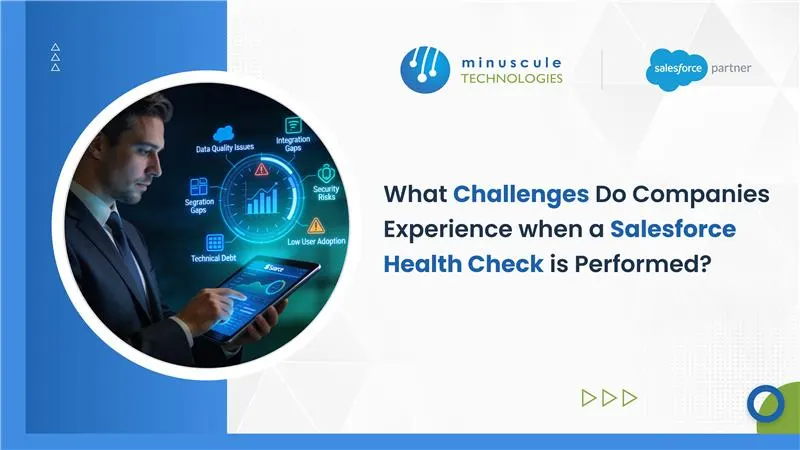
When a Salesforce Health Check is performed, companies most often run into security risks from permission creep, poor data quality, technical debt that hurts performance, hidden automation and integration issues, compliance trade-offs, and low user adoption. The scan itself is fast; the real challenge is facing years of shortcuts it exposes and deciding what to fix first.
Below we break down each challenge, why it is hard to resolve, and how to remediate it, so a health check becomes a roadmap instead of a surprise audit.
The term covers two different things, and mixing them up is the first source of confusion. The native Salesforce Health Check is a Setup tool that scores your security settings against a baseline. A full org health assessment is a broader review of security, performance, data, automation, integrations, and adoption.
Both matter, but they answer different questions. The native score tells you if your security config drifts from best practice; a full Salesforce health check tells you what to fix across the whole org and in what order. Good org assessment tips help you scope the deeper review.
Salesforce environments evolve under pressure. Features ship fast to hit sales goals, permissions get granted 'just for now,' and data flows in from everywhere. A health check exposes the history of every shortcut at once.
The platform is secure, but your specific org might not be. Over time, employees accumulate access they never give up, because it is easier to say 'yes' than to enforce least privilege. Audits also surface stale OAuth tokens from tools connected years ago, which persist as silent backdoors even after the user leaves. Grounding fixes in Salesforce security best practices keeps remediation consistent.
Data is the lifeblood of Salesforce and its heaviest anchor. CRM data decays fast, so checks routinely flag duplicates, missing fields, and stale records. The hard part is not deleting duplicates; it is agreeing on survivorship rules when Sales, Marketing, and Finance each want a different field to win.
A healthy org has to scale, but health checks often expose shortcuts that now strangle performance. Inefficient code places queries or DML inside loops, which works for five records and crashes in production against governor limits. Overloaded pages and reports then make everyday screens crawl. Reviewing the governor limits your code brushes against is the first step to a fix.
Years of layered, undocumented builds leave conflicting flows, retired Process Builder logic, and brittle integrations that break silently. A check often reveals two automations fighting over the same record, or an integration passing bad data downstream. A clean Salesforce integration review untangles these dependencies before they cause outages.
For regulated industries, enabling features like Salesforce Shield is often non-negotiable, yet encryption is not a simple switch. Encrypting a field can remove it from certain sharing rules or list-view sorting, so the business has to weigh the security gain against lost functionality. Checks also flag that Event Monitoring is available but never configured, leaving an audit-trail blind spot.
The most overlooked finding is that people are not using the org well. Cluttered pages, confusing fields, and thin training push reps to work in spreadsheets instead of the CRM. Low adoption quietly undermines every other fix, because clean data and automation only pay off when the team actually uses the system.
The findings are rarely the hard part. The hard part is the people and the fear around change.
Revoking access or tokens triggers 'if we revoke this, what breaks?' paralysis when no one owns an inventory of critical apps. Cleaning data stalls on stakeholder consensus. Splitting a slow page means convincing users that clicking a tab beats scrolling a wall of data. Every technical fix carries a change-management cost, which is why prioritization matters more than raw findings.
A health check only pays off when the report becomes an ordered plan. Map each finding to an action, sequence by risk and effort, and test in a sandbox before you touch production.
For a deeper walkthrough of sequencing the work, our guide on what to do after a Salesforce health check lays out the path from diagnosis to cure. Following recognized Salesforce best practices keeps the remediation defensible.
Most health-check content stops at listing risks. The harder work is prioritizing remediation against real business impact, refactoring the tech debt safely, and putting release governance in place so the same shortcuts do not creep back.
Minuscule treats a health check as an engineering exercise, not a checklist. We turn findings into a sequenced, sandbox-tested plan, refactor legacy debt, and harden security and automation so your org stays healthy after the report is filed.
At least once a year, and after any major release or org change. Regular checks catch security drift and technical debt before they become incidents.
Health Check scores your security settings against a baseline. Salesforce Optimizer reports on setup and feature usage, like unused fields and limits. They complement each other in a full assessment.
The native tool shows a percentage against a baseline, and higher is better. The score is a starting point, not the whole picture, since it only measures security settings.
Native Health Check and Optimizer cover security and setup. For deeper code and org analysis, teams add static-analysis tools and a partner-led review of automation, data, and integrations.
The most common one is hitting the SOQL query limit by placing a query inside a loop. The fix is to bulkify the logic and move the query outside the loop.
A Salesforce Health Check can be humbling, but the findings are the first step toward an org that scales instead of one that merely functions. The difference is moving from reactive firefighting to a prioritized, engineered plan.
At Minuscule Technologies, a Salesforce engineering partner, we run forensic health checks and turn them into secure, sandbox-tested remediation. Talk to us today, and let's modernize your Salesforce org before a failure does it for you.
You've seen what's possible. Now, let's make it happen for your business. Whether you need an end-to-end Salesforce solution, a complex integration, or ongoing managed services, our team is ready to deliver.

Schedule a Free Strategic Call


